• Check out the results of the Techtree Contest #19!
  • Listen to a special audio message from Bill Roper to the Hive Workshop community (Bill is a former Vice President of Blizzard Entertainment, Producer, Designer, Musician, Voice Actor) 🔗Click here to hear his message!
  • Read Evilhog's interview with Gregory Alper, the original composer of the music for WarCraft: Orcs & Humans 🔗Click here to read the full interview.
  • Create a void inspired texture for Warcraft 3 and enter Hive's 34th Texturing Contest: Void! Click here to enter!
  • The Hive's 22nd Icon Contest: Creep Abilities is now concluded, time to vote for your favourite set of icons! Click here to vote!

Modeling Contest #15 - Colossus

Status
Not open for further replies.
Meh, actually, i'm out, have fun.

(Is no longer in this competition..)

You leaving just because of some tiny drama? Lame.

I tried to fix the wrap in the chest. Looks better now?

attachment.php


:ugly:

69500d1258050832-modeling-contest-15-wip7.jpg


Attachments

  • wip8.JPG
    wip8.JPG
    18.7 KB · Views: 532
blur? fur!

the fur should be a tad more detailed (if that is fur)

Considering we are dealing with a statue I would assume it to be stone or maybe black onyx.. So it looking like fur would be rather strange, although there could of course be moss on it :con:

Umm, did i do something wrong with the points or is it supposed to be like that? i wont be using so many polies on this ;D, does it look good? xD

If you mean the polies you can't see then it appear like you used the place a single poly at a time... Maybe I don't know what you are asking.. at any rate you can always select and delete those you find unneeded.
 
you're using milkshape yeah? select 3 vertexes you placed and press 'F' to create a polygon betweem them, and repeat that with all the vertexes. assuming that's what you were asking.

Also, new whip. i've finished the mesh and wrap, and assiged the bones to the vertexes. now for the tedious job of animation...
 

Attachments

  • new whip.JPG
    new whip.JPG
    134.5 KB · Views: 276
you're using milkshape yeah? select 3 vertexes you placed and press 'F' to create a polygon betweem them, and repeat that with all the vertexes. assuming that's what you were asking.

Also, new whip. i've finished the mesh and wrap, and assiged the bones to the vertexes. now for the tedious job of animation...
Looks kewl! Now for the awesome job of animation! :razz:
 
you're using milkshape yeah? select 3 vertexes you placed and press 'F' to create a polygon betweem them, and repeat that with all the vertexes. assuming that's what you were asking.

Also, new whip. i've finished the mesh and wrap, and assiged the bones to the vertexes. now for the tedious job of animation...

lol is that goma? from zelda
 
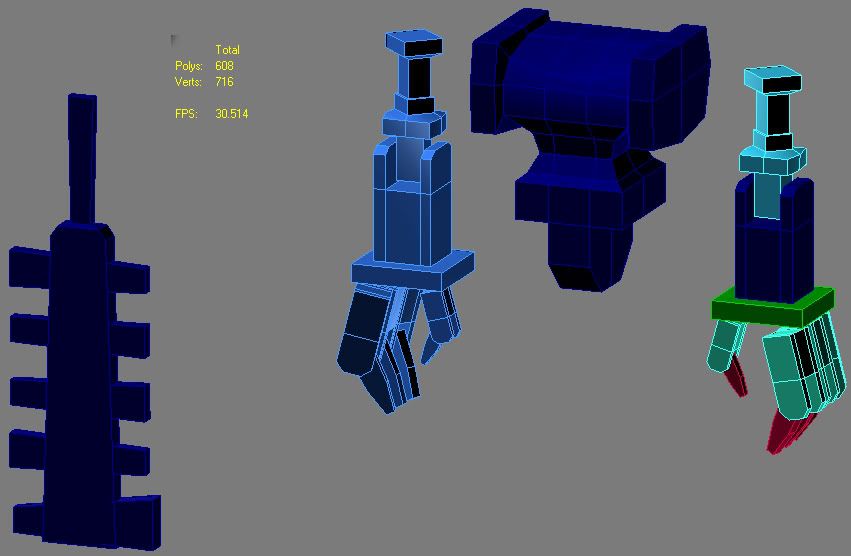
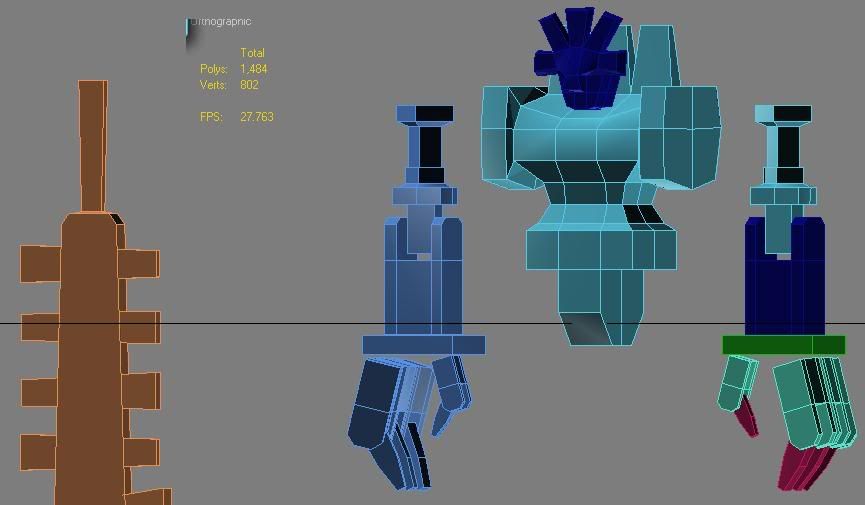
Wip :D, how do i place bones and animate xP, ill do that afterwards ofcourse

mawww, its a coote colossus! its looking very nice, especially for a learning modeller. as for animation, the milkshape website has a pretty good tutorial on joints and vertex assignment, just click on the online and find the animation section. it'll explain things much better than most tutorials.
 
xD, well, i tried (Got help from Pyramidhe@d) to place textures in Model editor and then test ingame, but it wont work, i deleted the eyes since they wouldnt load for some reason, but can someone help?

Dont find the name funny XP
 

Attachments

your texture paths arent correct, they need the full path extension in order to work, eg "Textures\SteamEngine.blp" or "ReplaceableTextures\CommandButtons\BTNPoo.blp", rather than just "SteamEngine.blp". you need to go into image extractor and search for the images and take note of their full texture paths, i'd fix them for you but my image extractor fucked up and i'm too tired to fix it right now. plus its all a learning experience
 
Status
Not open for further replies.
Back
Top