

Gtam
G
Gtam
Hey could you plz makes this pic a loading screen and minimap preview
plz
Hey what about my request. Can it plz be done i really need it. Plz
Follow along with the video below to see how to install our site as a web app on your home screen.
Note: This feature may not be available in some browsers.
Hey could you plz makes this pic a loading screen and minimap preview
plz


Dark_Moon,
If you click through that website, the wallpapers can be majorly enlarged.
Rispetto,
ONLY a TGA? Sure.
If you meant you want it as a map preview you should have said so.
By the way, that isn't a slug, that's a snail. Slugs are long and have no shell.


here's the pic for the preview screenie Red. xD
and add
Ran'dome Clash
text on bottom center of the pic and maybe a suited font?
like a serious/straight font on the other side then text that go on the other side maybe an anime style font. xD

Gtam,
That picture for a loading screen will be really bad. I will do that for the map preview. Download "war3mapPreview.tga" and when importing into your map, change the path to just "war3mapPreview.tga".
AJalex,
Download AJalex.zip.
How? I did exactly what you said you wanted done. I suggest changing the name to snail tag if you want that to be the picture.lol smartass ;P
Well, I can't really make thisHubcool said:Huh I don't get it, are trying to say that you already made it - and tell which path to use or what are you actually saying.

Well, I can't really make thisa loading screen ey?
You can easily draw it however - Or -i can do it, but first tomorrow... Was to busy with work today for anything.
Hubcool! This can be TOTALLY simplified.Hubcool said:Step 1.
Import the "Loadingscreen.mdx" and DON'T TOUCH IT !
Step 2.
Import your "TextureName.blp" DO NOT TOUCH THIS EITHER!
Step 3.
Save and Exit WE.
Step 4.
Re-Open your WE and remove the red text ---> war3mapImported\Imagename.blp <---
Step 5.
Save and Exit WE, Yes again...
Step 6.
Go to Scenario >> Map Loading Screen... >> Use Imported File war3mapImported\Loadingscreen.mdx
Step 7.
Give the person who helped you out his rewarded reputation
Simplified VersionStep 1.
Import the "Loadingscreen.mdx"
Step 2.
Import your "FullScreen.blp" and remove the red text --> war3mapImported\FullScreen.blp
Step 3.
Go to Scenario >> Map Loading Screen... >> Use Imported File war3mapImported\Loadingscreen.mdx
Step 4.
Give the person who helped you out his rewarded reputation
You don't need to save and exit...
But dude, that's a SNAIL! Not a SLUG!
That's the biggest mistake you forgot to fix!
All hail the lord of slugs - The Snail 


Can you make me loading screen out of this plz?

Hubcool,
Look at my post on page 96 please.

Lol, it's dying!

It was a bump!


Hey Redbaron what's up with the mine and the icon xD ? I (was) waiting to get a fixed version of it to update few maps to which I add some new object data.

can you make me an animated loading screen of an eclipse?
like in warlock so background is sun and then the moon gos over it and so on
How do you suppose to animate an eclipse? You want a loading screen with 10000 frames? An eclipse has the duration of more than just the waiting to load a game, so why not just a picture? Plus, the loading screen only starts to animate after the game has finished loading.
Actually you do - due to a error in the import editor. But only at certain times, therefor keeping it in for everyone is the most failsafe way to avoid problems.
And its 100% guaranteed to work this way - Main reason for why I never have problems getting a load screen in the map...
Anyway yes you might not need it.. But only might.
Stuff coming up:
Rispetto here you go:
Download it here
Thought you already got it though.
----------------------------------------------------------------------
Then why not make the picture a slug? Else people would think you are stupid.Hey sorry I havn't responded in awhile. Been busy with school.
Yeah I gave all the rep I can so far to you guys, and yes I'm going to put you all in the credits on the actual map.
I really appreciate the help, honestly.
Without you guys, there would be no SLUG TAG.
Not snail tag.
I realise it's a snail, but slug sounds better. =D
Edit: Yeah I had this in a TGA file but when you preview the map the picture was all slanted n stuff, so I need it in an actual wc3preview size. xD

@ Red Baron
Map previews are supposed to be 128x128. war3mapMap.blp has to be 256x256. If you use war3mapMap.blp then you will see that it is fuzzy as the map preview.
Doesn't seem like we can agree on size related things.. But oh well - Both work anyway.
Thank you and +Rep


Hey awesome loading screen making guys! i have 2 requests, a map preview and a loading screen!

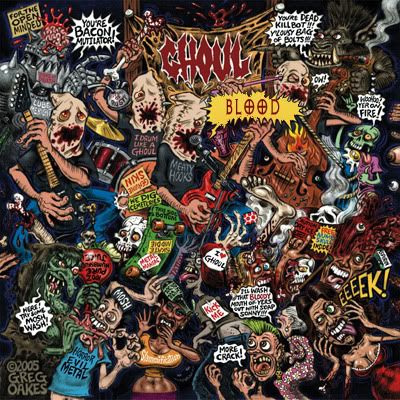
Wow 99 pages.
Need a new loading screen for my first.. really complete map:


Oh wow this thread has beautiful loading screens!


