
Community
Projects
Maps
Tutorials
Gallery
Support Us
Install the app
How to install the app on iOS
Follow along with the video below to see how to install our site as a web app on your home screen.
Note: This feature may not be available in some browsers.
-
Listen to a special audio message from Bill Roper to the Hive Workshop community (Bill is a former Vice President of Blizzard Entertainment, Producer, Designer, Musician, Voice Actor) 🔗Click here to hear his message!
-
Read Evilhog's interview with Gregory Alper, the original composer of the music for WarCraft: Orcs & Humans 🔗Click here to read the full interview.
-
The Hive's 22nd Icon Contest: Creep Abilities is now concluded, time to vote for your favourite set of icons! Click here to vote!
-
✅ The POLL for Hive's Texturing Contest #34 is OPEN! Vote for the TOP 3 SKINS! 🔗Click here to cast your vote!

You are using an out of date browser. It may not display this or other websites correctly.
You should upgrade or use an alternative browser.
You should upgrade or use an alternative browser.
Need artwork? Come here
- Status
- Not open for further replies.


- Joined
- Nov 1, 2008
- Messages
- 828
Hopefully D:.
morgothxx
M
morgothxx
loading screen
Could you make this into a loading screen for me please??

Could you make this into a loading screen for me please??

- Joined
- Jun 17, 2010
- Messages
- 2,275
NEWS FLASH: Red Baron was killed in a UFO crash :O
Thats not funny man, Aliens are people too!
- Joined
- Jul 24, 2009
- Messages
- 5,676


Is this thread dead?
Why don't you post a tutorial so the lazy bastards can do it themselves?
Hell, I'll do it.
You'll need GIMP(or something similar), Irfanview(optional), and Warcraft 3 Viewer, all free.
1.Open up in GIMP. Crop and resize your image until it is 1024x768, with 768 always being the height, or Y axis.
View attachment 85891
2.From the top left corner, select from each corner a region. It should be 512x256, with 512 on the X axis. Copy and paste it into a new image and save as tga(Truevision Targa) with either Irfanview or GIMP. Do this again starting from the top right corner.
View attachment 85893
3.From the bottom left corner, select from each corner a region. It should be 256x256. Copy and paste it into a new image and save as tga. Do this again with starting from the bottom right corner.
View attachment 85894
4.Convert them into .blp with Warcraft 3 Viewer and import into your map, using either a Loading Screen model, or replacing an existing loading screen, and changing it ingame.
View attachment 85895
View attachment 85896
And if this thread is still alive, I'd like to join and help the team.
Why don't you post a tutorial so the lazy bastards can do it themselves?
Hell, I'll do it.
You'll need GIMP(or something similar), Irfanview(optional), and Warcraft 3 Viewer, all free.
1.Open up in GIMP. Crop and resize your image until it is 1024x768, with 768 always being the height, or Y axis.
View attachment 85891
2.From the top left corner, select from each corner a region. It should be 512x256, with 512 on the X axis. Copy and paste it into a new image and save as tga(Truevision Targa) with either Irfanview or GIMP. Do this again starting from the top right corner.
View attachment 85893
3.From the bottom left corner, select from each corner a region. It should be 256x256. Copy and paste it into a new image and save as tga. Do this again with starting from the bottom right corner.
View attachment 85894
4.Convert them into .blp with Warcraft 3 Viewer and import into your map, using either a Loading Screen model, or replacing an existing loading screen, and changing it ingame.
View attachment 85895
View attachment 85896
And if this thread is still alive, I'd like to join and help the team.
Last edited:
morgothxx
M
morgothxx
it didnt work just shows up black.

Zenonoth
Ported Models Reviewer
- Joined
- Dec 19, 2009
- Messages
- 1,930
Times Change (SD & HD) (Co-Op Campaign)
Need someone to make me a loading screen of
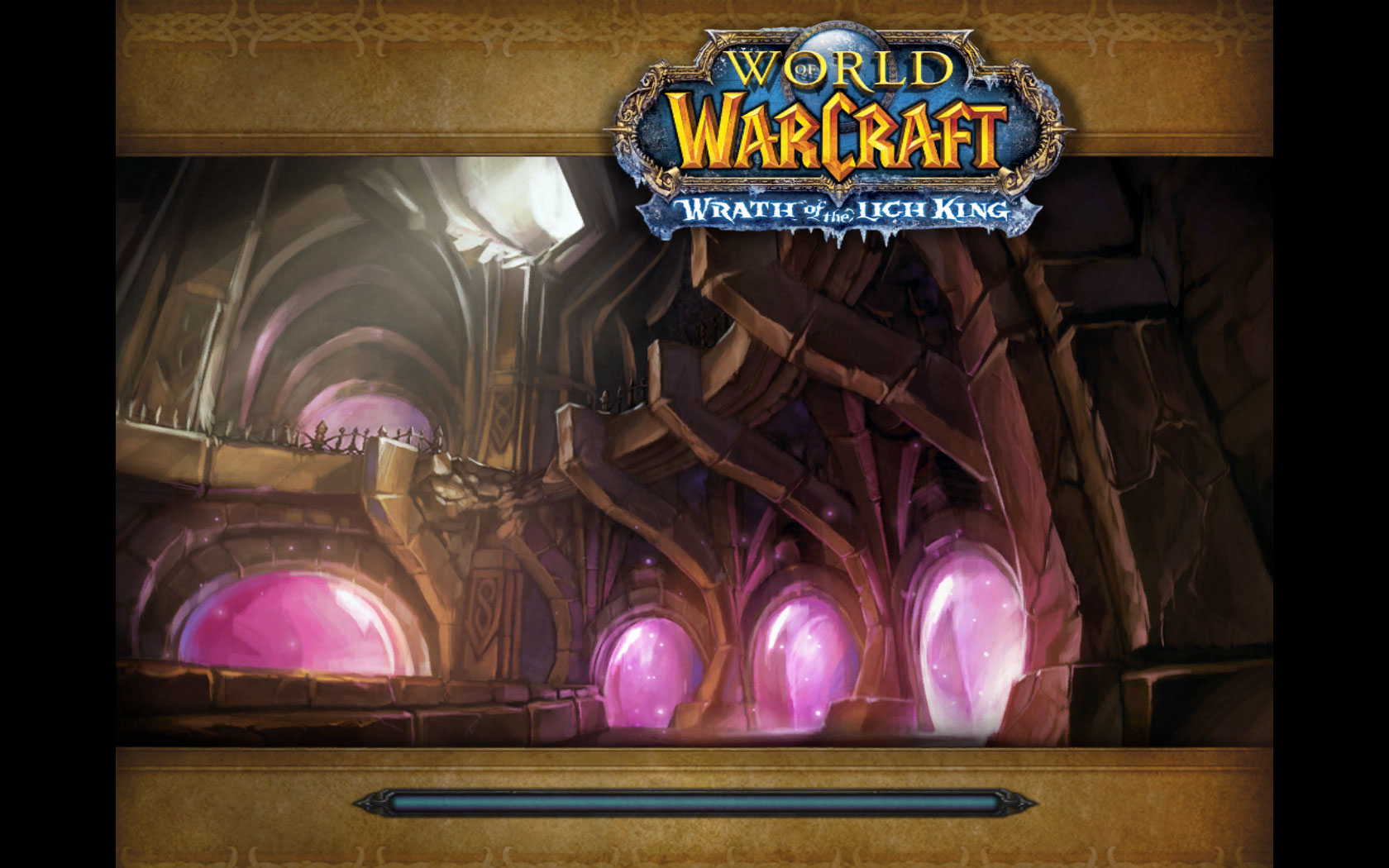
willing to give reputation and credits
willing to give reputation and credits
- Joined
- Jun 17, 2010
- Messages
- 2,275
Honestly i think they have copyrights on that title.
Thats not funny man, Aliens are people too!
they are? :O!
OHMIGOSH

Whut Note: AHHHH UN {HIDDEN} IMAGE OF DOOM makes me scroll to get to the
{QUOTE} button ;O
Grats you just lost 5 seconds of your life ;O

- Joined
- Jun 17, 2010
- Messages
- 2,275
only 3 here, im just pro like that.

- Joined
- Jun 8, 2010
- Messages
- 283

- Joined
- Jun 16, 2008
- Messages
- 333
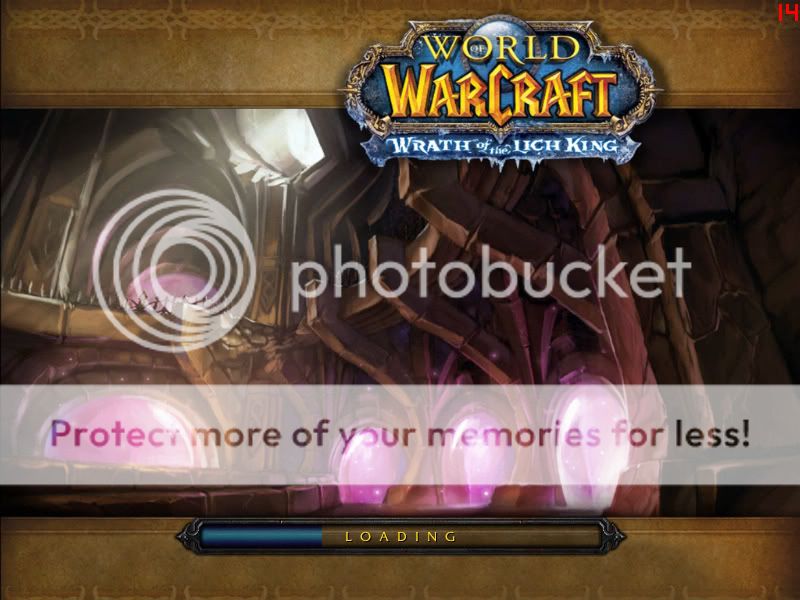
Can you change this to a minimap picture please.
Last edited by a moderator:
- Joined
- Jun 17, 2010
- Messages
- 2,275
ah gross dude why would u want the inside of someones rectum/throat as a mini map pic.
- Joined
- Jun 8, 2010
- Messages
- 283
Pretty gross picture, the rep better be worth it (;
Anyways here you go iown_azz, just download the attachment, and import it using the custom pathing "war3mapPreview.tga" without quotes of course.
Note: I removed the "00" on the left side of the image, courtesy of service
Anyways here you go iown_azz, just download the attachment, and import it using the custom pathing "war3mapPreview.tga" without quotes of course.
Note: I removed the "00" on the left side of the image, courtesy of service
Attachments
Last edited by a moderator:
- Joined
- Jun 16, 2008
- Messages
- 333
ah gross dude why would u want the inside of someones rectum/throat as a mini map pic.
It is for a maze and thanks Atmosferic
- Joined
- Jun 8, 2010
- Messages
- 283
Quite the interesting picture it is haha
Your very welcome iown_azz, dont forget to +rep
Edit:
Heres the other requests coming along the way:
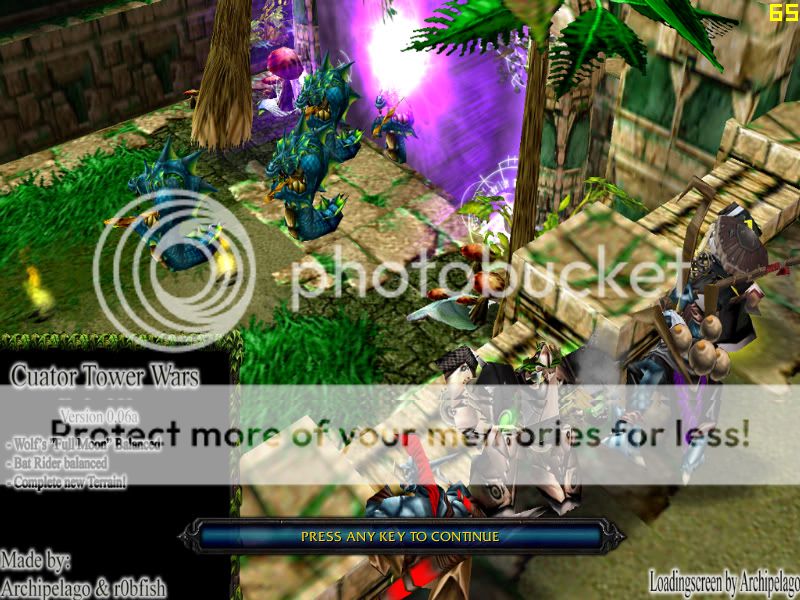
This loading screen is particularly for Archipelago. Please download the file attachment and import the files. Make sure you remove the "war3mapImported" so that the pathing would be only "LoadingScreenTL.tga". Heres a screenshot of how it looks like.
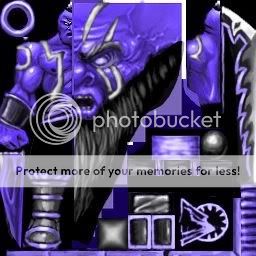
This is for Bowser499, I wasnt sure exactly which "Black Stripes" you wanted me to edit, so I was guessing it was the black stripes on his body and not his clothing also. Anyways here you go!
Dont forget to rep
Your very welcome iown_azz, dont forget to +rep
Edit:
Heres the other requests coming along the way:
This loading screen is particularly for Archipelago. Please download the file attachment and import the files. Make sure you remove the "war3mapImported" so that the pathing would be only "LoadingScreenTL.tga". Heres a screenshot of how it looks like.
This is for Bowser499, I wasnt sure exactly which "Black Stripes" you wanted me to edit, so I was guessing it was the black stripes on his body and not his clothing also. Anyways here you go!
Dont forget to rep
Attachments
Last edited:
- Joined
- Jun 16, 2008
- Messages
- 333
Heres the other requests coming along the way
For some reason I can't add rep or atleast see the icon for anything. Not even like the triggers jass quote ect
- Joined
- Jun 8, 2010
- Messages
- 283
- Joined
- Jun 16, 2008
- Messages
- 333
thanks for the linkHere click on This to get to my rep page
- Joined
- Jun 17, 2010
- Messages
- 2,275
Hey atmosferic since i helped you out mind helping me out, i got a map im workin on and id like you to play it and see if you can make a nice load screen for it based on the gameplay. PM if you will.
- Joined
- Jun 8, 2010
- Messages
- 283
Youre welcome iown_azz

If you want Ill also make a custom Minimap Preview if you like
Sure InfinateAnswers, I mean youve been helping me loads on my triggers and maps lately. Ill produce a quality loading screen for you, just send me the map through pm and Ill see what I can whip upHey atmosferic since i helped you out mind helping me out, i got a map im workin on and id like you to play it and see if you can make a nice load screen for it based on the gameplay. PM if you will.
If you want Ill also make a custom Minimap Preview if you like

- Joined
- Aug 11, 2009
- Messages
- 1,605
I need a loadscreen...
Do you guys have enough free time to make me one?
Do you guys have enough free time to make me one?
- Joined
- Jun 8, 2010
- Messages
- 283
reason 3, I always have time for loading screens. Just post here and ill check up once in a while to fulfill your request whenever needed.
- Joined
- Jul 24, 2009
- Messages
- 5,676
Atmosferic, you shouldn't ask for rep. It is like donating $50 to a charity, and then asking them if you can borrow their cars. Other than that, good job. Did you use my tutorial btw?
- Joined
- Jun 8, 2010
- Messages
- 283
I suppose, but as of right now its my only motivation. Since I have made the dedicated time to this fufill the requests in this thread. Also, no I didnt use your tutorial as I have already known how to make loading screens and map previews in the past.
- Joined
- Jun 17, 2010
- Messages
- 2,275
Yeah hes right, both of you. I dont ask for rep because i always have the thought that if i ask for it he wont give it to me just cus i asked lol... but in atmosfer pov he came in and fullfilled these requests that have been here for weeks
Zenonoth
Ported Models Reviewer
- Joined
- Dec 19, 2009
- Messages
- 1,930
Times Change (SD & HD) (Co-Op Campaign)
Need a loading screen for the one at http://www.imgplanet.com/images/41gsdqj1tzb0xi86wpnw.jpg, Also...Please Include a Readme file or a Tutorial about how I should Import / use it so it would be applied to my map and what imports do I need to do Willing to give both reputation and credits.
- Joined
- Jun 8, 2010
- Messages
- 283
I have finished your request Zenonoth. I have removed the default WoW loading bar for you.
To implement the loading screen to your map you must first extract the file HQ_wowreq2_ss.rar
You should have the following files listed below:
Go to your importer in World Editor (F12-TFT) and import the files. The .mdx file can have any model path you like. The tga files (loadingscreenTL.tga etc) should NOT have the "war3imported\" prefix.
Proper pathing:
Once you have imported and set the proper pathing to each tga file, go to Scenario>Map Loading Screen... in your World Editor. Tick the "Use Imported File" and select the .MDX file we have imported. In this case it would be the included "LoadingScreen.mdx" you uploaded earlier.
Save the map and test it, if loaded properly it will look like the screen in the attached screenshot.
To implement the loading screen to your map you must first extract the file HQ_wowreq2_ss.rar
You should have the following files listed below:
Code:
LoadingScreen.mdx
LoadingScreenTL.tga
LoadingScreenTR.tga
LoadingScreenBL.tga
LoadingScreenBR.tga
Go to your importer in World Editor (F12-TFT) and import the files. The .mdx file can have any model path you like. The tga files (loadingscreenTL.tga etc) should NOT have the "war3imported\" prefix.
Proper pathing:
war3imported\LoadingScreenTL.tga
LoadingScreenTL.tga
Once you have imported and set the proper pathing to each tga file, go to Scenario>Map Loading Screen... in your World Editor. Tick the "Use Imported File" and select the .MDX file we have imported. In this case it would be the included "LoadingScreen.mdx" you uploaded earlier.
Save the map and test it, if loaded properly it will look like the screen in the attached screenshot.
Attachments


- Joined
- Jan 17, 2010
- Messages
- 6,110


high quality ftw
Fail if you ask me, map size should always be at first place!
You can reduce image quality to 70% (It will still look same, more or less)
but file size will be reduced more than 50%!
- Joined
- Jun 8, 2010
- Messages
- 283
Fail if you ask me, map size should always be at first place!
You can use reduce image quality to 70% (It will still look same, more or less)
but file size will be reduced more than 50%!
Be nice. Of course map size is the top priority, but you advocate as if image quality compression is the hardest thing in the world when in fact its rather simple.
Also mapsize is only an issue for bnet maps, if its a campaign no one really cares.
Zenonoth
Ported Models Reviewer
- Joined
- Dec 19, 2009
- Messages
- 1,930
Times Change (SD & HD) (Co-Op Campaign)
Could you please reduce the loading screen's file size, it's too big.
Fail if you ask me, map size should always be at first place!
You can reduce image quality to 70% (It will still look same, more or less)
but file size will be reduced more than 50%!
i was very sarcastic, High Quality fails unless you have uberly compressed map (like DotA) and are able to have a HQ map XD
- Joined
- Jun 16, 2008
- Messages
- 333
- Joined
- Jan 17, 2010
- Messages
- 6,110
Change file name into war3MapPreview
Import into WE and remove taht wc3mapimported/ or whatever!
It should look like:
war3MapPreview.tga
Import into WE and remove taht wc3mapimported/ or whatever!
It should look like:
war3MapPreview.tga
- Joined
- Jun 16, 2008
- Messages
- 333
but is it the right size??
- Joined
- Jun 17, 2010
- Messages
- 2,275
but is it the right size??
Thats what she said >.>
- Joined
- Jan 17, 2010
- Messages
- 6,110
Just use 256x256 image size!
- Joined
- Jun 16, 2008
- Messages
- 333
ok it worked... lol
and she said it was to big
and she said it was to big
@ iown_azz
there are about 5 valid sizes and 256x256 is one of the biggest size (some people dont need 256X256 and go for smaller ones
Somewhat on-topic:
my theory on UFOs seems to be correct, RED got abducted, i guess theyre probing him just about now ;(
there are about 5 valid sizes
and 256x256 is one of the biggest size (some people dont need 256X256 and go for smaller ones Somewhat on-topic:
my theory on UFOs seems to be correct, RED got abducted, i guess theyre probing him just about now ;(
- Joined
- Jan 17, 2010
- Messages
- 6,110
Yes but 256x256 is somehow default one
Also image quality is awesome this way
Also image quality is awesome this way
 only space
- Joined
- Jul 28, 2009
- Messages
- 142
Please can you make this to a loading screen?
http://www.crazythemes.com/images/Halo-HD-Wallpaper.jpg
http://www.crazythemes.com/images/Halo-HD-Wallpaper.jpg

- Joined
- Feb 9, 2008
- Messages
- 1,499
Ive waited 3 months, to the point where I just gave up. >.>
- Joined
- Jan 17, 2010
- Messages
- 6,110
Wait you waited 3 months for LSIve waited 3 months, to the point where I just gave up. >.>
Dude just say what you need I will create one for ya right now!
- Status
- Not open for further replies.
Similar threads

- Replies
- 101
- Views
- 10K


- Replies
- 49
- Views
- 6K


