

- Joined
- Jul 5, 2014
- Messages
- 556
I've seen a similar post before but no solution. The item tooltip cuts off the actual length. Is there any workaround?

Follow along with the video below to see how to install our site as a web app on your home screen.
Note: This feature may not be available in some browsers.


By default there isn't really a separate tooltip section. There's one when you read it on the ground, one you can see from the shop and one you see when you have the item. I'm not familiar with UI tinkering.I imagine you can use custom UI to extend the tooltip. I think having the History section set aside in a separate tooltip would make the most sense, so you can have all of the useful features of the standard tooltip along with a separate "text dump" off to the side or whatever.
The ultimate source for all things regarding custom UI:By default there isn't really a separate tooltip section. There's one when you read it on the ground, one you can see from the shop and one you see when you have the item. I'm not familiar with UI tinkering.
 www.hiveworkshop.com

 www.hiveworkshop.com
 www.hiveworkshop.com
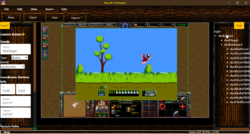 www.hiveworkshop.com
Damn, I was glad for a moment that there's a no-coding version but it's for reforged, and I have classic (and pre 1.31). I hoped that there's a more feasible trick to get around the problem.The ultimate source for all things regarding custom UI:
The Big UI-Frame Tutorial
Then specific examples:
UI Add Tooltip to Frame
I've been working on custom stats that would draw over the character info card. I need to add tooltips to the icons (frames) and texts (data ex. damage). So basically, when a player hovers their mouse over a text or frame, a tooltip is displayed. The only tooltip I can display is for the buttons.TasToolTipBox
Introduction TasToolTipBox is a custom UI addition for Warcraft 3 V1.31 or higher in Lua & vjass. It displays some generic spell values in a additional tooltip-box. Show new Icon + Text slots next to the Tooltip resource costs, needs much manual setup. Details Creates an custom TooltipBox with...
And a tool that makes it possible to create custom UI without needing to know how to code:
Warcraft 3 Reforged UI Designer (RUID)
Warcraft III Reforged UI Designer (v2.6.1) Discord Link Github Repository Link A tool made to create User Interface designs and systems for Warcraft 3 Maps without code. The application terminates the need for coding in favor of creating draggable graphical elements to express the design. Its...
I see, everything custom UI related (framehandles) was added in 1.31.Damn, I was glad for a moment that there's a no-coding version but it's for reforged, and I have classic (and pre 1.31). I hoped that there's a more feasible trick to get around the problem.
Thanks, I see what I can do. Strangely, abilities don't seem to have that short tooltip problem.I see, everything custom UI related (framehandles) was added in 1.31.
Maybe have an ability that you can cast on the item which will display the lore in a text message or quest. Analyze for example. Or add a historian NPC which can do it for you, maybe for a cost. Sometimes you can turn the limitation into an interesting game mechanic.

 Set VariableSet ItemText[1] = |c00FF0000Cursed Artifact|r|nIncreases intelligence by 10 and grants non-combat healing ability but decreases damage by 50%|n|c00F2B90DHistory|r|n
Set VariableSet ItemText[2] = |c00FFE1A4This staff was coveted among spiring battle-priests among King Leoric's army.
Set VariableSet ItemText[3] = Archbishop Lazarus, ever disagreeing with the crusadings of the king and his captain, Lachdanan,
Set VariableSet ItemText[4] = placed a powerful curse on the staff to ensure that even after his death it would obstruct bloodshed and use|r
Set VariableSet ItemText[5] = (sample text) (sample text) (sample text) (sample text) (sample text) (sample text) (sample text) (sample text) (sample text) (sample text)
Set VariableSet ItemText[1] = |c00FF0000Cursed Artifact|r|nIncreases intelligence by 10 and grants non-combat healing ability but decreases damage by 50%|n|c00F2B90DHistory|r|n
Set VariableSet ItemText[2] = |c00FFE1A4This staff was coveted among spiring battle-priests among King Leoric's army.
Set VariableSet ItemText[3] = Archbishop Lazarus, ever disagreeing with the crusadings of the king and his captain, Lachdanan,
Set VariableSet ItemText[4] = placed a powerful curse on the staff to ensure that even after his death it would obstruct bloodshed and use|r
Set VariableSet ItemText[5] = (sample text) (sample text) (sample text) (sample text) (sample text) (sample text) (sample text) (sample text) (sample text) (sample text)
 Item - Set Extended Tooltip of MyItem to (ItemText[1] + (ItemText[2] + (ItemText[3] + (ItemText[4] + ItemText[5]))))

With 1.26 classic, these options are out of my realm.You can bypass it, but I think it requires a reforged function.
View attachment 507214
The same trick can be used for the quest log texts that also gets cut off after a certain limit. You store your text in variables and modify the extended tooltip in real time
Although it must be used on a specific item, not a generic item type so see if you can stomach doing that for how many items are concerned by the char limit
Also the string themselves must not be too long otherwise Jasshelper is angry at you when you try to save


