
Community
Projects
Maps
Tutorials
Gallery
Support Us
Install the app
How to install the app on iOS
Follow along with the video below to see how to install our site as a web app on your home screen.
Note: This feature may not be available in some browsers.
-
Listen to a special audio message from Bill Roper to the Hive Workshop community (Bill is a former Vice President of Blizzard Entertainment, Producer, Designer, Musician, Voice Actor) 🔗Click here to hear his message!
-
Read Evilhog's interview with Gregory Alper, the original composer of the music for WarCraft: Orcs & Humans 🔗Click here to read the full interview.
-
The Hive's 22nd Icon Contest: Creep Abilities is now concluded, time to vote for your favourite set of icons! Click here to vote!
-
✅ The POLL for Hive's Texturing Contest #34 is OPEN! Vote for the TOP 3 SKINS! 🔗Click here to cast your vote!
-
✅ The POLL for Hive's Techtree Contest #20 is OPEN! Vote for the TOP 3 FACTIONS! 🔗Click here to cast your vote!
You are using an out of date browser. It may not display this or other websites correctly.
You should upgrade or use an alternative browser.
You should upgrade or use an alternative browser.
Bladetitan Signatures
- Status
- Not open for further replies.

- Joined
- Jun 27, 2010
- Messages
- 14
Thank you for the AMAZING sig Dragonson!!! BTW....lol this is embarrasing, but I haven't been online in a long time and forgot how to make it my sig...soo yea

- Joined
- Jul 25, 2009
- Messages
- 3,087
>.> <.<

- Joined
- Oct 17, 2009
- Messages
- 1,579

when am I?

There is a waiting list you know :/
You can check it yourself at any time, just click on Kevv2's sig.
But here it is anyway: http://omegacoders.webs.com/
Arkon Kaos is next in line.
You can check it yourself at any time, just click on Kevv2's sig.
But here it is anyway: http://omegacoders.webs.com/
Arkon Kaos is next in line.

- Joined
- Jun 23, 2009
- Messages
- 4,763


@Hellfyre
Hehe. I dont blame you. It can be hard to find your way in the UserCP if you dont come there regularily.
Okay, let me tell you how.
First, go to your UserCP.
Then look to the left side of the screen.
There you will find a whole lot of options.
Find the button called "Edit Signature" and click it.
Then enter http://i601.photobucket.com/albums/tt99/Drugnar/SigHellfyre117Finished.png as your sig, and put tags around it.
the last one should have a / put in before the IMG letters, or it will not work.
Yes, the [ and ] around both parts of the tag IS required for it to work.
Do NOT let there be any spaces between the link i provided you with and the IMG tag.
If you have further questions, do ask. :)
Hehe.
I dont blame you. It can be hard to find your way in the UserCP if you dont come there regularily.Okay, let me tell you how.
First, go to your UserCP.
Then look to the left side of the screen.
There you will find a whole lot of options.
Find the button called "Edit Signature" and click it.
Then enter http://i601.photobucket.com/albums/tt99/Drugnar/SigHellfyre117Finished.png as your sig, and put tags around it.
the last one should have a / put in before the IMG letters, or it will not work.
Yes, the [ and ] around both parts of the tag IS required for it to work.
Do NOT let there be any spaces between the link i provided you with and the IMG tag.
If you have further questions, do ask. :)

- Joined
- Sep 14, 2008
- Messages
- 339
Wow i cant wait to see the site updated! but oh well Get Well soon Kevv!\
EDIT: Oh yeah new page!
EDIT: Oh yeah new page!

- Joined
- Jun 23, 2009
- Messages
- 4,763
True, but you should start with removing all those that have allready had a sig made.
-hellfyre117
-illidan_hunter (now called soulwing)
-orangeangel
-xRiotsx
and
-The World is Flat
have all had their sig made already. Remove those.
Then i think it is about time to remove i_brg_doom and johnpath.
Once that's done, i think everyone will find that the list is far smaller than they thought. XD
Oh and, add OrangeAngel's avatar request too please.
-hellfyre117
-illidan_hunter (now called soulwing)
-orangeangel
-xRiotsx
and
-The World is Flat
have all had their sig made already. Remove those.
Then i think it is about time to remove i_brg_doom and johnpath.
Once that's done, i think everyone will find that the list is far smaller than they thought. XD
Oh and, add OrangeAngel's avatar request too please.

- Joined
- Jun 2, 2009
- Messages
- 2,012

Well, even less active now, grandfathers cancer, and now cousin is diagnosed with paranoia schizophrenia, and is in the nuthouse, I feel like shit, and don't know what to do.
- Joined
- Sep 14, 2008
- Messages
- 339
Life Sucks Midnighters... Sorry bout ur grandpa and brother, I hope they come back okay! NO CANCER ON UR LAWN! Or your Grandfathers lawn...
- Joined
- Mar 9, 2009
- Messages
- 6,276


I_Brg_Doom changed his username.
- Joined
- Mar 9, 2009
- Messages
- 6,276
Just makin' sure
- Joined
- Jun 27, 2010
- Messages
- 14
@Hellfyre
Hehe.
Okay, let me tell you how.
First, go to your UserCP.
Then look to the left side of the screen.
There you will find a whole lot of options.
Find the button called "Edit Signature" and click it.
Then enter http://i601.photobucket.com/albums/tt99/Drugnar/SigHellfyre117Finished.png as your sig, and put tags around it.
the last one should have a / put in before the IMG letters, or it will not work.
Yes, the [ and ] around both parts of the tag IS required for it to work.
Do NOT let there be any spaces between the link i provided you with and the IMG tag.
If you have further questions, do ask. :)[/QUOTE]
Thanks Dragonson for the help, and again Thank you very much for making me my awesome sig! :)

- Joined
- Jun 2, 2009
- Messages
- 2,012
Dragonson, very good work.
- Joined
- Sep 14, 2008
- Messages
- 339
Umm Ramza your not on the waiting list are you?
- Joined
- Jun 23, 2009
- Messages
- 4,763
No, ramza is not on the list 'cause some of the stuff he wants in his sig has some info that he doesnt want public yet.
And yeah, i have started work on it.
But i do it in very small bits at a time since it is not on the waiting list.
And yeah, i have started work on it.
But i do it in very small bits at a time since it is not on the waiting list.

- Joined
- Jan 10, 2005
- Messages
- 3,415
No, ramza is not on the list 'cause some of the stuff he wants in his sig has some info that he doesnt want public yet.
Yeah, exactly. x)
And yeah, i have started work on it.
But i do it in very small bits at a time since it is not on the waiting list.
Ok, that's good. Looking forward to it, heh.
- Joined
- Oct 17, 2009
- Messages
- 1,579
so there are two more before me.
and why is there an avatar beside my name? i didn't request an avatar.
and why is there an avatar beside my name? i didn't request an avatar.

- Joined
- Dec 29, 2009
- Messages
- 928
Awesome signature Dragonson, I love it. 'Can't wait for my avatar. 
- Joined
- Sep 14, 2008
- Messages
- 339
Cool after Arkon Khaos it'll be close to mah turn, well like 5 people then mah turn!
*even though i said i wanted an avatar before dsdarkmaster, it doesnt matter*
*even though i said i wanted an avatar before dsdarkmaster, it doesnt matter*

- Joined
- May 4, 2010
- Messages
- 614
he can make yours before mine i don't really care when i get it as long as im still alive/living dead that would be fine for me
- Joined
- Dec 29, 2009
- Messages
- 928
I'm going to place in another request.
*SIGNATURE REQUEST*
Request Size: 286 x 125
Request Text: Wrath of the Legends
Text Location: Top-Middle
Request Theme: Demonic
Request Color Theme: Black/Gray
Images That You'd Like In Your Request: I'll Let You Decide
*SIGNATURE REQUEST*
Request Size: 286 x 125
Request Text: Wrath of the Legends
Text Location: Top-Middle
Request Theme: Demonic
Request Color Theme: Black/Gray
Images That You'd Like In Your Request: I'll Let You Decide
- Joined
- Jun 23, 2009
- Messages
- 4,763
Accepted.
One thing though:
As you might have noticed, i have not yet finished your avatar.
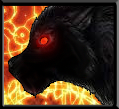
The reason is that the wolf image is VERY hard to make a cool avatar out of.
Do you have an image that could be used as substitute?
One thing though:
As you might have noticed, i have not yet finished your avatar.
The reason is that the wolf image is VERY hard to make a cool avatar out of.
Do you have an image that could be used as substitute?
- Joined
- Dec 29, 2009
- Messages
- 928


- Joined
- Jun 10, 2008
- Messages
- 1,043
SIGNATURE REQUEST
Request Size: The biggest size that allows the whole signature to fit
Request Text: The Derimian Project
Text Location: Middle
Request Theme: Forest on the left side, Mountains on the right side if possible (otherwise either will do)
Request Color Theme: Dark-Green/Brown
Images That You'd Like In Your Request:
http://paizo.com/image/content/PathfinderCompanion/PZO9401-ElvenRanger.jpg (On Forest Side)
http://www.google.com/imgres?imgurl...age=1&ndsp=49&ved=1t:429,r:7,s:0&tx=100&ty=61 (Behind text)
http://www.faqs.org/photo-dict/phrase/3361/fantasy-knight.html (On mountains side)
Feel free to remove some things if it's too hard, also sorry if it is.
Request Size: The biggest size that allows the whole signature to fit
Request Text: The Derimian Project
Text Location: Middle
Request Theme: Forest on the left side, Mountains on the right side if possible (otherwise either will do)
Request Color Theme: Dark-Green/Brown
Images That You'd Like In Your Request:
http://paizo.com/image/content/PathfinderCompanion/PZO9401-ElvenRanger.jpg (On Forest Side)
http://www.google.com/imgres?imgurl...age=1&ndsp=49&ved=1t:429,r:7,s:0&tx=100&ty=61 (Behind text)
http://www.faqs.org/photo-dict/phrase/3361/fantasy-knight.html (On mountains side)
Feel free to remove some things if it's too hard, also sorry if it is.
- Joined
- Sep 14, 2008
- Messages
- 339
I personally like the last wolf on the right ^.^

- Joined
- Mar 28, 2010
- Messages
- 844
can i request a signature?
i like spiders put some Wow spiders or wc3 or other games and put EternalWow2010 in there plz
plz
AND SOME WEB!
i like spiders put some Wow spiders or wc3 or other games and put EternalWow2010 in there
plzAND SOME WEB!
- Joined
- Mar 9, 2009
- Messages
- 6,276
You MUST use the proper form for sig requests.
- Joined
- Mar 28, 2010
- Messages
- 844
*SIGNATURE REQUEST*
Request Size: 286 x 125
Request Text: EternalWow2010
Text Location: Top-Middle-Right
Request Theme: Nerubian/Spider
Request Color Theme: Black/Gray/Red
Images That You'd Like In Your Request: I'll Let You Decide
Request Size: 286 x 125
Request Text: EternalWow2010
Text Location: Top-Middle-Right
Request Theme: Nerubian/Spider
Request Color Theme: Black/Gray/Red
Images That You'd Like In Your Request: I'll Let You Decide

- Joined
- Mar 28, 2010
- Messages
- 844
*Avatar Request*
Request Size: the size of my curent avatar of biger
Request Text: EternalWow2010
Text Location: Top-Middle-Right
Request Theme: Nerubian/Spider
Request Color Theme: Black/Gray/Red/Green
Images That You'd Like In Your Request: I'll Let You Decide
Request Size: the size of my curent avatar of biger
Request Text: EternalWow2010
Text Location: Top-Middle-Right
Request Theme: Nerubian/Spider
Request Color Theme: Black/Gray/Red/Green
Images That You'd Like In Your Request: I'll Let You Decide
- Joined
- Mar 28, 2010
- Messages
- 844
haha can't w8 till they are done :O i see that ur a God at making this kind of things rep for u
rep for u
- Joined
- Sep 14, 2008
- Messages
- 339
Ty for updating
And Btw Kevv EWWZORZ at the new font it looks computerized!!
And Btw Kevv EWWZORZ at the new font it looks computerized!!
- Joined
- Sep 14, 2008
- Messages
- 339
Oh well we all know HTML is boring -.-
And that is true it is kinda redundent.
And that is true it is kinda redundent.

- Joined
- Feb 24, 2009
- Messages
- 2,999


If your using webs.com just use the provided GUI editor... That would make it SO much easier, seeing as your not actually doing anything that would work any better through personal coding.
- Joined
- Mar 9, 2009
- Messages
- 6,276
Avatar
Request Size: As big as it can be.
Request Text: The World Is Flat
Text Location: Bottom Middle
Request Theme: Warcraft: LotD
Request Color Theme: Blue
Images That You'd Like In Your Request: Our moddb page has some interesting screens... http://www.moddb.com/mods/warcraft-iv-starcraft-ii/images
Somthing to compliment the sig.
Request Size: As big as it can be.
Request Text: The World Is Flat
Text Location: Bottom Middle
Request Theme: Warcraft: LotD
Request Color Theme: Blue
Images That You'd Like In Your Request: Our moddb page has some interesting screens... http://www.moddb.com/mods/warcraft-iv-starcraft-ii/images
Somthing to compliment the sig.
- Joined
- Dec 29, 2009
- Messages
- 928
Mwuahahahah thanks for the avatar Dragonson. It's awesome.
well i dont like GUI editors for something as boring as HTML  i prefer hand-coding (and also im toying with Divs back at school, making it pass for homework lolz im gona try to do something way better than it currently is, shouldnt be hard)
i prefer hand-coding (and also im toying with Divs back at school, making it pass for homework lolz im gona try to do something way better than it currently is, shouldnt be hard)- Status
- Not open for further replies.
Similar threads

- Replies
- 162
- Views
- 20K


- Replies
- 199
- Views
- 20K


