• Check out the results of the Techtree Contest #19!
  • Listen to a special audio message from Bill Roper to the Hive Workshop community (Bill is a former Vice President of Blizzard Entertainment, Producer, Designer, Musician, Voice Actor) 🔗Click here to hear his message!
  • Read Evilhog's interview with Gregory Alper, the original composer of the music for WarCraft: Orcs & Humans 🔗Click here to read the full interview.
  • Create a void inspired texture for Warcraft 3 and enter Hive's 34th Texturing Contest: Void! Click here to enter!
  • The Hive's 22nd Icon Contest: Creep Abilities is now concluded, time to vote for your favourite set of icons! Click here to vote!

Black dressed Necromancer

This bundle is marked as pending. It has not been reviewed by a staff member yet.
Black dressed Necromancer
"I love the dead... Frequently."
latest


As you can see from some of the pictures I took for my undead models, I made a reskin for the Scourge Necromancer.
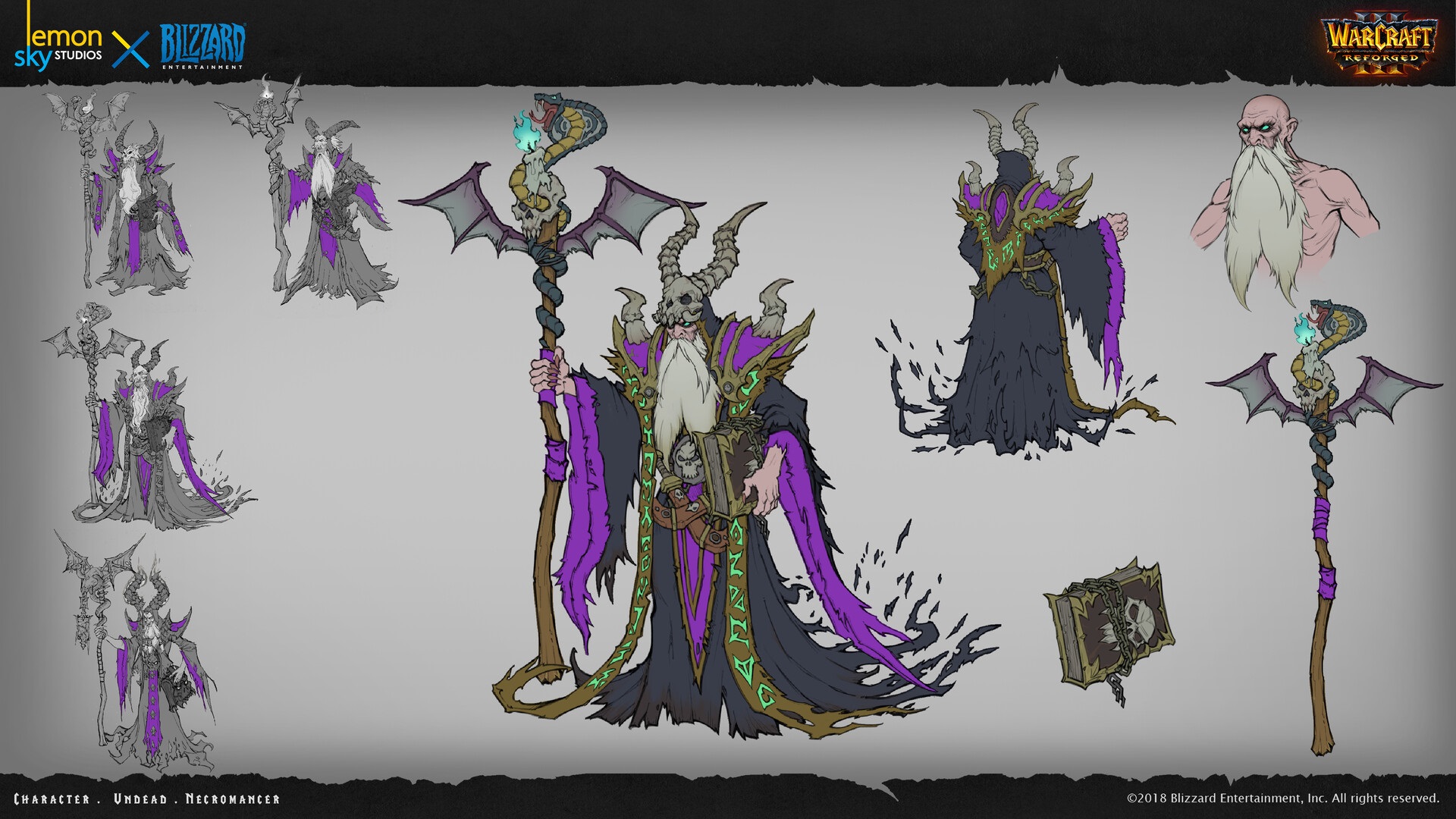
I think the Necromancers simply look better in black and in the concept drawings for Reforged he was shown in black again.

latest

I have also been asked to upload it here for everyone to see.So here you go: The evil Wizard dressed in black.
Previews
Contents

Black dressed Necromancer (Model)

Black dressed Necromancer (Portrait) (Model)

mandela effect? I always thought they had black robe.
[...]
Unfortunately no. Although, in my opinion, they should have done it.
The vanilla-necromancers are so orange-red. For whatever reason... 😂

how to replace default one with this? just copying and renaming it in asset folder doesnt work for me
Um... that's not a skin, that's an own model, or what did you want to do? 🤔
Import the model, remove the "war3mapimported/" in front of the textures and then assign the model via "Art - Model File" in the Object Editor
either to your own unit or to the existing necromancer.
Did I answer your question with that? 😅
 
Um... that's not a skin, that's an own model, or what did you want to do? 🤔
Import the model, remove the "war3mapimported/" in front of the textures and then assign the model via "Art - Model File" in the Object Editor
either to your own unit or to the existing necromancer.
Did I answer your question with that? 😅
I mean i want it to appears as default model, but i cant because it uses your custom skin as well,
So how or where can i use the skin instead? (By replace it in default skin path)
 
i have a problem dont work for me
You literally missed something, specifically removing the "war3mapimported" stuffs.

Or if you want a safe method, turn your map into folder and manually fix the import paths through File Explorer. After that, open WE, open your map folder and resave as normal map file.
 
You literally missed something, specifically removing the "war3mapimported" stuffs.

Or if you want a safe method, turn your map into folder and manually fix the import paths through File Explorer. After that, open WE, open your map folder and resave as normal map file.
I just put the files in the retail folder and then look for the model in the object editor. It works for many of them, but there are others that don't appear.
 
Back
Top