Need artwork? Come here

Status
Not open for further replies.
I don't understand what I'm doing wrong. I followed the instructions from your helpfile to the letter, but.. The first one you posted just causes WC3 to crash, and the second one you PM'ed me shows a distorted green screen for a bit, then crashes :|

Heck seems like I most have some sort of special power or something... every time I try it the screens works fine... Oh well I'll test it out again and note precisly what I do to make it work.
 
Maybe its something to do with NewGen WE that I'm running?
I'll test it out in a fresh map on the normal editor then.
Edit: Yup, just tried it out on the plain old world editor, only to get the same results.
Edit2: I think its to do with the Fullscreen.blp, because before changing the path, it all runs fine just showing a black screen, but after changing the path, WC3 crashes instead of loading.
 
Maybe its something to do with NewGen WE that I'm running?
I'll test it out in a fresh map on the normal editor then.

Hehe I uses NewGen aswell, and crashed for me also, but showed the loadingscreen horrible stretched..... Hmmm I might have misplaced the size...

I'll try it out.

EDIT:

I am the fool... I somehow swiched the sizes of height and wide... Fixed it and everything works fine... Doh.

Here you go Teelo.

Download Working One :hohum:
 
I need a LoadingScreen for my RPG,
It's about another dimension.

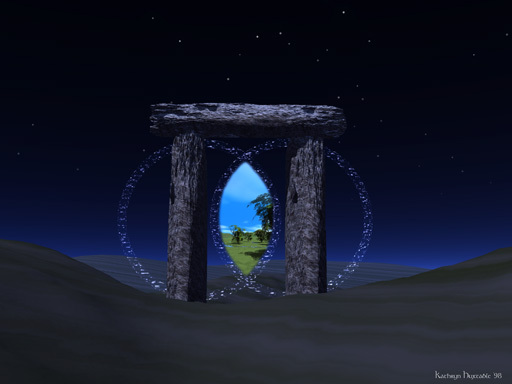
Maybe you can add a Shimmering portal in it or just make something great.
 
um you probably need to post an image as an example of what you want here are some that i found
95c23461e10212aefe070e5e9c1e91d2cd196.jpg


or

1580102924_3b14a535d5.jpg


or maybe even

spacial-rift-08132007.jpg


Hope this helps :thumbs_up:
 
Yea good work partner - by the way you could just do as I an upload all needed files in on zip file.

Oh anyway keep the requests coming people - and CHA Owner yours will be uploaded soon.

naw, i dont like re-uploading the files since i already have them posted somewhere
i normaly just re-edit them to my needs and if im bored i just dig up the old ones :P
Space Rift:
Custom Name:
SpaceRift.BLP
Tested & Working
 

Attachments

Load Screen

Can You Please make this into a Loading Screen for my new Map Thank you Very much
 

Attachments

  • 954481_20081021_screen001.jpg
    954481_20081021_screen001.jpg
    352.9 KB · Views: 316
RED_BARON i need help my loading screen showed up as white like just the color white when i tested my map???

i followed these rules:

Import the "Loadinscreen.mdx" and don't change anything..

Then import "Fullscreen.blp"

save map and exit editor

Re-open Remove the wc3importet\ so the path is just "Fullscreen.blp"

save map and close editor.

Re-open and select the "loadingscreen.mdx" as your custom loadingscreen.

Done!

Do i need to remove the extension on loadingscreen.mdx to?
 
RED_BARON i need help my loading screen showed up as white like just the color white when i tested my map???

i followed these rules:

Import the "Loadinscreen.mdx" and don't change anything..

Then import "Fullscreen.blp"

save map and exit editor

Re-open Remove the wc3importet\ so the path is just "Fullscreen.blp"

save map and close editor.

Re-open and select the "loadingscreen.mdx" as your custom loadingscreen.

Done!

Do i need to remove the extension on loadingscreen.mdx to?

u normaly dont need to close it, leme check what the .mdx RED sent u uses as a name :P
it somehow showed up as a 800X800 file... O_O leme see if thats the real size or if its just a resize

naw works fine for me
Screenshot: attached

Make sure u hve the right MDX as loading screen :P
 

Attachments

  • Loading Screen.jpg
    Loading Screen.jpg
    7.3 KB · Views: 137
lol im subscribed to this thread n i am online about from.... 4 til 6 EST. time so i try to do all requests i can ASAP :P
 
Wow Thankz =]

EDIT: Strange it doesn't work...
I imported the Loadingscreen.mdx and the picture.
Do i have to change anything :O?
 
Last edited:
Ur Beast U Know That XD

Hehe Guess you noticed to late that I already made it :grin: Oh well Now you have two.

Squidle: I didnt create yours as far as I recall. But anyway You have to do these steps if it doesnt work:

Import the "Loadinscreen.mdx" and don't change anything..

Then import the texture...

save map and exit editor

Re-open Remove the wc3importet\ from the blp file

save map and close editor.

Re-open and select the "loadingscreen.mdx" as your custom loadingscreen.

Done!
 
lol im subscribed to this thread n i am online about from.... 4 til 6 EST. time so i try to do all requests i can ASAP :P

Im worse than you. I can end up getting sidetracked by every little link and model I see on this place, and end up spending at most, 8 hours on this site. terrible eh?

I will have a request within a day or 2, so be ready.
 
=[

i think somethings up cuz my load screen shows up as all white as well =[ and i followed the instructions red gave me exact. help?
 
i think somethings up cuz my load screen shows up as all white as well =[ i followed the instructions red gave me. help?

You did it like red said?
Step 1.
Import the "Loadingscreen.mdx" and DON'T TOUCH IT !
Step 2.
Import your "TextureName.blp" DO NOT TOUCH THIS EITHER!
Step 3.
Save and Exit WE.
Step 4.
Re-Open your WE and remove ---> war3mapImported\ <---
Step 5.
Save and Exit WE, Yes again...
Step 6.
Go to Scenario >> Map Loading Screen... >> Use Imported File war3mapImported\Loadingscreen.mdx

And as Red said: Done!

EDIT: Wait you forgot Step 7!
Step 7.
Give Red his rewarded +Rep (and maybe even me :wink:)
 
Last edited:
if texture name is the fullscreen.blp then yes ill re-import it c if it works then EDIT: Re-Imported it still didnt work =[
 
Last edited by a moderator:
I just figured out how to make a Loadingscreen so...
I can make Loadingscreens too right now :grin:!
(Only without text, that comes maybe later... :wink:)
 
You did it like red said?
Step 1.
Import the "Loadingscreen.mdx" and DON'T TOUCH IT !
Step 2.
Import your "TextureName.blp" DO NOT TOUCH THIS EITHER!
Step 3.
Save and Exit WE.
Step 4.
Re-Open your WE and remove ---> war3mapImported\ <---
Step 5.
Save and Exit WE, Yes again...
Step 6.
Go to Scenario >> Map Loading Screen... >> Use Imported File war3mapImported\Loadingscreen.mdx

And as Red said: Done!

EDIT: Wait you forgot Step 7!
Step 7.
Give Red his rewarded +Rep (and maybe even me :wink:)

LOL thats like.... 3 more steps then what i do XD
Step 1: import both files
Step 2: remove the War3imported from the BLP file
Step 3. select the .mdx as loading screen
Step 4. Test Run!

it always worked for me XD
 
they think its the same as Models, wich is false, u NEED to reload WC3 when u import a new unit model/building model and so on, but not a loading screen
 
I'm back!

Well, I'll be back soon (1-2 days).

So I'll be able to make loading screens again soon. I don't have time to read all the pages, but just tell me if your requests haven't been fullfilled.

I see RED BARON and kevv2 helped so, + rep lol.

PS : CHA, I saw your PMs, tell me if you still need the loading screen (it may have been already made).
 
So I'll be able to make loading screens again soon. I don't have time to read all the pages, but just tell me if your requests haven't been fullfilled.

Everyone except two who never replied back was fufilled :wink:

LOL thats like.... 3 more steps then what i do XD
Step 1: import both files
Step 2: remove the War3imported from the BLP file
Step 3. select the .mdx as loading screen
Step 4. Test Run!

it always worked for me XD

Yea I just throws in the extra steps to make sure. (Oh but you do have to close and re-open at least once as some editors still have a problem even when not models, and the long version even takes in the bugged version of the editor which were released some time ago, but I assume some might still use.)

MYHummeR I'll create yours as the supposely last one before Hubcool is back on track or unless someone request it from me (or hubcool needs help again or just needs a very custom or text edited screen :xxd:)

EDIT: Here you go MYHummeR: Download it here

This is how it looks:

131841-albums1057-picture11191.jpg
[/IMG]
 
Last edited:
LOL thats like.... 3 more steps then what i do XD
Step 1: import both files
Step 2: remove the War3imported from the BLP file
Step 3. select the .mdx as loading screen
Step 4. Test Run!

it always worked for me XD

uhm ive Tried Red's way and Kevv20 way as well to import my load screen but both appear as all white maybe theres something wrong with wat red gave me o.o? ive added loading screens b4 kevvs way and they worked so im prty sure somethings wrong with wat red gave me. Sorry if Im Annoying.. =[
 
uhm ive Tried Red's way and Kevv20 way as well to import my load screen but both appear as all white maybe theres something wrong with wat red gave me o.o? ive added loading screens b4 kevvs way and they worked so im prty sure somethings wrong with wat red gave me. Sorry if Im Annoying.. =[

check if size is well 512X512 and if the MDX uses the right .BLP name u are using :P
 
o, i got another request.

http://fc02.deviantart.com/fs34/f/2008/240/3/3/Lich_King_by_Jonboy007007.jpg

With title

The LichKing's Demise - RPG

and description on the left of the pic since i can't do it with normal descriptions

Description:
Heroes from Kingdoms afar join forces to stop the merciless ruler of the deadlands, The Lich King. For Centuries, the world has been corrupted by the undead forces controlled by the Lich King, and All hope for mankind has been virtually minimized except for the few living villas across the land, housing, for the hope of the world, a hero worthy enough to defeat the merciless ruler of the world.


and on the top right hand corner,

koondad
(do not capitalize the k)


+rep if u do this for me :] thx
 
if the Size of the MDX and BLP is 0 (in the importer) it means it failed, try restarting WE or re-importing
 
Status
Not open for further replies.
Back
Top