Galaxy Editor: Camera Angels.

Status
Not open for further replies.

Tommy_TSW

T

Tommy_TSW

Hey team,

Thanks for answering my previous threads/questions. Super massive thanks.

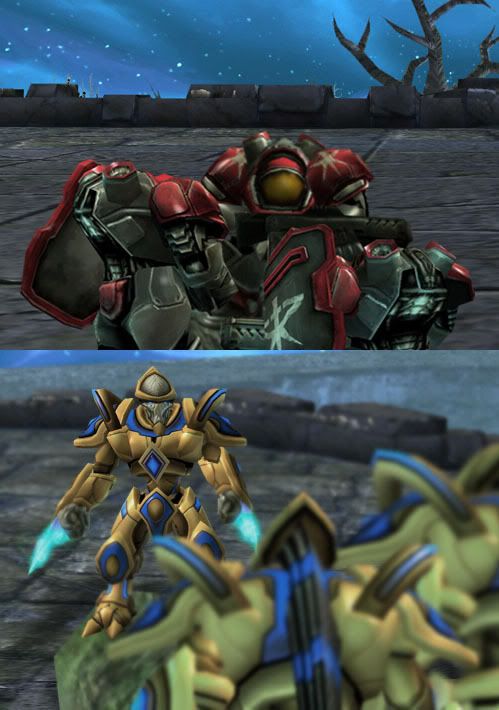
I make Starcraft 2 comics but have been painting/drawing the frame backgrounds in Photoshop, this really takes away the Starcraft flavor and I was hoping you could assist.

How do I open a official map and position the camera nice and low for taking screen shots at this sort of angle?
COMICSZUSU.jpg


Thanks for any help you can provide!
 
Changing camera incline and rotation
ctrl + left mouse + moving mouse

Changing camera height
alt + left mouse + moving mouse up/down

Changing camera zoom
middle mouse wheel
OR
shift + left mouse + moving mouse up/down

Ofcourse this is just the default.
Go to
File -> Configure Controls...
To see all the camera hotkeys and even assign some hotkeys to camera functions currently unused. Without doing this the only way to use some camera features is described below.

For more advanced camera options such as blur, tilt and field of depth you may want to create a preplaced camera option
Layer -> Cameras or apparently C hotkey

What you can then do is create a camera, set it to the current camera view and then edit its properties in great detail.
Camera properties allows you access to a great deal of fields and unlimited precision with them (although the actual maximum precision depends on how the game engine resolves the fields).
You can then set the current view to that of the camera you set up.

I advise making new cameras for each scene, incase you ever want to reshoot the comic for some reason.
 
If you will add your own background and thus you don't need the sky, then why not screenshot from the Editor? black background can easily be cleaned, you can rotate it as you like in the Editor like hold Ctrl, press and hold right mouse button, move while the holding Ctrl + Mouse Right Button to rotate the view in the editor.
 
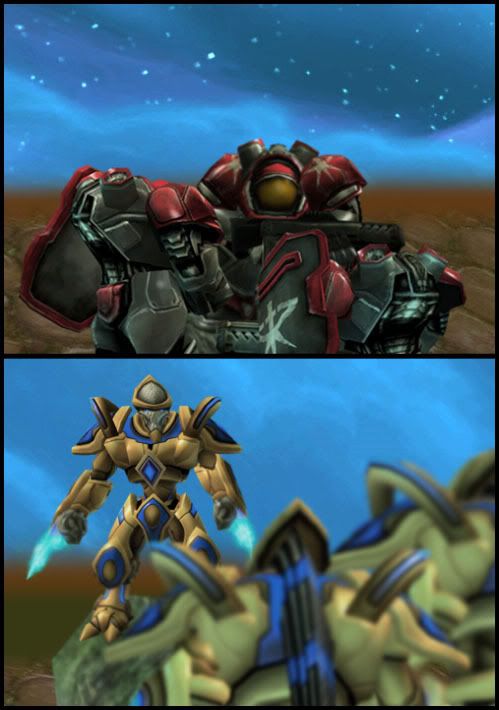
Thanks guys! I didn't know the camera controls (which Doc suggested).

BGADDED.jpg
 
Status
Not open for further replies.
Back
Top