• Listen to a special audio message from Bill Roper to the Hive Workshop community (Bill is a former Vice President of Blizzard Entertainment, Producer, Designer, Musician, Voice Actor) 🔗Click here to hear his message!
  • Read Evilhog's interview with Gregory Alper, the original composer of the music for WarCraft: Orcs & Humans 🔗Click here to read the full interview.
  • The Hive's 22nd Icon Contest: Creep Abilities is now concluded, time to vote for your favourite set of icons! Click here to vote!
  • ✅ The POLL for Hive's Texturing Contest #34 is OPEN! Vote for the TOP 3 SKINS! 🔗Click here to cast your vote!
  • ✅ The POLL for Hive's Techtree Contest #20 is OPEN! Vote for the TOP 3 FACTIONS! 🔗Click here to cast your vote!

Bladetitan Signatures

Status
Not open for further replies.
well my anti virus kept telling me "trojan bla bla bla virus" would u like to fix. But before i could it stopped working, and it started because i got a pop up saying "Found 104 viruses on your computer click remove to remove them" and it opened command prompt and started dling something. I thought i closed it in time but i was wrong.
 
a quick way of fixing a virus, as SOON as u see something that shouldnt happen or ur computer blocking u from doing normal stuff, open Safe mofe with networking, google "Malwarebyte's anti-malware" download it, install it, run it and FIXD :D i got out of 3 trojans and 6 WinDefender :D

Sucks WinDefender decided to finish instaling when i was in the middle of a raid, DAMN HIM! XD

/Wowaddict inc.
 
Request Size: 120x
Request Text: War of the Ancients Trilogy
Text Location: Middle
Request Theme: Enchanted woods and Kalimdor flowers and nature grass
Request Color Theme: Purple
Images That You'd Like In Your Request:
War_of_the_Ancients_Archive.jpg
 
You know guys, maybe i should just ask to have a Bladetitan Sub-Forum made, where we can have our organized off-topic. :P

Please people, cut the off-topic abit.
I'm not even sure if i've been asked any real questions for these last four pages.

@The Waiting List
Kevv takes care of the waiting list, and he does so fairly.
He Adds you to the waiting list depending on when you posted not on when your request was accepted.
If that is not fair then this thread is definetely not off-topic more than 60% of the time.

@Gunslinger
Well gunslinger, if i am not wrong then what you wanna know is how to make an image's background transparent even after it is saved and uploaded.
Now, What you gotta do is to save it as a file-type that is compitable with Transparency.
I persoannly use .png files.
If i for example took one of my sig and saved it as a .jpg it would have a white square background even though the background is transparent in Photoshop.

@Warlord AZ
Accepted. :)
 
Last edited:
//soemwhat on-topic// aight... but i shall turn off-topic at the slightest sight of off-topic only to go back on-topic after? :D

//defenately on-topic// Thanks dragonson for the compliment :D i try my best, but i dont have a epic memory and i can miss some of them sometimes :D
 
everyone should start with a big picture or the right-sized one then resize down, else it looks fruggly D:
 
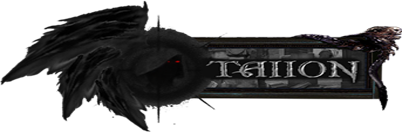
Request Size: 270 X 80 rectangle (But something that pops out at the left side like this example below, one of the sigs you made)
SigTaiionSized.png

Request Text: Skyblader
Text Location: Right side, also like the example above
Request Theme: Some sort of free flow metallic energy
Request Color Theme: Black, navy blue
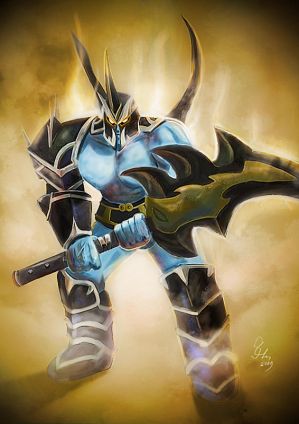
Images That You'd Like In Your Request: I'd like this image below, but not the whole thing, maybe just the chest area with the head and the back spikes feathered at the circumference, and tinted blackish-blue
Rogue_Knight_by_Slence.jpg


Thanks a lot in advance, hope my request is not too hard :grin:
Also, I don't mind helping you guys advertise, maybe include the caption "I am a bladetitan. Are you?" Somewhere below the requested text. Thanks again.
 
@Gunslinger
Well, currently i am working on TWIF's 4 banners.
Every time i finish one i will do the next request on the list before making the next banner, so it's more fair for the waiting people.

@EtW
That depends on how big a change it is.
If it's like, a big change, then the person might have to wait abit.
But if it's something i can do within minutes i'l do it ASAP.
 
No. If that happens it is 'cause the image with the transparent background has been saved as a file type not compatible with Transparency or the program you are using is not compatible with transparency.
If you are using Gimp or Photoshop then the file type is the problem. ;)
 
we have our =P once in a while XD
anyway i love PNG better than others for the Alpha channel, JPG for others ofc :P

And Dragonson, think u could try to make my sig with a background-ish to see if it would fit, if you dont find a way to add a background that works, then forget all of my request as to a multi-clicky ;P
 
do you have 2 layers, a background and a layer that holds ur picture? once you are at that point, right click the background and select "Add mask" a thing will pop up and ask u what kind of mask, pick the one that says in parenthesis Transparent. Then once u have this, flatten the image, dont merge visible layers because if you do that the transparency will turn to a white background.
 
Status
Not open for further replies.
Back
Top