• Check out the results of the Techtree Contest #19!
  • Listen to a special audio message from Bill Roper to the Hive Workshop community (Bill is a former Vice President of Blizzard Entertainment, Producer, Designer, Musician, Voice Actor) 🔗Click here to hear his message!
  • Read Evilhog's interview with Gregory Alper, the original composer of the music for WarCraft: Orcs & Humans 🔗Click here to read the full interview.
  • Create a void inspired texture for Warcraft 3 and enter Hive's 34th Texturing Contest: Void! Click here to enter!
  • The Hive's 22nd Icon Contest: Creep Abilities is now concluded, time to vote for your favourite set of icons! Click here to vote!

Shadows Fix on 3D model.

Status
Not open for further replies.
Hello. I have a problem with shadows, they are gerenated in a strange way, i used "normal" + "smooth" modificators in 3ds max for are gerenate shadows. Does anyone know how to fix it and what tools should use to gerenate logical shadows to make it look logical and perfect?
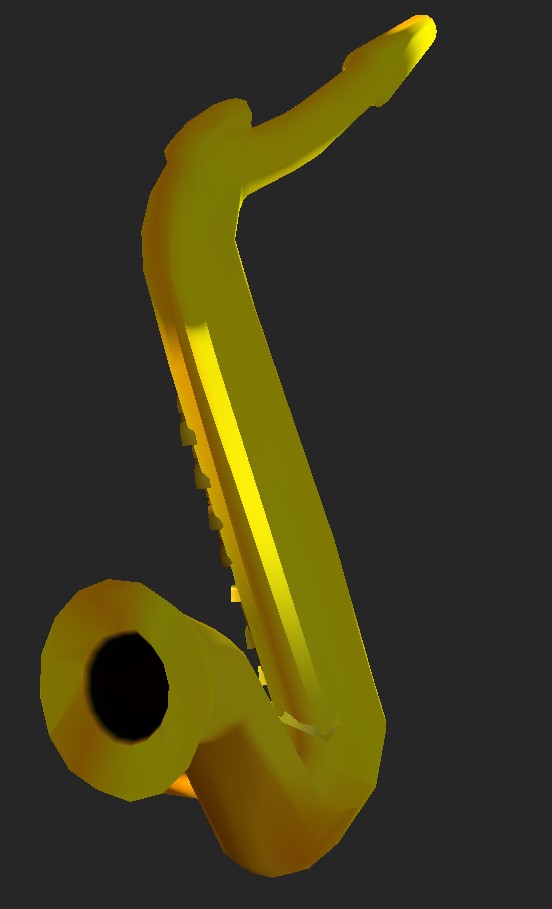

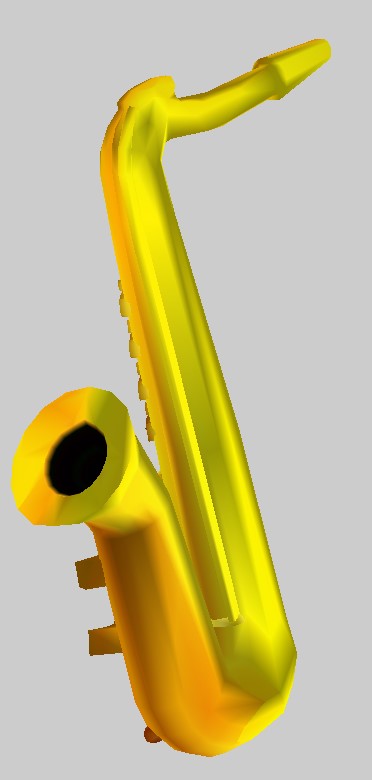
 

Attachments

Try opening the model with Mdlvis and saving it. If that doesn't fix it, you can also use "Reverse normals" and "Rotate normals" to manually rotate the problematic normals, i.e. usually those that are not perpendicular to the surface of the model.
 
Last edited:
Try opening the model with Mdlvis and saving it. If that doesn't fix it, you can also use Mdlvis to manually rotate the problematic normals, i.e. usually those that are not perpendicular to the surface of the model.

Thanks for this, i tried to do that, and yes, it's looks better now, but still not ideal, because i doing it in handcraft way, i sure that there should be more easier way with programm tools, which can generate shadows idealy, but your suggestion is great too. If someone still can help with better solution with programs, i don't mind, because this is very hard and handcraft way is not actually what i want to do if this issue repeat.

 
Try opening the model with Mdlvis and saving it. If that doesn't fix it, you can also use Mdlvis to manually rotate the problematic normals, i.e. usually those that are not perpendicular to the surface of the model.

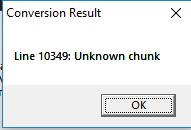
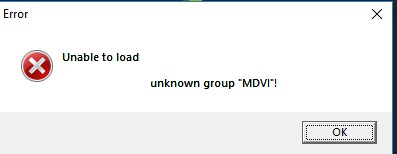
Hm, now i have a new issue, when i try export geoset of that model to use in other model the shadows transfer not fully, and programs such as a mdx-mdl converter gives me a error "line 10349: unknown chunk" as well with the magos war3 editor "unknown group "MDVI", do you know how to fix these?


edit: added a model
 

Attachments

Great and thank you, now tell me how you did that? Because i sure that issue can repeat. What you used?
I imported the model in Blender, used Recalculate Normals function, exported the model in MDL format, then converted it back to MDX. However, opening and saving the model in MDLvis will break the shading.
 
I imported the model in Blender, used Recalculate Normals function, exported the model in MDL format, then converted it back to MDX. However, opening and saving the model in MDLvis will break the shading.
If I want to try this for myself, what are you using to get the model into Blender?
 
Status
Not open for further replies.
Back
Top