• Listen to a special audio message from Bill Roper to the Hive Workshop community (Bill is a former Vice President of Blizzard Entertainment, Producer, Designer, Musician, Voice Actor) 🔗Click here to hear his message!
  • Read Evilhog's interview with Gregory Alper, the original composer of the music for WarCraft: Orcs & Humans 🔗Click here to read the full interview.
  • The Hive's 22nd Icon Contest: Creep Abilities is now concluded, time to vote for your favourite set of icons! Click here to vote!
  • ✅ The POLL for Hive's Texturing Contest #34 is OPEN! Vote for the TOP 3 SKINS! 🔗Click here to cast your vote!
  • ✅ The POLL for Hive's Techtree Contest #20 is OPEN! Vote for the TOP 3 FACTIONS! 🔗Click here to cast your vote!

JNGP v2, terrain sculpting tool issue

Status
Not open for further replies.

DeftheLyn

D

DeftheLyn

Hello, i've been using JNGP v5 all the time, and when i knew there was a new version of JNGP, i'm hyped and started modding again, but it seems that JNGP v2 does not have the same terrain sculpting tool as JNGP v5d
here are some examples :
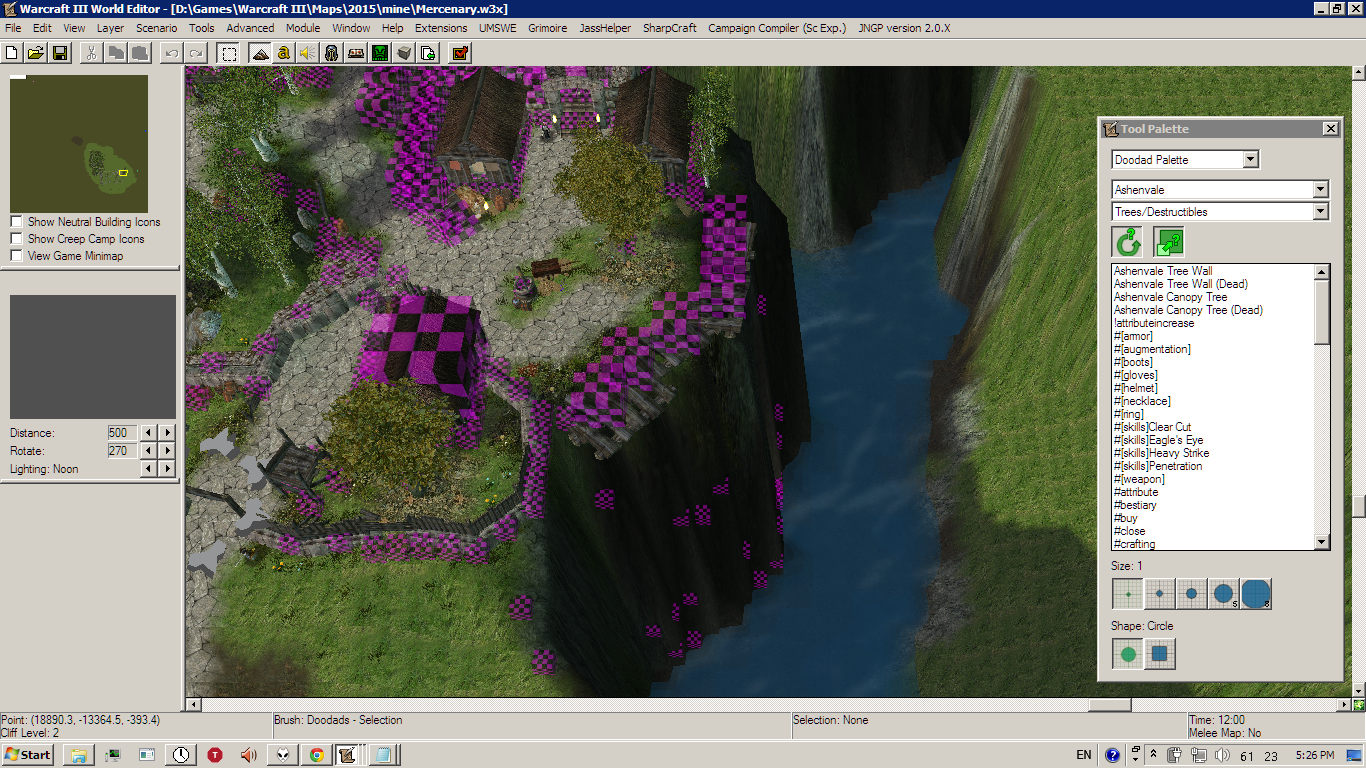
attachment.php


Then i decided to smooth a bit those blocky hill with a brand new JNGP v2 and this is what happened :
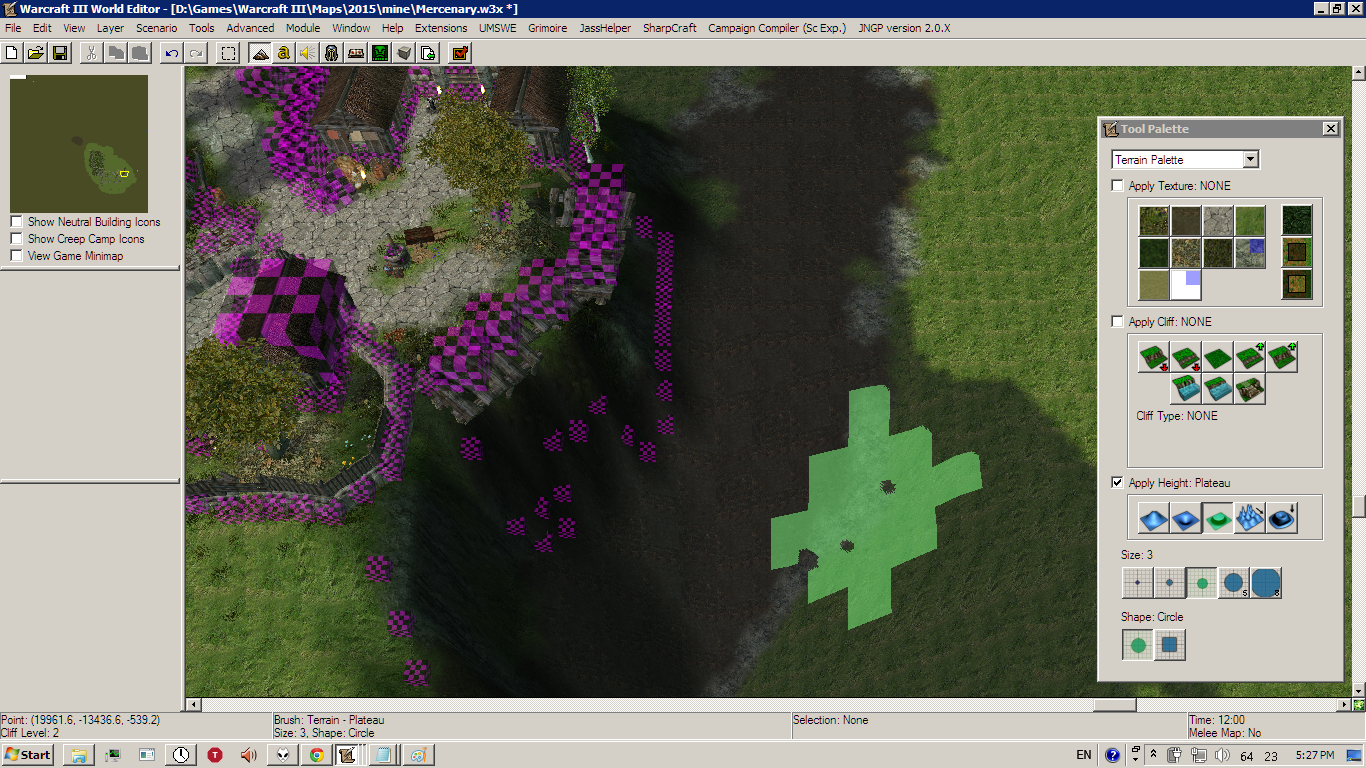
attachment.php


so maybe i will use JNGP v5d for terraining, and JNGP v2 for scripting, but then again it's not practical, can someone help me here ? did i miss some settings maybe ? thank you
 

Attachments

  • mer1.png
    mer1.png
    1.5 MB · Views: 375
  • mer2.png
    mer2.png
    1.5 MB · Views: 303
You need the custom MiscData.txt for this.

Just drop it into the UI folder in WC3 and restart the editor and it should work.


Also, do you have "no limits" enabled in JNGP?

Where do i get custom MiscData.txt ?

And yes, i have "no limits" enabled

EDIT : Nevermind, i found MiscData.txt on Advanced Terraining Tutorial, and it works like charm !
Thank you Zwiebelchen !
 
Status
Not open for further replies.
Back
Top