• Check out the results of the Techtree Contest #19!
  • Listen to a special audio message from Bill Roper to the Hive Workshop community (Bill is a former Vice President of Blizzard Entertainment, Producer, Designer, Musician, Voice Actor) 🔗Click here to hear his message!
  • Read Evilhog's interview with Gregory Alper, the original composer of the music for WarCraft: Orcs & Humans 🔗Click here to read the full interview.
  • Create a void inspired texture for Warcraft 3 and enter Hive's 34th Texturing Contest: Void! Click here to enter!
  • The Hive's 22nd Icon Contest: Creep Abilities is now concluded, time to vote for your favourite set of icons! Click here to vote!

[Import] World Editor 700MB

Status
Not open for further replies.
Level 9
Joined
Sep 16, 2016
Messages
248
Hello!


A map (8MB Big) - I open it with World Editor without any problem.

However, this map needs a file in order to be playable (modelpack) which is 330MB.
And a soundpack, another 330MB of size.

When I open World Editor and open the 8MB map, how do I put in the .mix file (modelpack.mix and/or soundpack.mix) together in with the map? Because I have ''green boxes'' when I spawn a unit.
me36YZ5.png


Thanks!

edit2:

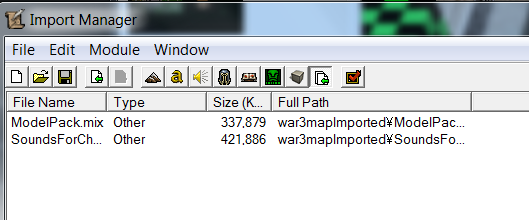
Ok, so I did this:
dltx2ZT.png

Still green boxes, do I need to tick ''confirm'' somewhere, or?
 
Last edited:
Not as far as I know, no. Also, those Yen signs is /, don't worry - just my PC changed its appearance and no clue how to change back, but it doesn't change the outcome afaik, so no worries.
 
How do you save right after importing? is it save map?

Kaijyuu ^

edit: While I'm at it, the map is 8MB - whenever I open it with Newgen WE, it takes like 20 to 40m for it to open, any idea on how to decrease that load-time?

edit2: While importing, I did ''Save Map as'' : name: ara on desktop.
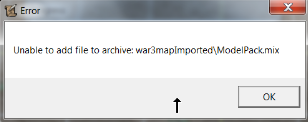
Received this:


UGRRXK3.png


edit3:

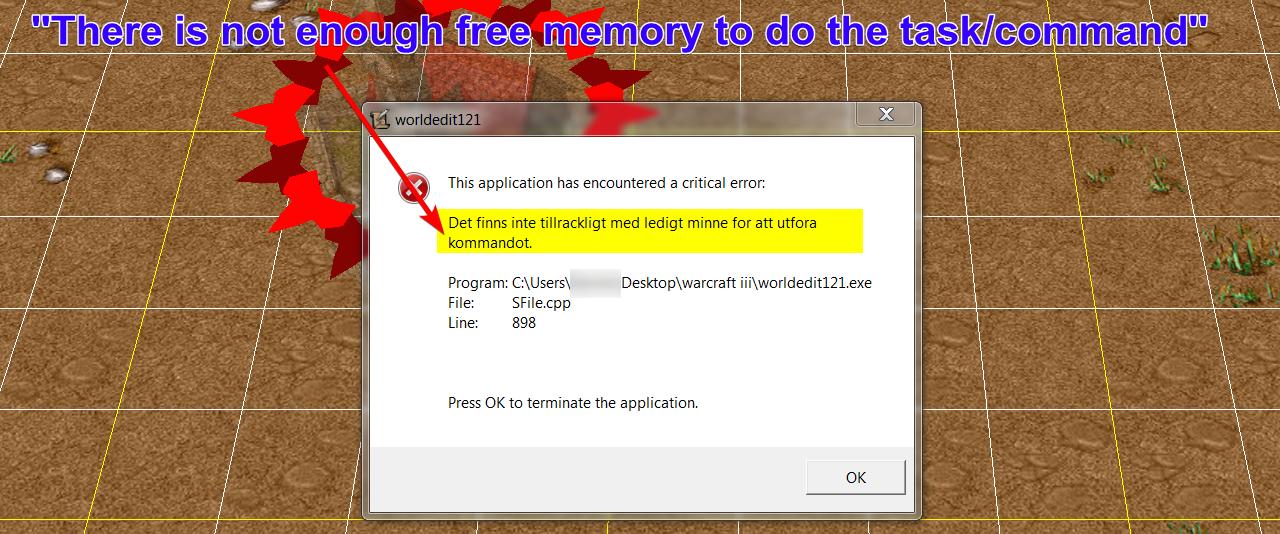
Received this now when I imported the sound pack as well:

xhbAEeg.jpg


edit4:

Opened modelpack.mix with MPQ Editor, went to War3mapImported and extracted some .mdx models and imported them in Administrator WorldEditor. However, bottom left corner I get the error ''could not load....war3mapimported... etc''

Made hero and changed its Model to the correct, imported Model file (mdx) without a doubt.

One more thing to notice; they all get the ''0'' in size after testing them.
d4ci2mL.png


And what can I do with .blp files? there are some of those as well.
 
Last edited:
Status
Not open for further replies.
Back
Top