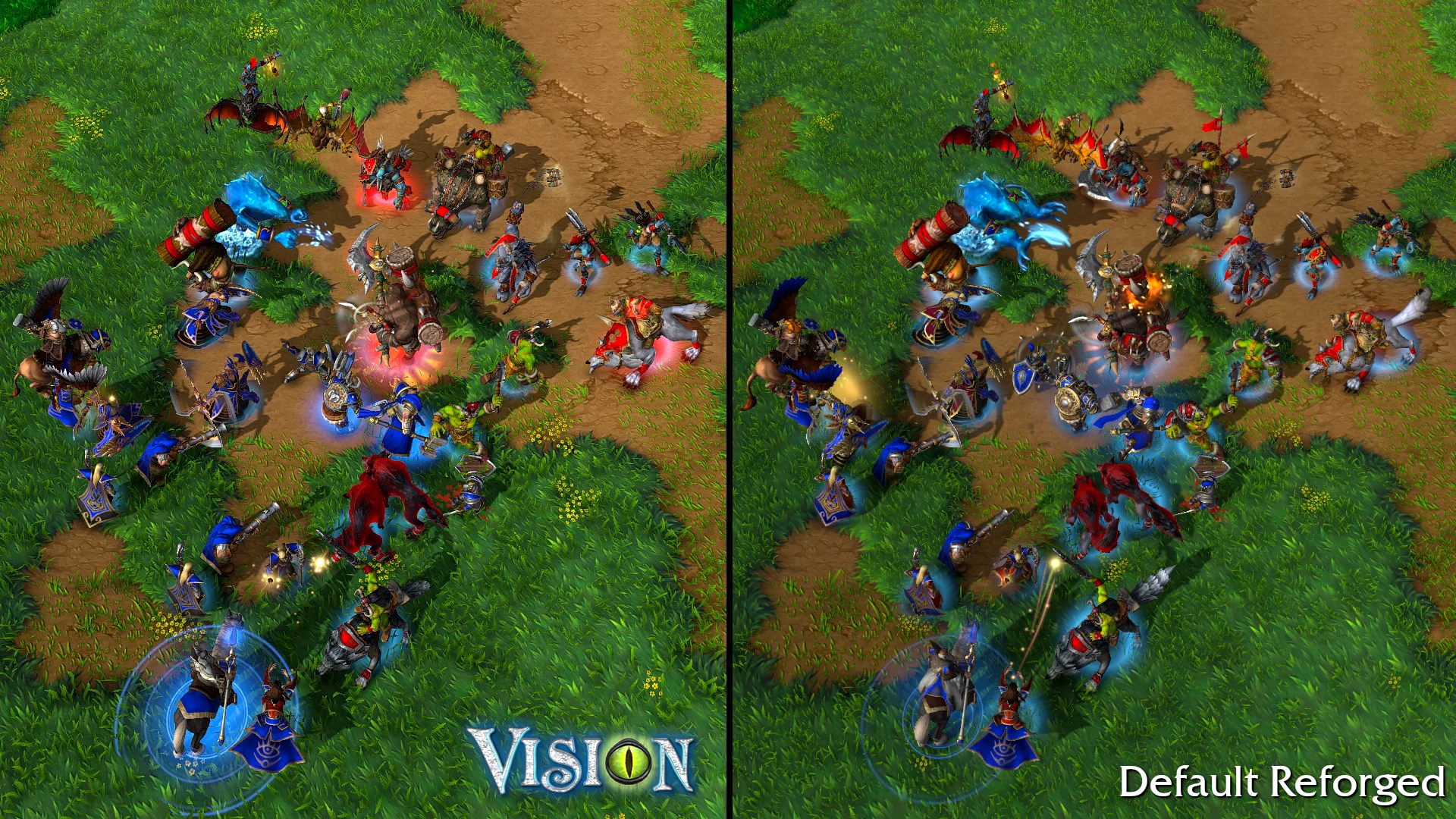
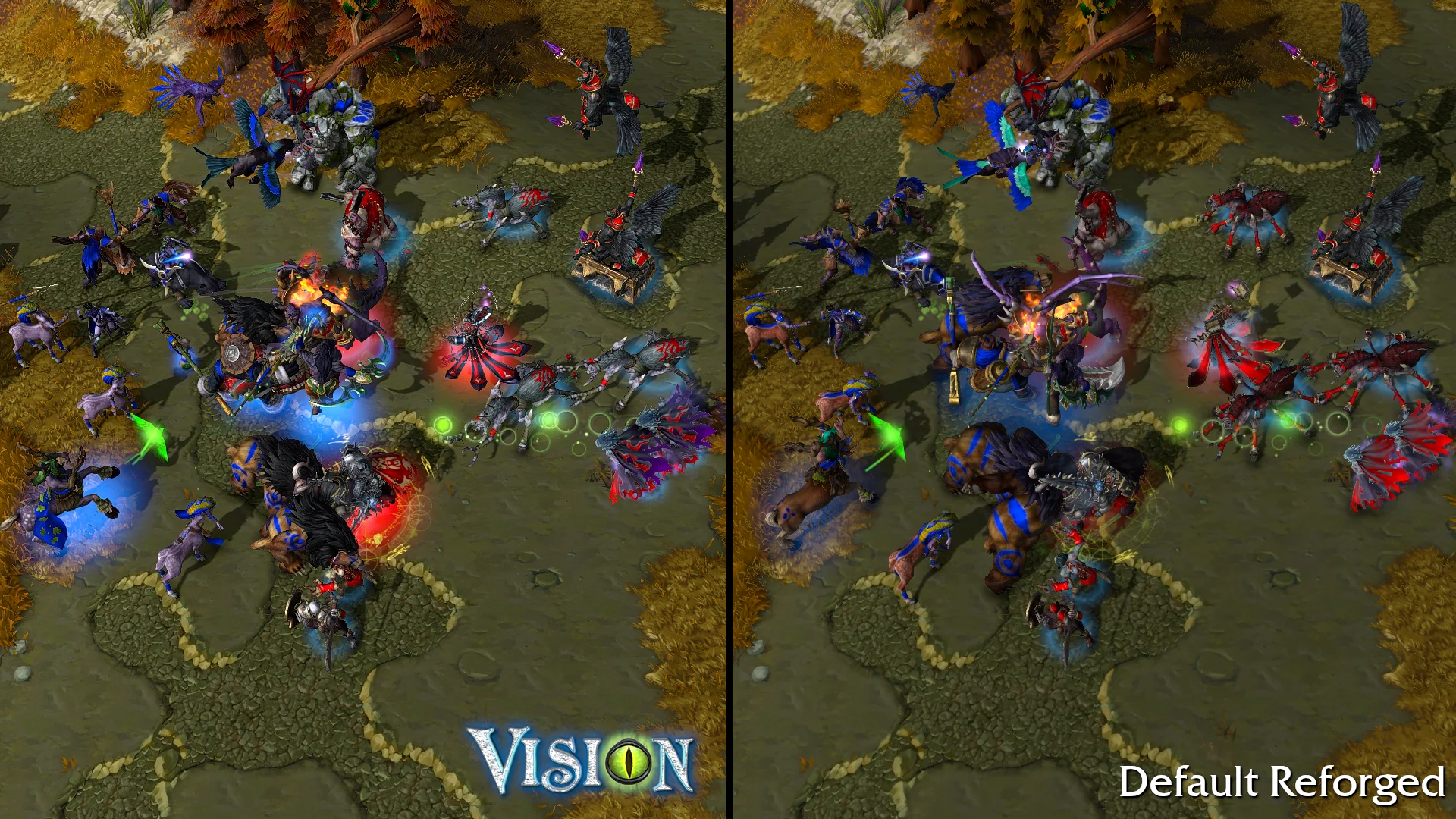
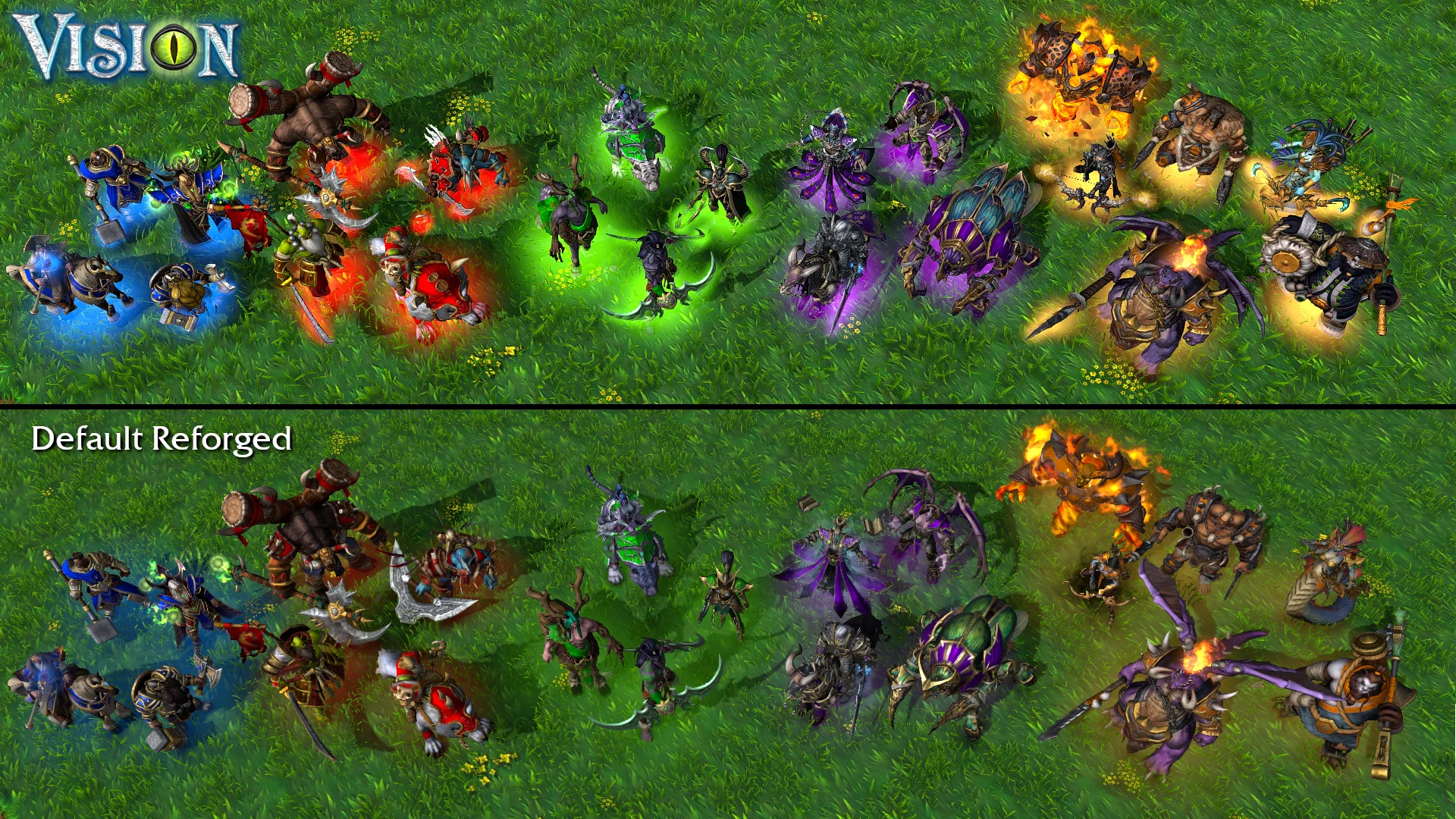
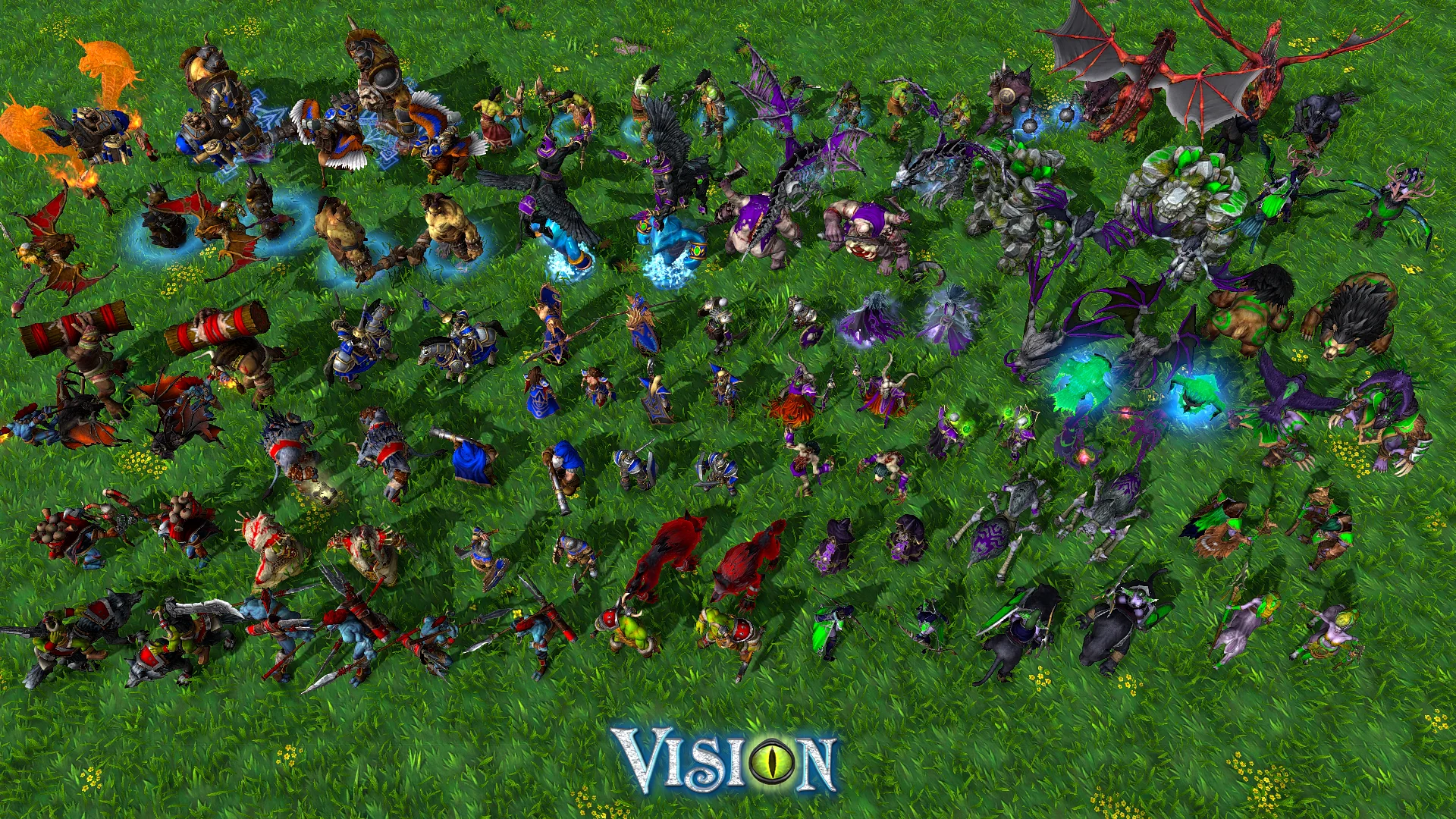
Vision Mod makes Reforged graphics usable in multiplayer. It fixes hitboxes, hp bars, hero glow, animations, texture colors, model size and the many bugs. This detailed quality control gives Classic gameplay to the new graphics.
Subscribe to Warcraft3Vision to support the mod and watch replays - Thank you!
Features
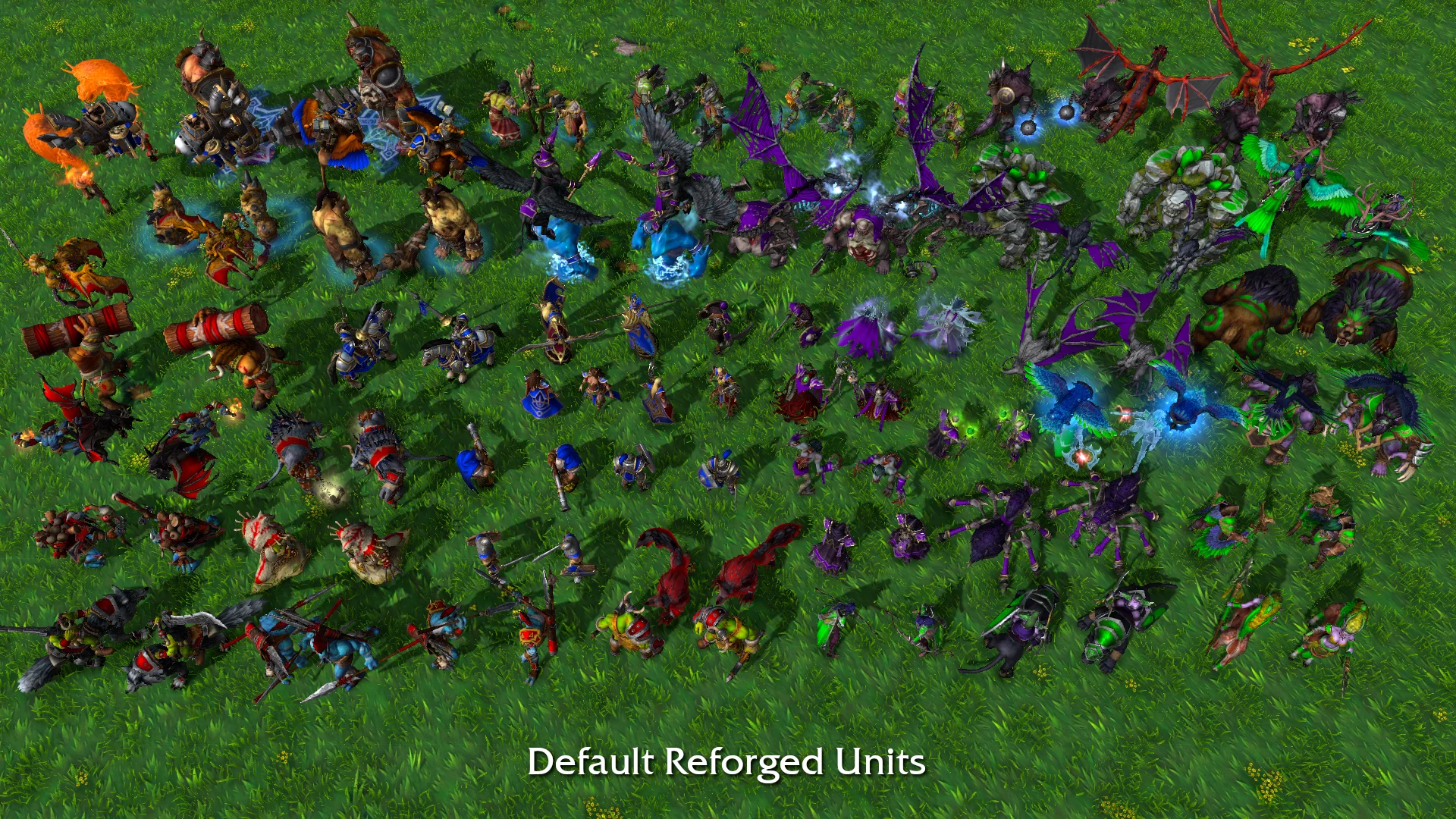
⦁ New Default Skins
⦁ Units Resized and Remodeled
⦁ Buildings Resized and Remodeled
⦁ New Animations
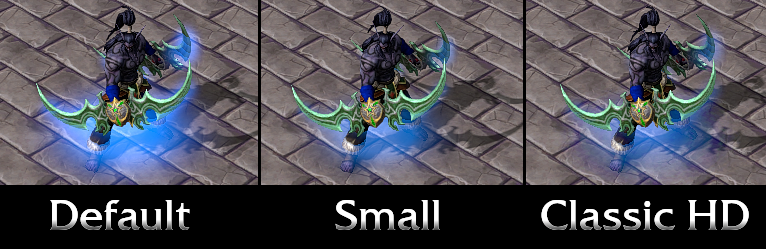
⦁ Classic Hero and Weapon Glow
⦁ Classic Hit Boxes
⦁ Classic HP Bar Position
⦁ Classic Icons Improved (by
Warcraft 3: Classic Remastered)
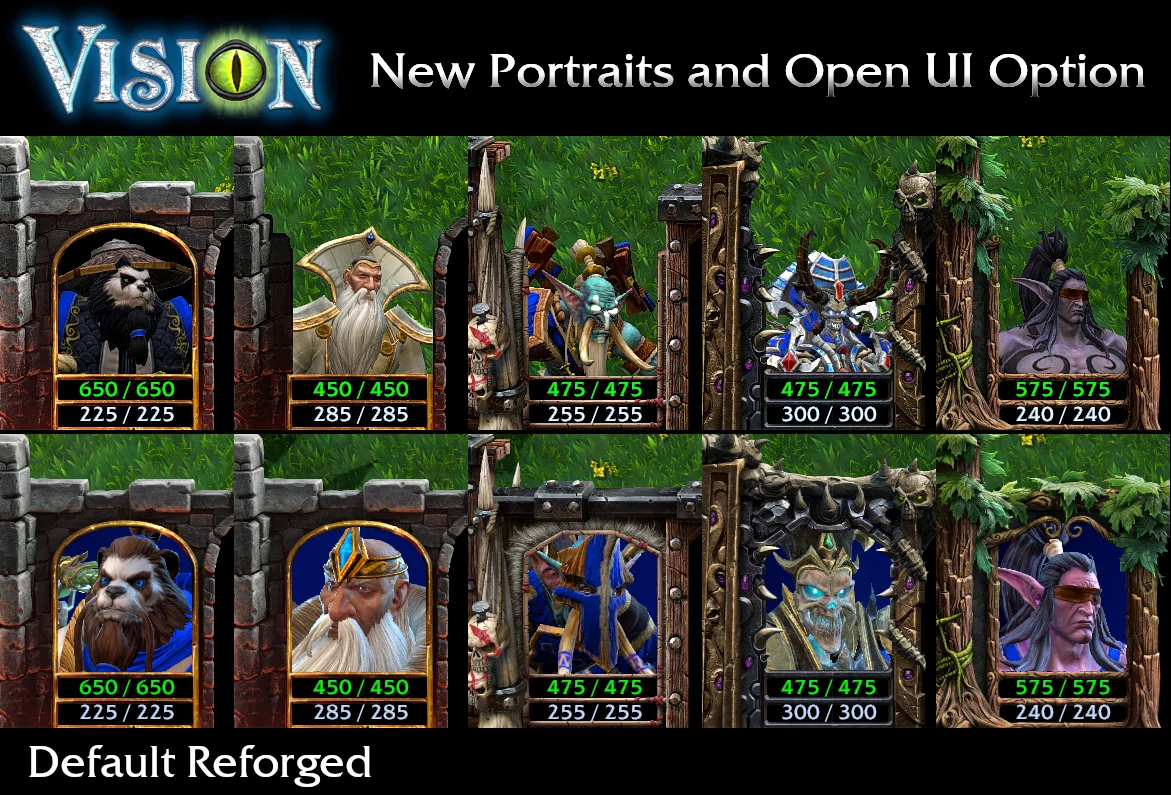
⦁ New UI and Portraits
⦁ Environment and Trees Remodeled
⦁ Item Animation Removed
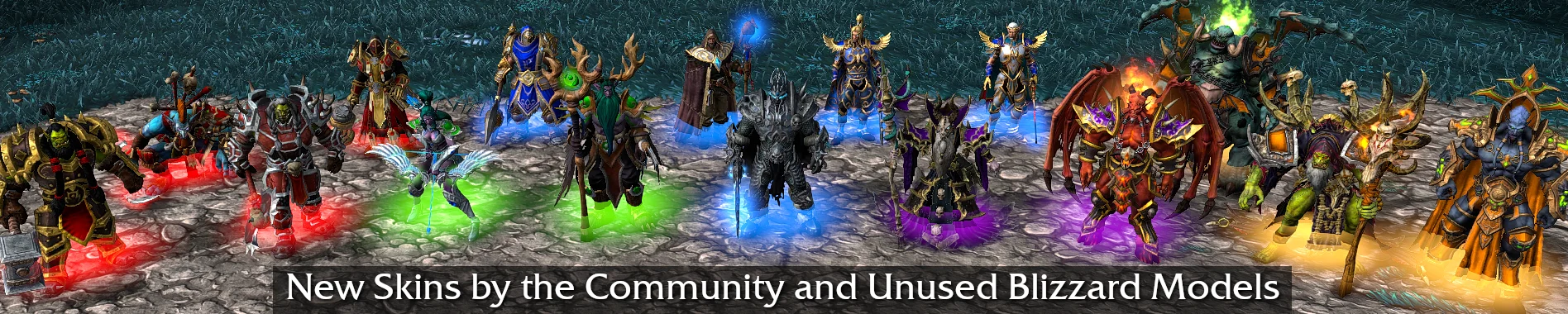
⦁ Custom Skins from the Community and Unused Blizzard Models
⦁ New Custom Hero Voices
⦁ Bug Fixes for Models, Spells and Sounds
⦁ Possible Small FPS Increase (Less Unit Data)
Default Reforged units are often too small and hit boxes are tied to the mesh with "Automatic collider generation based on asset anatomy to vertex relation".
Moving shapes instead of stationary circles like Classic. That made clicking a unit difficult because it took a breath, now imagine a wing. All have been replaced.
Installation Guide
1. Unzip VisionMod and copy all the folders inside retail "abilities, buildings" etc. into your Warcraft 3 install directory retail folder.
Example location C:\Program Files (x86)\Warcraft III\retail
2. Click AllowLocalFiles and accept all the pop ups. This enables the registry to use local files for Warcraft 3.
Now it is installed.
If you want to make the entry in the registry yourself you can. Open Registry Editor (windows key search registry editor) and find HKEY_CURRENT_USER > SOFTWARE > Blizzard Entertainment.
Under Blizzard Entertainment: Right click > Add New Key and name it "Warcraft III"
In the new Warcraft III folder: Right click > Add New DWORD and name it "Allow Local Files" double click this and change the Value Data from 0 to 1.
Note that if you switch to Classic graphics using the menu will not work with the mod files in the folder. You will need to rename, move or delete the mod folders from your retail folder or you can disable "Allow Local Files" in the registry set Value Data from 1 to 0 this is the fastest option. To uninstall just delete the mod folders.
Mac Instructions: The terminal command to enable local files is: defaults write "com.blizzard.Warcraft III" "Allow Local Files" -int 1
Changing the Mod:
If you dislike something in particular simply find the model file .mdx or the color file .dds and delete it. The game will then use the default Reforged file. Examples:
Revert the tree textures to default: Open the folder "replaceabletextures" and delete the folders "dalaranruinstree" "lordaerontree" "ruinstree"
Revert the tree models to default: Open the folder "doodads" and delete the folder "terrain"
Revert the foliage to default: Delete folder "environment"
Revert icons to default: Open the folder "replaceabletextures" and delete the folders "commandbuttons" "commandbuttonsdisabled" "passivebuttons" Open the folder "ui" and delete "widgets" "cursor" Open webui and delete "scorescreen"
Revert the UI open portrait to default: Open the folder "ui" and delete the folders "console" "framedef"
Hero Glow Options: Remade Classic team glow is the new default. For a smaller teamglow open "replaceabletextures" rename "teamglowXsmall" to "teamglow"
To switch to Blizzard's ClassicHD team glow rename or delete "teamglow" folder.
How to Use Custom Skins:
Copy only the .mdx unit file to the folder of the unit you want to replace do not move any other files.
For example: Open "units/undead/evilarthas/lichking_deathknight" and copy UNDEADARTHAS.mdx and UNDEADARTHAS_PORTRAIT.mdx into the previous folder "units/undead/evilarthas" overriding the files in it.
Do this before starting WC3 or you have to restart the game for it to work.
Backups of the original files are kept in the default folder so you can switch back by copy pasting from that into the main folder.
There's a setting in Reforged main menu > Gameplay > Use Skins make sure that is turned on and then select the skin in the collection tab if needed.
Location of Custom Skins:
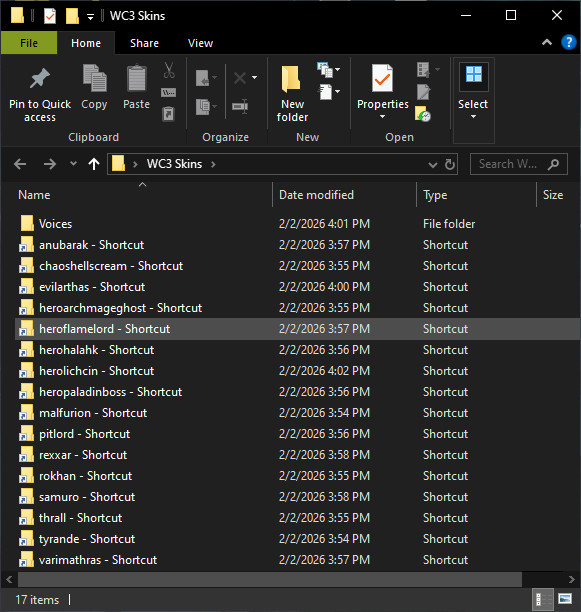
units/creeps/heroflamelord/guldan_firelord (not in collection tab)
units/demon/chaoshellscream/saurfang_blademaster
units/demon/pitlord/archimonde_pitlord
units/human/herohalahk/ThalorienDawnseeker_paladin
units/human/heropaladinboss/AnasterianSunstrider_paladin
units/human/heromagroth/judgment_paladin (This is enabled. The old default is in the folder)
units/human/heropaladinboss2/lionheart_paladin (This is enabled. The old default is in the folder)
units/nightelf/maiev/watcher_warden
units/nightelf/malfurion/malfurion_mountless
units/nightelf/tyrande/tyrande_mountless
units/orc/samuro/burningblade_samuro
units/orc/thrall/thrall_mountless
units/orc/rokhan/voljin_shadowhunter
units/other/heroarchmageghost/medivh_archmage
units/other/rexxar/moknathal_rexxar
units/undead/anubarak/green_anubarak
units/undead/evilarthas/lichking_deathknight (not in collection tab)
units/undead/herolichcin/kelthuzad_necromancer
units/undead/varimathras/kiljaeden_dreadlord

You can make shortcuts to these folders for faster changing.
Icons have been added to those folders. If you want hero icons to match the custom skin move them to replaceabletextures overriding the default. If you removed all Classic Icons then inside "replaceabletextures" recreate the folders "commandbuttons" and "commandbuttonsdisabled" to place custom icons.
New Optional Voicelines:
Copy sound files to folder that the skin replaces. Note that voices will change for the default hero too as long as sound files are in that folder.
Gul'dan voice (located in units/creeps/heroflamelord/guldan_firelord/guldan_sounds) copy to heroflamelord
Lich King voice (located in units/undead/herodeathknightX) rename folder to herodeathknight
Medivh voice (located in units/human/heroarchmage/medivh_sounds) copy to heroarchmage
Kel'Thuzad and Necromancer voices (located in units/undead/herolich/kelthuzad_sounds and kelthuzad_necromancer_sounds) copy to herolich
Elf Paladin voice (located in units/human/heropaladin/elf_paldin_sounds) copy to heropaladin
FAQ
⦁ It is allowed to use this mod online in multiplayer that's what it's made for. It only works on bnet after W3Champions disabled reforged gfx.
⦁ The mod only works for Reforged graphics, not Classic.
⦁ Campaign and Custom Maps work if they use Reforged graphics. Some portraits will not be updated if they aren't in melee but most for Campaign are added. Lip sync was removed in campaign because it broke for rescaled units. Instead you should turn on portraits. In Menu > Options > Gameplay > Show Portraits in Cinematics.
⦁ Terrain was not changed just grass and trees. You can switch to pre 2.0 terrain inside the game menu.
⦁ Quenching Mod made an importer for Vision Mod files for people who want to combine the mods without copying the folders. It doesn't include everything in Vision mod like the custom heroes, voices, or the object folder with the treasure chest you would have to copy those yourself.
Known Issues of Reforged and Fixes
⦁ Loading a SAVED GAME breaks animations. This is a Reforged bug it's not from the mod so I can't fix that. Checkpoint saves and new games work. If you load a saved game you have to restart the game to undo the bug.
⦁ Loading a downloaded Reforged .w3g replay will usually crash. The work around is to load up the correct version of the map in single player then quit after a few seconds and only then start the replay.
⦁ Does your collection skin choice get deselected after you restart the game? Make your skin choices and tab out to open Documents/Warcraft III/War3Preferences and keep this text file open. Restart the game and after it loads close the text file, the skins should stay selected.
⦁ If you want sharper graphics there are ways to do it.
Anisotropic Filtering is not in the game options but you can turn it on with your graphics card app.
In the Nvidia app add the game Program Files (x86)\Warcraft III\retail\x86_64\Warcraft III.exe then Show Legacy Settings to turn AF ON.
More Graphics Options with Reshade
Reshade Download:
Home
Select the game path: Program Files (86)\Warcraft III\ _retail _\x86_64\Warcraft III.exe
Choose “Direct3D 10/11/12”
Select the effect packages "Standard effects" "Sweet FX by CeeJay.fx"
Start the game and hit the HOME key to see Reshade options. There are many options just beware of the FPS changes for some of them.
The only settings I use are LUMA Sharpen set to 1 and Levels to make it slightly brighter. Pick the strength you like and check "performance mode" at the bottom.
Future Updates
⦁ All creeps for 1v1 maps have been added. If the map pool adds new creeps those will need to be updated.
⦁ Other game mode creeps can be added over time if people are interested.
Credits
Created by
VisionMod Donate to Vision Mod if you feel like it, it's appreciated but not necessary. Blizzard should cut the check.
Models from HiveWorkshop.com:
Shadow Hunter Rokhan Projectile -
credit SADGASM
Prince Kael with fixed armor and animations, Better equipped peasants, Fixed Cairne Bloodhoof, More Beautiful Sylvanas, Thrall Chain Lightning Animation, Guldan, Lionheart Paladin, Thalorien Dawnseeker and Anasterian Sunstrider -
credit Fugrim
Blood Elf Ranger Texture
- credit Iomero
Classic like Melee Paladin
- credit kten & Fugrim
Rexxar with fixed animations, Firelord/Volcanus Fix and Frost Wyrm emissive -
credit Mr Ogre Man
Beastmaster fixed animations, Gyrocopter texture fix -
credit Mr Ogre Man and Fugrim
Fixed Reforged Flora Animations -
credit Tamplier
Paladin Judgment Set and Icon -
credit Vindorei
Malfurion Mountless and Tyrande Mountless -
credit Retera
Lich King Texture and Icon -
credit Symphoneum
Lich King Model -
credit HolyRavioli
Lich King Reforged with WoW Animations, Arthas with Sword, Kil'Jaeden Portrait and Thrall Mountless -
credit VictorZ
Varok Saurfang and Icon -
credit Vulfar
Classic Icons Improved -
credit Nargacuga Warcraft 3: Classic Remastered
Gul'dan, Lich King and Medivh voices - credit Blizzard Heroes of the Storm
Saurfang, Vol'jin, Lich King Icons - credit Blizzard Hearthstone
Special Thanks to these creators whose tools made the mod possible:
Retera's Model Studio for model and sound changes -
credit Retera and the people who helped that project like
OgreLord and
Twilac
Casc View for extracting -
credit Ladik
SanityTester for model testing -
credit GhostWolf
Quenching Mod for showing how to edit the UI -
credit Zorrot
AllowLocalFiles Installer -
credit BogdanW3
Thank you everyone of Hive who answer questions!
ChangeLog
v2.5
Building Portrait Lighting
v2.4
New Portrait Lighting, Textures Updated, Bug Fixes
v2.3
Model Updates
v2.2
Model Updates with Final Scaling of All Units, Classic Hero Glow Remade and Classic Icons Improved
v2.1
Campaign Fixes and Added Portraits, New Custom Voices, Texture and Model Fixes
v2.0
New Hero Skins, Custom Hero Voices, Hero Glow Options, Bug Fixes
v1.9
Sound Effects Fixed, Spell Effects Added, Missing Animations Added, New Hero Skins and Icons Added
v1.8
Added New Hero Skins and Campaign Animations
v1.7
New folder "Environment" all optional foliage (turned on in the main menu) updated the size and color to better match the 2.0 tile sets.
v1.6
Buildings Updated
v1.5
Added Classic Hero and Weapon Glow, Collection Skins Updated, New Portraits, and Animated Environment


 Pending






 i am sure i am doing something wrong
  ?
?


