• Check out the results of the Techtree Contest #19!
  • Listen to a special audio message from Bill Roper to the Hive Workshop community (Bill is a former Vice President of Blizzard Entertainment, Producer, Designer, Musician, Voice Actor) 🔗Click here to hear his message!
  • Read Evilhog's interview with Gregory Alper, the original composer of the music for WarCraft: Orcs & Humans 🔗Click here to read the full interview.
  • Create a void inspired texture for Warcraft 3 and enter Hive's 34th Texturing Contest: Void! Click here to enter!
  • The Hive's 22nd Icon Contest: Creep Abilities is now concluded, time to vote for your favourite set of icons! Click here to vote!

The Picture #5

Status
Not open for further replies.
of course, this is a contest y'know (:

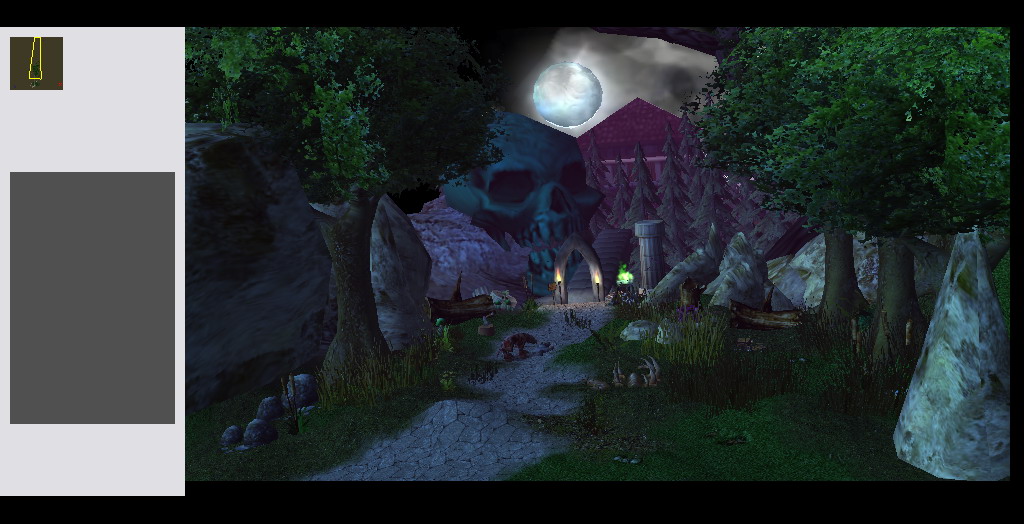
Edited: My WIP.. what do you guys think?
Add bone
Add Zombie-dog
Add Corpse
Add Archway Ruined
Add Cloud
Change Fog Effect
Change the color of skeletal head
attachment.php

Really?
AX46f3k.jpg

Maybe it's just coincidence, I don't know.
 
So I pressed the wrong button and now everything is all weird and griddy, while the other has the detestable game preview text. Any ideas on how to remedy that?

Otherwise, whadda ya think of my first wip?
 

Attachments

  • Picture 5.png
    Picture 5.png
    1.8 MB · Views: 239
  • Picture 5 alt.png
    Picture 5 alt.png
    2 MB · Views: 243
Press ctrl+t several times and that will solve the problem with the terrain grid

Oh,and is it necessary to post a wip,or will the final entry suffice ?
 
So I pressed the wrong button and now everything is all weird and griddy, while the other has the detestable game preview text. Any ideas on how to remedy that?

Otherwise, whadda ya think of my first wip?

Press K to toggle sky, press F to toggle fog, press I to toggle things like pink and black boxes, press E to toggle weather effects, and ctrl+T toggles the terrain. I think that should be all you need. This way you don't need to press V to show game view. Basically you can toggle anything on or off by using the View menu and checking what you want seen or hidden.
 
Azurot is a seasoned terrainer, I'm pretty sure he knew all of those, excluding the one he actually asked about.

Does anybody know what the deadline on this thing is?

No deadline, yet. But for you, I'd extend the deadline anytime.

Oh,and is it necessary to post a wip,or will the final entry suffice ?

Basically what fladder said, only post WIPs if you feel like you need suggestions and advice, otherwise I won't bitch about it.

we give screenshot as final entry or we attach the map?

Screenshot is enough, this isn't a mapping contest.

Also, good to be back loves, them entries are looking good and I love how this contest finally starts looking like a... contest... <.<
 
Didn't delete anything, somehow it doesnt appear, maybe its the fog or smth.

Edit: The camera doesnt show the terrain so far away, i even checked the camera properties, they match with those what Keiji posted on the 2nd page.
 
Didn't delete anything, somehow it doesnt appear, maybe its the fog or smth.

Edit: The camera doesnt show the terrain so far away, i even checked the camera properties, they match with those what Keiji posted on the 2nd page.

Oh , i think its just behind the cloudsphere.
Well , as what i said , snowlumps are badly placed and cave , uuhh , maybe you could fix some , its on your own sense :)
 
Didn't delete anything, somehow it doesnt appear, maybe its the fog or smth.

Edit: The camera doesnt show the terrain so far away, i even checked the camera properties, they match with those what Keiji posted on the 2nd page.

Either, as Stryder said, they're behind a/the sphere, if you used one, which isn't against the rules. Or, it's because you haven't panned the sky out, which is easily done by holding CTRL while in the appropriate camera position and using the mouse-wheel to scroll, alternately using a technique of equivalent function, should your mouse not have a wheel. And while that isn't technically against the rules either, I'd advice you to scroll out so the far-away mountains are visible, it's just... Better looking.
 
Last edited:
Yay, I haven't started my entry yet!

@rushing_epic
You're not allowed to:

- Use any other camera than "The Picture" nor can you change any settings on the camera, or alter it's position -
- Change anything physical already in the map: Doodads and terrain alike -
- Edit the terrain in any other way with any kind of Photoshop programs in no other way than just to add a small signature to your terrain -
 
The galaxy model is tough to handle. If you scale it up more you can avoid the blinding light a bit and just get the nice variation of blue violet colors. Also the grass is a bit spammy and pixellate. Try ufergrass or/and a blend of different bushes/flora.
 
The blinding light in the center was intentional,maybe it's a bit overdone.
And thanks for the suggestion with the ufergrass,i'll try and see if i can improve the terrain,but if it's nothing major i don't think ill post the update.
 
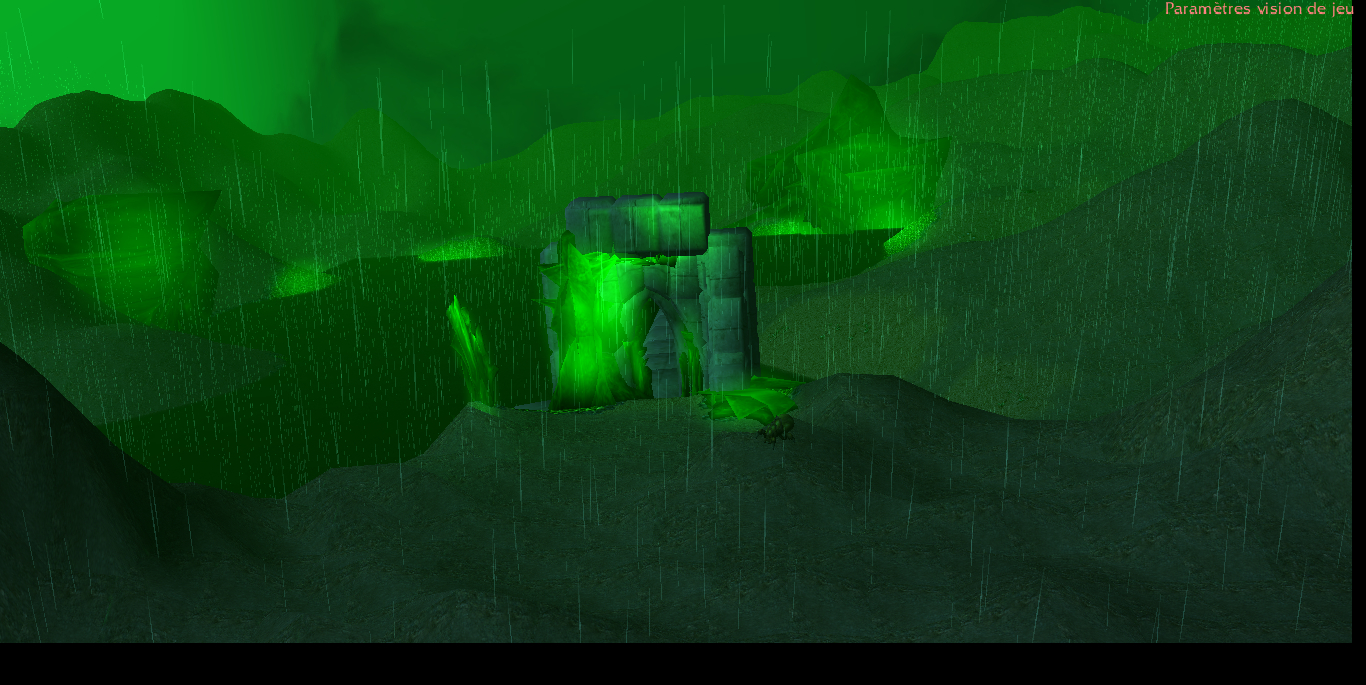
Been a while since i've done a terrain , here's a quick wip , also if it's forbidden to use the baneling i will delete it
attachment.php

It's not forbidden, not unless it's taken from another site or directly ripped from Sc2 by yourself, in either of those cases you'd have to provide a link to where you downloaded it, or upload it somewhere and then post the link.
- That is, if the model's not from this site.
 
Just another quick update. Yes i am alive:P
Progress is getting along really slow i am out of inspiration:ogre_rage:
 

Attachments

  • Thepicrandomnumber.jpg
    Thepicrandomnumber.jpg
    186.6 KB · Views: 267
After a little break, i continued mine, so here is another WIP, will probably make another after this, correcting some snow lumps and stuff.

Edit:
New Wip, deleted nearly all of the snowlumps because well, they didnt look like they was supposed to be. Also changed sky. If there are no more suggestions, this will probably be my final.
 

Attachments

  • 2.jpg
    2.jpg
    429.5 KB · Views: 211
  • 3.jpg
    3.jpg
    421.4 KB · Views: 207
Last edited:
After a little break, i continued mine, so here is another WIP, will probably make another after this, correcting some snow lumps and stuff.

Edit:
New Wip, deleted nearly all of the snowlumps because well, they didnt look like they was supposed to be. Also changed sky. If there are no more suggestions, this will probably be my final.

The moon does not do any justice to the terrain. It in fact looks attached to earthly constructions in the night-pic (No.2), as if it is some kind of communication tower.

I suggest you removed the in-built snow, it only manages to add unneeded visual noise.

The snow model's edges do not smoothly blend with the base terrain, making it look less realistic. However, it looks a lot better in the pic No. 3.

I am not sure how a modern industrial area is having any relation to the statue that you are using. I suggest you ruin that part a bit more, so that they look more like ruins than remnants of a previous era that doesn't aesthetically fit in the background terrain.

In the left, it would be really cool if you used a few tree branches going all the way towards the center of the screen. The shot would look much better that way.

The height of the surrounding cliffs should be a lot more varied.

Use lighting to add atmosphere. You could in fact use blue or yellow lights (located here) in two rows, on the bridge, one row from the left and one from the right.

I assume that you are using the Eerie Fog from UTM; try using the Glow model with Z set to 0.

Thanks for the suggestions, i'll work on these things then. I downloaded your pastebin but i seriously dont have a single clue how to use those files lol, can you link me a tutorial or something please?

The file is not created by me, just for your information.

There is a map located in the *.zip file, which you can open in your editor and retrieve the Light models that I am talking about. Light_Yellow/White/Red/Blue are the mdx names, if I recall correctly. Just import the skin with no path (remove war3mapImported\) and the model(s).

The files are individually placed in the *.zip as well, but it may take a lot longer to finally get them.
 
Last edited by a moderator:
Status
Not open for further replies.
Back
Top