• Check out the results of the Techtree Contest #19!
  • Listen to a special audio message from Bill Roper to the Hive Workshop community (Bill is a former Vice President of Blizzard Entertainment, Producer, Designer, Musician, Voice Actor) 🔗Click here to hear his message!
  • Read Evilhog's interview with Gregory Alper, the original composer of the music for WarCraft: Orcs & Humans 🔗Click here to read the full interview.
  • Create a void inspired texture for Warcraft 3 and enter Hive's 34th Texturing Contest: Void! Click here to enter!
  • The Hive's 22nd Icon Contest: Creep Abilities is now concluded, time to vote for your favourite set of icons! Click here to vote!

How to change buildings ground?
Status
Not open for further replies.
Level 23
Joined
Apr 8, 2017
Messages
1,623
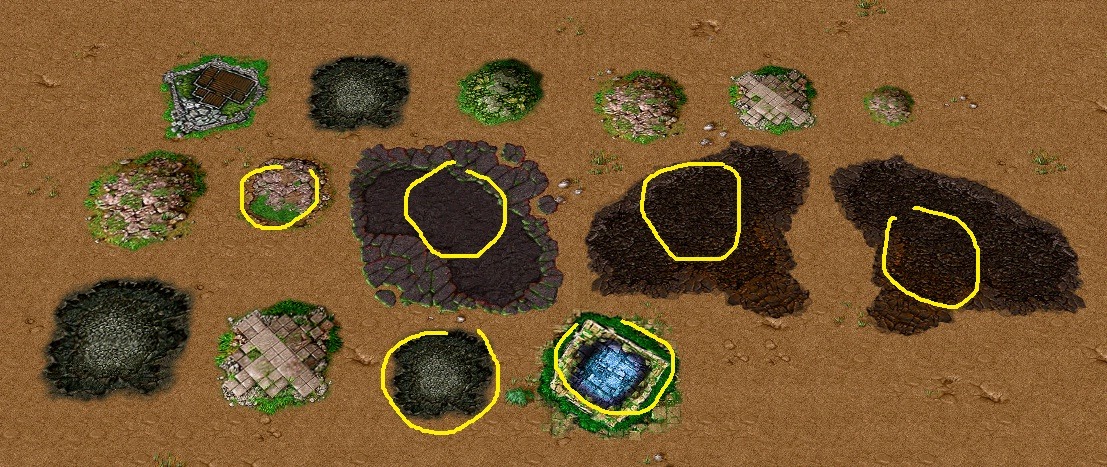
Examples:
25530289_1531071603652542_1818883751_n.jpg


And also tell me how can i create them :D

Please And Thanks
 
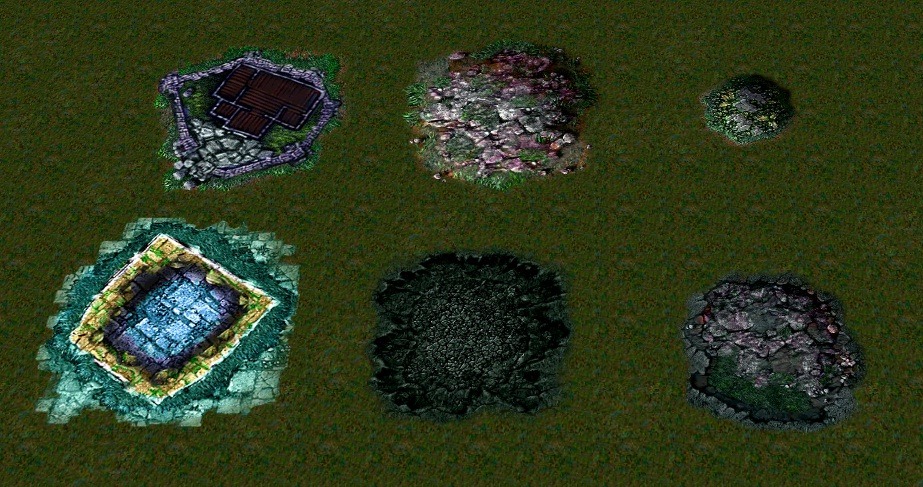
One thing to add is, that the texture depends on the tileset. So if you want to replace them, you need to replace the ones for the tileset you want to use.
These ground textures are declared in the UberSplatData.slk file in the warcraft 3 mpq. Maybe you can add some new ones similar to how you add lightning effects.
 
When making such textures it is important they are surrounded by at least a 1 pixel alpha boarder. This is because that pixel gets stretched as part of the mechanics of how ubersplats are composed and blended.

With exception of a select few BLP files which seem to be part of a hard coded preload list (eg the Necropolis texture), one should be able to change the ubersplat ground textures by replacing their BLP file. However this might not be easy or possible if they are only ever resolved from tileset dependant asset sets rather than a default path.
 
Status
Not open for further replies.
Back
Top