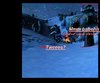
My FIRST Terrain

Status
Not open for further replies.
Level 2
Joined
Aug 8, 2008
Messages
14
I only say first as in, first... I messed around abit. But this is my semi-finished Product, I didn't save any other terrains other than this one. I read just about every Tut. on this great site :P

Also, I need a moon ;-; any ways on how to get one?

Comments are proffered Privately


Sorry about the big black spot on your left, and bottom... That is where I "modified" it :P

Thanks

https://www.hiveworkshop.com/forums/attachment.php?attachmentid=35100&stc=1&d=1218240791
 

Attachments

  • Clipboard01.jpg
    Clipboard01.jpg
    87.7 KB · Views: 208
For a moon model use the glow doodad in the Ultimate Terraining Map.

Not a bad terrain, but it could use a lot more in it. As well that cave needs touch ups. Try covering the top with shrubs and rocks.
 
Some basic things to change. Be nice to see if you updated the picture with a new and improved one.

  1. Lower those doodads down a bit.
  2. Add a nice fog. Close up be nice.
  3. Add a sky. Fogged be the best.
  4. Do a closer camera view, your screenshot is to wide, with the little doodads u have.
  5. Add more variety of doodads, and terrain.
 

Attachments

  • Proving my point.jpg
    Proving my point.jpg
    67.4 KB · Views: 138
  • yup.tga
    yup.tga
    1.5 MB · Views: 78
Well the reason for the "to far away" Is simply Trees. I don't know about your trees but Mine dont look like a 7 year old painted it with his mommies "stash"? Yah know?

Uh :confused: What are you saying?

Anyway mych better that the trees have been lowered on that new picture.

Still some more differnt doodads could be needed. Try searching trough UTM doodads list.
 
Uhm, I can't get UTM to work, It says something like "not enough memory" missing script files, I reinstalled it, but I don't know the problem
 
You know?

When you load a map, that bar comes up and things go by really fast(words) near the end I get the "not enough memory to continue" message? : / i'm not doing anything wrong...
 
he might be downloading it wrong.

when you download, click save when it givees you the "do you want to download ?" window.

go to local C/ drive and search for Warcraft III. Click it, then search for the maps folder. Then in the maps folder, click "frozen throne ", then in that folder click scenario. Then click the save button (or OPEN) Then it should be good.
 
Hmm, Indeed my comp. might suck. It has quite abit of RAM and memory left. I think it has something to do with my file browser PowerDesk 6. It gives me an option to open with powerdesk, And I either unzip if it needs to, or if it's a MPQ file, Those are the only times I get that :/ Its okay, I'll do fine without the UTM
 
Status
Not open for further replies.
Back
Top