• Check out the results of the Techtree Contest #19!
  • Listen to a special audio message from Bill Roper to the Hive Workshop community (Bill is a former Vice President of Blizzard Entertainment, Producer, Designer, Musician, Voice Actor) 🔗Click here to hear his message!
  • Read Evilhog's interview with Gregory Alper, the original composer of the music for WarCraft: Orcs & Humans 🔗Click here to read the full interview.
  • Create a void inspired texture for Warcraft 3 and enter Hive's 34th Texturing Contest: Void! Click here to enter!
  • The Hive's 22nd Icon Contest: Creep Abilities is now concluded, time to vote for your favourite set of icons! Click here to vote!

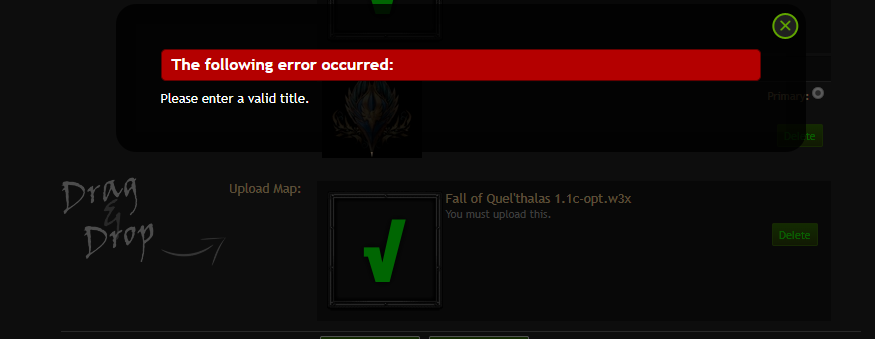
Cannot upload a resource: "The following error occured: Please enter a valid title.".

Status
Not open for further replies.
Level 7
Joined
Aug 11, 2009
Messages
193
I believe the picture is self-explanatory.
unknown.png


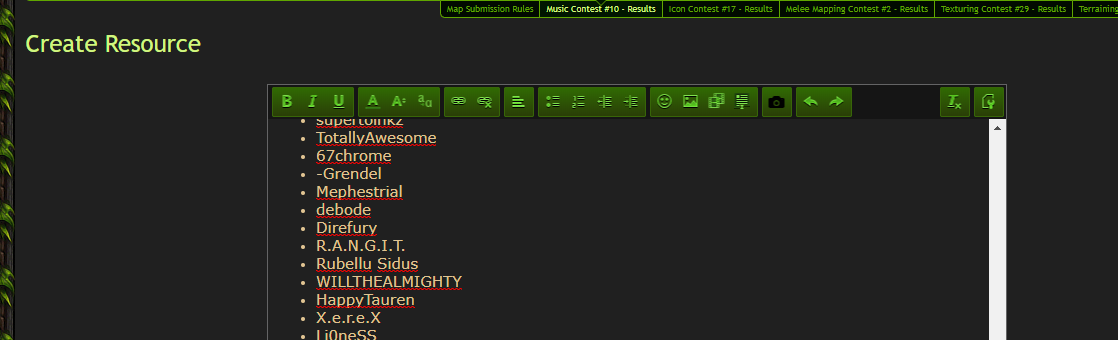
As a note I don't have the map title window above map description either.
unknown.png
 
Last edited:
You have a dot in your map name, generally in Windows, a dot marks the start of a file type. So don't include dots in your file name.
I'd guess that's what the server is annoyed with.

So name it "Fall of Quel'thalas_1_1.w3x" instead.
 
You have a dot in your map name, generally in Windows, a dot marks the start of a file type. So don't include dots in your file name.
I'd guess that's what the server is annoyed with.

So name it "Fall of Quel'thalas_1_1.w3x" instead.
That sounds like some high nonsense, considering the fact Hive has maps with a dot in their name like Lordaeron: the Foremath for example.
 
You have a dot in your map name, generally in Windows, a dot marks the start of a file type. So don't include dots in your file name.
Not his problem. Windows supports file names with multiple dots... A lot of Warcraft III maps use it for versioning.
Still, good practice to not include dots in filenames
Not really...

If the name is meant to be auto detected, then it is likely a conflict with the map protection solution being used.
 
Have you tried uploading a placeholder map first? A simple "Just another Warcraft III map" with some minor name and title changes but without map protection and such.

If that passes the title test and gets published then you can update it with your actual map and change the title appropriately using the update map template which does have a distinct title field.
 
Have you tried uploading a placeholder map first? A simple "Just another Warcraft III map" with some minor name and title changes but without map protection and such.

If that passes the title test and gets published then you can update it with your actual map and change the title appropriately using the update map template which does have a distinct title field.
So I tried posting the unprotected version of the map and it did go through, but it doesn't let me update the bundle with the protected version of the map, claiming that I need to use a "valid file with 100 characters or less".
 
Last edited:
If I wanted to open your map, you can bet money I would be able to.
You just make it more annoying by protecting it.

More importantly, I do not like the mindset of "My map is so great I need to protect it because my hundreds of thousands of fans will make copies of it"
Unless you are the dev of dota that's not realistic and is a doucebag move
 
If I wanted to open your map, you can bet money I would be able to.
You just make it more annoying by protecting it.

More importantly, I do not like the mindset of "My map is so great I need to protect it because my hundreds of thousands of fans will make copies of it"
Unless you are the dev of dota that's not realistic and is a doucebag move
I disagree with that - protecting the map is there so that you can't have a 10yo Billy open it, drop some random crap in it and then leave it under your name: the amount of hacked/bugged/broken Tree Tag and DAoW versions should tell you that.

Besides I don't think this is the place for such discussion.
 
The form of protection you are using must not be compatible with the API Hive is using to extract data from the map.

Now Hive does support map protection, but some sorts of protection might be so stupid that it is more by chance the map can still be opened in Warcraft III than it being protected.

I suggest disabling all sorts of MPQ archive corruption protection and trying to upload again. Such protection is stupid anyway since if Blizzard ever changes their MPQ code the map might stop working, and common MPQ tools get updated to bypass such protection quickly after it is discovered.

If it still does not work, it might be due to some sort of internal file corruption protection, or due to some kind of optimization conflicting with the APIs used by Hive.

The idea is to disable parts of the protection 1 by 1 until the map can be uploaded. One then knows which feature is breaking Hive and either Hive can be fixed to work with it, or the tool author can fix the protection method so as to not break Hive.
 
Status
Not open for further replies.
Back
Top