• Check out the results of the Techtree Contest #19!
  • Listen to a special audio message from Bill Roper to the Hive Workshop community (Bill is a former Vice President of Blizzard Entertainment, Producer, Designer, Musician, Voice Actor) 🔗Click here to hear his message!
  • Read Evilhog's interview with Gregory Alper, the original composer of the music for WarCraft: Orcs & Humans 🔗Click here to read the full interview.
  • Create a void inspired texture for Warcraft 3 and enter Hive's 34th Texturing Contest: Void! Click here to enter!
  • The Hive's 22nd Icon Contest: Creep Abilities is now concluded, time to vote for your favourite set of icons! Click here to vote!

Unit Skin Recolor Request

Status
Not open for further replies.
I'm so so sorry for the long response and yeah thank you so much these are exactly what i need but can you also make one for the icons the purple and yellow one? I hope i'm not bothering you.
Here you are :)
 

Attachments

Here you are :)
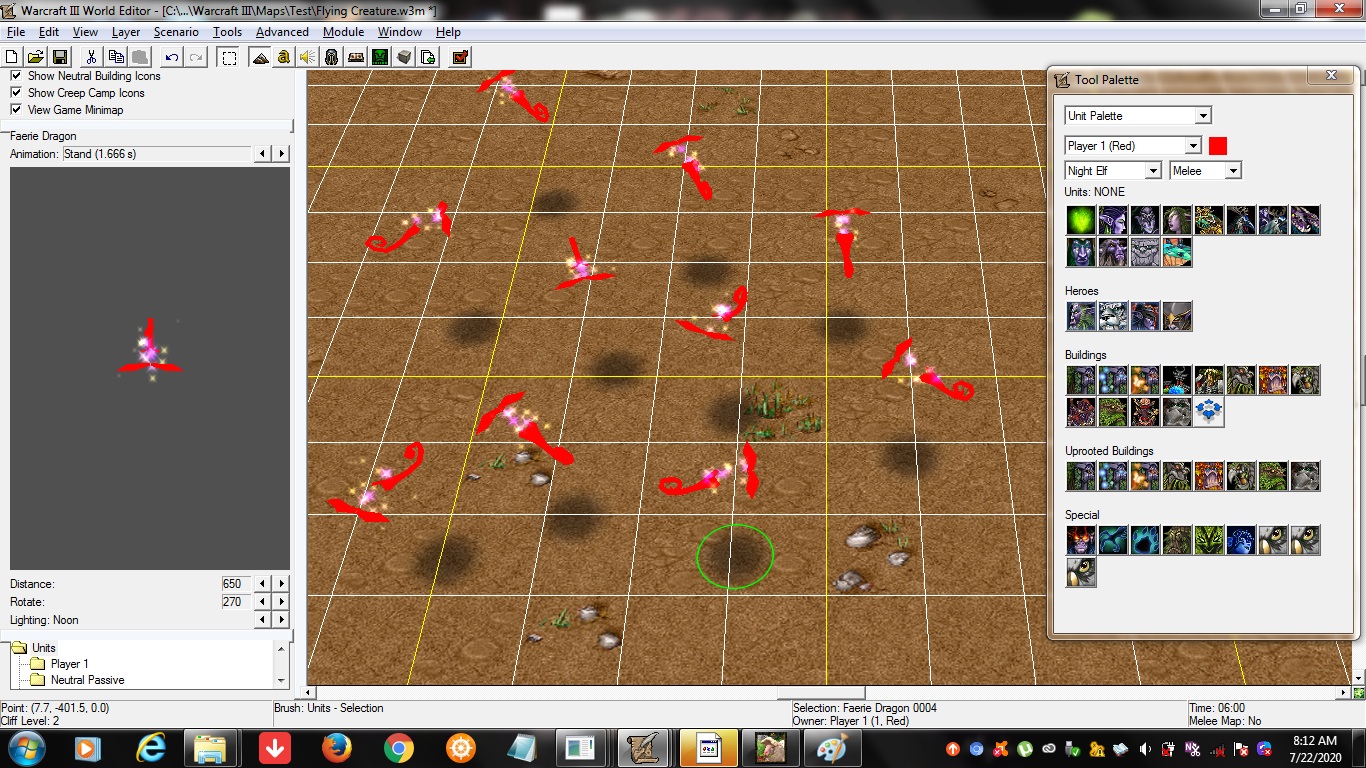
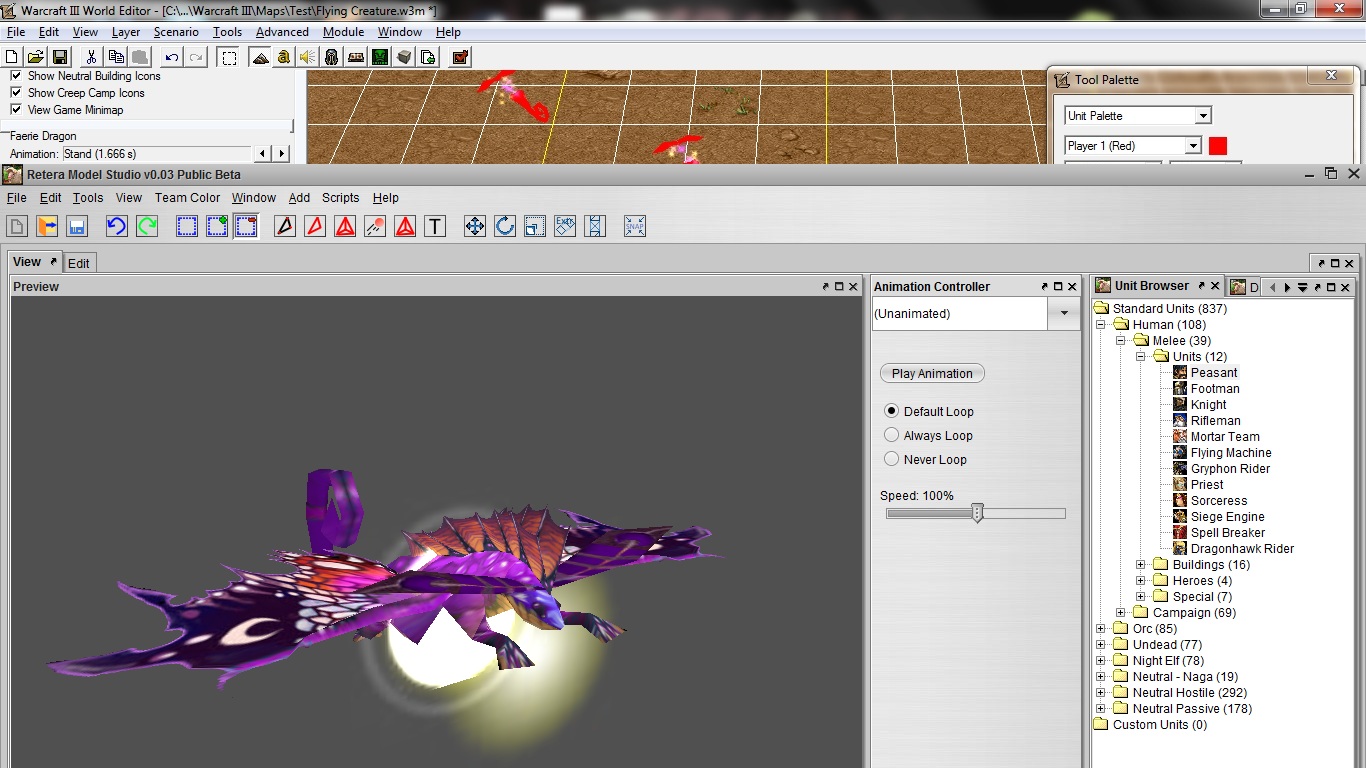
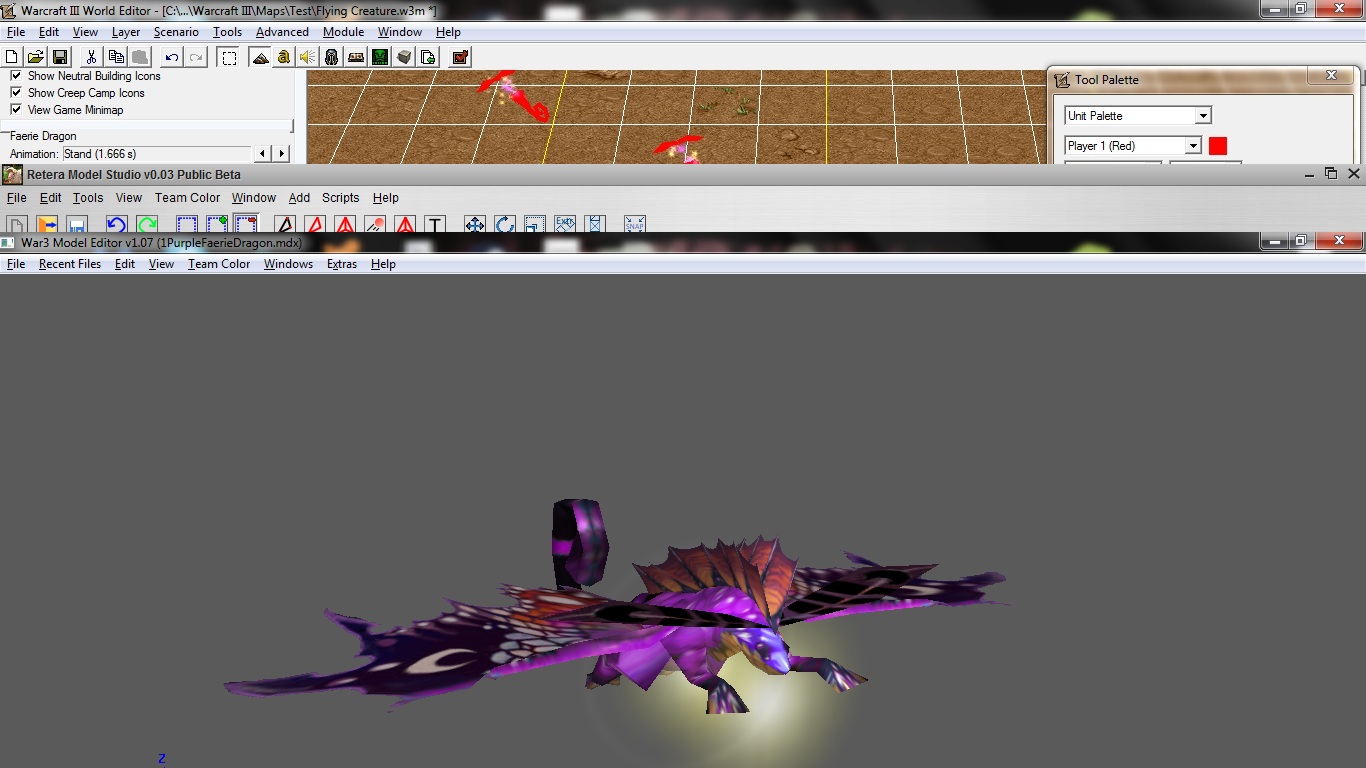
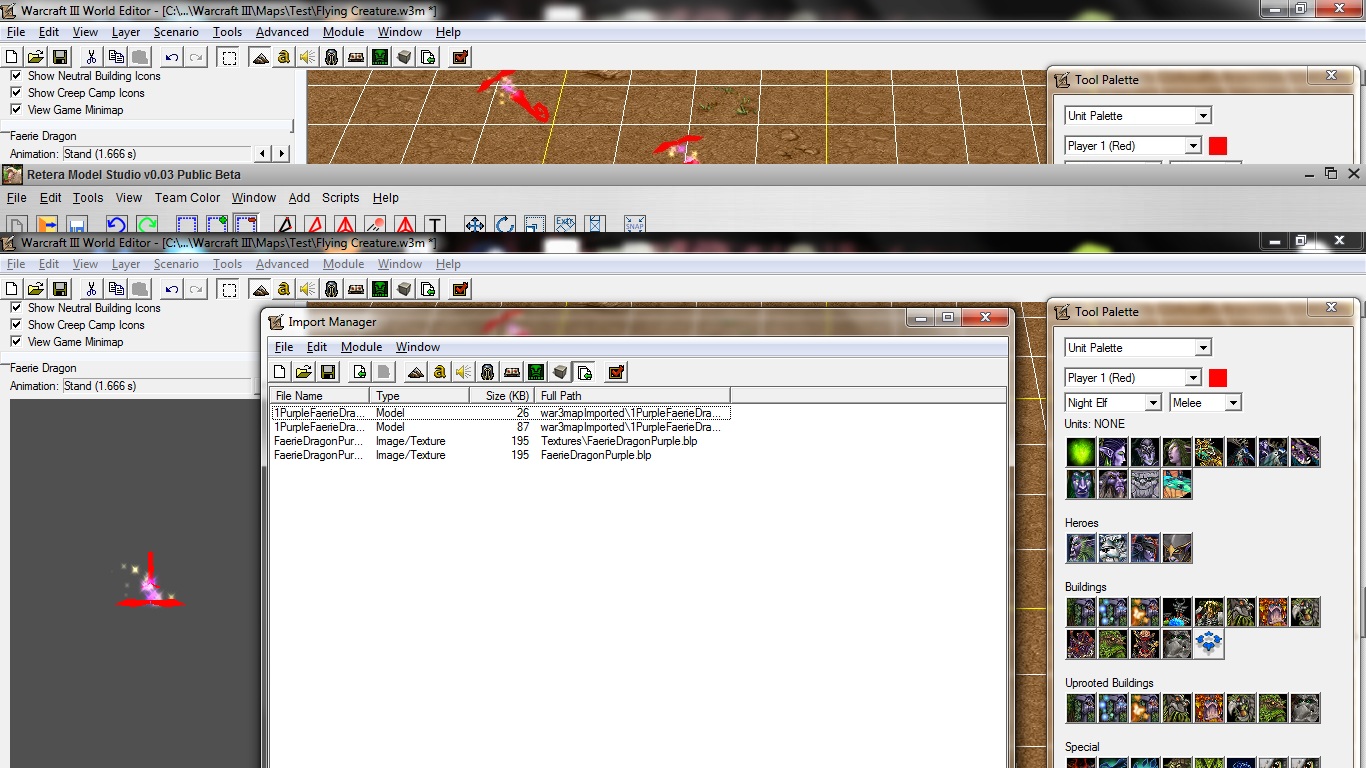
Oh thanks by the way it seems like there is a problem with the skins

J9tVkQt.jpg

FxCCbGR.jpg

WbjSDFW.jpg

uJOMzN8.jpg

As you can see there the faerie dragon skins shows up completely fine both on Retera and Magos and even in warcraft3 viewer but as you can see thier inside the WE they are somehow bugged theyre skin paths thier are all in the right path but they just show up like that how do i fix this? (I haven't tried the yellow one yet but i assume it's gonna be the same)
 
Oh thanks by the way it seems like there is a problem with the skins

J9tVkQt.jpg

FxCCbGR.jpg

WbjSDFW.jpg

uJOMzN8.jpg

As you can see there the faerie dragon skins shows up completely fine both on Retera and Magos and even in warcraft3 viewer but as you can see thier inside the WE they are somehow bugged theyre skin paths thier are all in the right path but they just show up like that how do i fix this? (I haven't tried the yellow one yet but i assume it's gonna be the same)
upload_2020-7-22_19-8-4.png

upload_2020-7-22_19-8-44.png

It works for me
 
It works for me on patch 1.29. Try resaving the texture with BLP Lab.
I did what you adviced me to do and it works now unexpectedly! Thank you so much Hermit! By the way how did you know that this method was gonna work? And why was the skin bugged even if it was not converted into the BLP lab?
 
I did what you adviced me to do and it works now unexpectedly! Thank you so much Hermit! By the way how did you know that this method was gonna work? And why was the skin bugged even if it was not converted into the BLP lab?
Over the years I've seen some textures that had the same problem, but I still don't know why it happens; I suspect it's caused by Warcraft III Viewer or some other faulty image converters.
 
Last edited:
Status
Not open for further replies.
Back
Top