

- Joined
- Sep 14, 2009
- Messages
- 284
I'm trying to transition a project from classic WE to Reforged WE and I'm having trouble with imported BLP textures, like so:
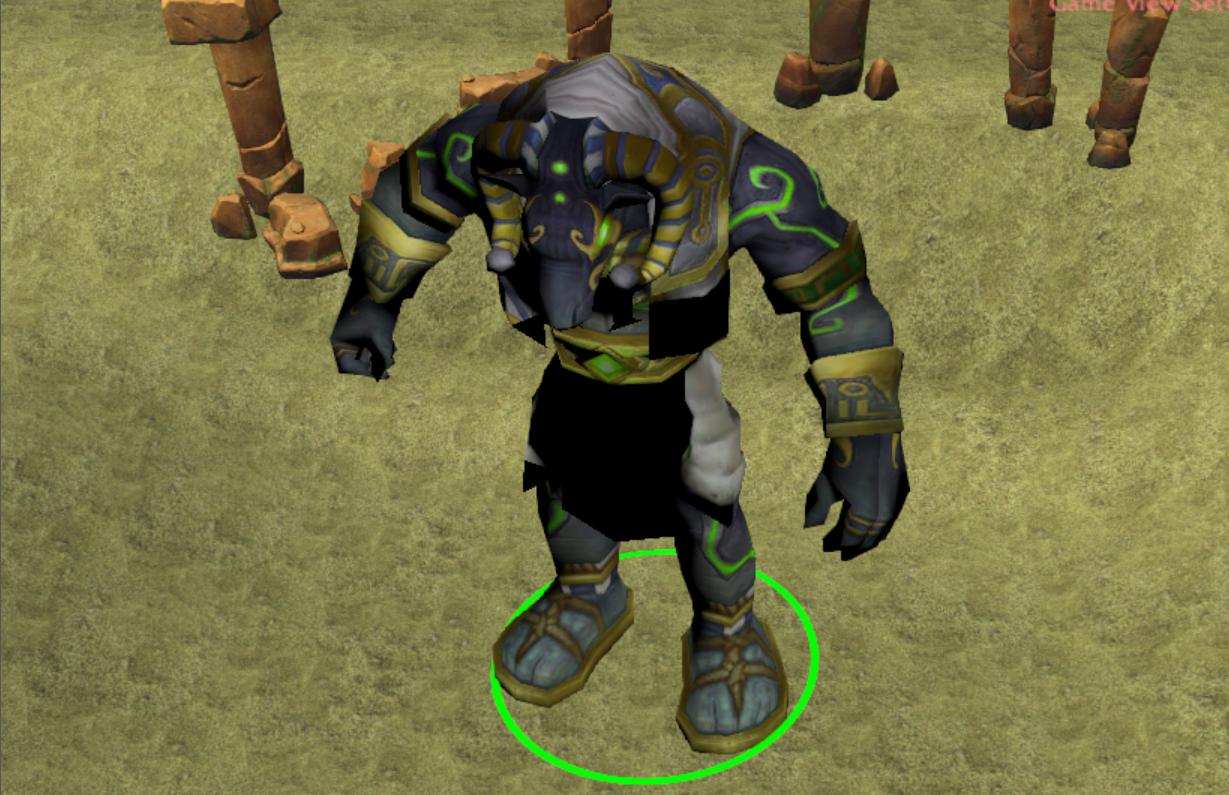
In Reforged WE with Lightning On:
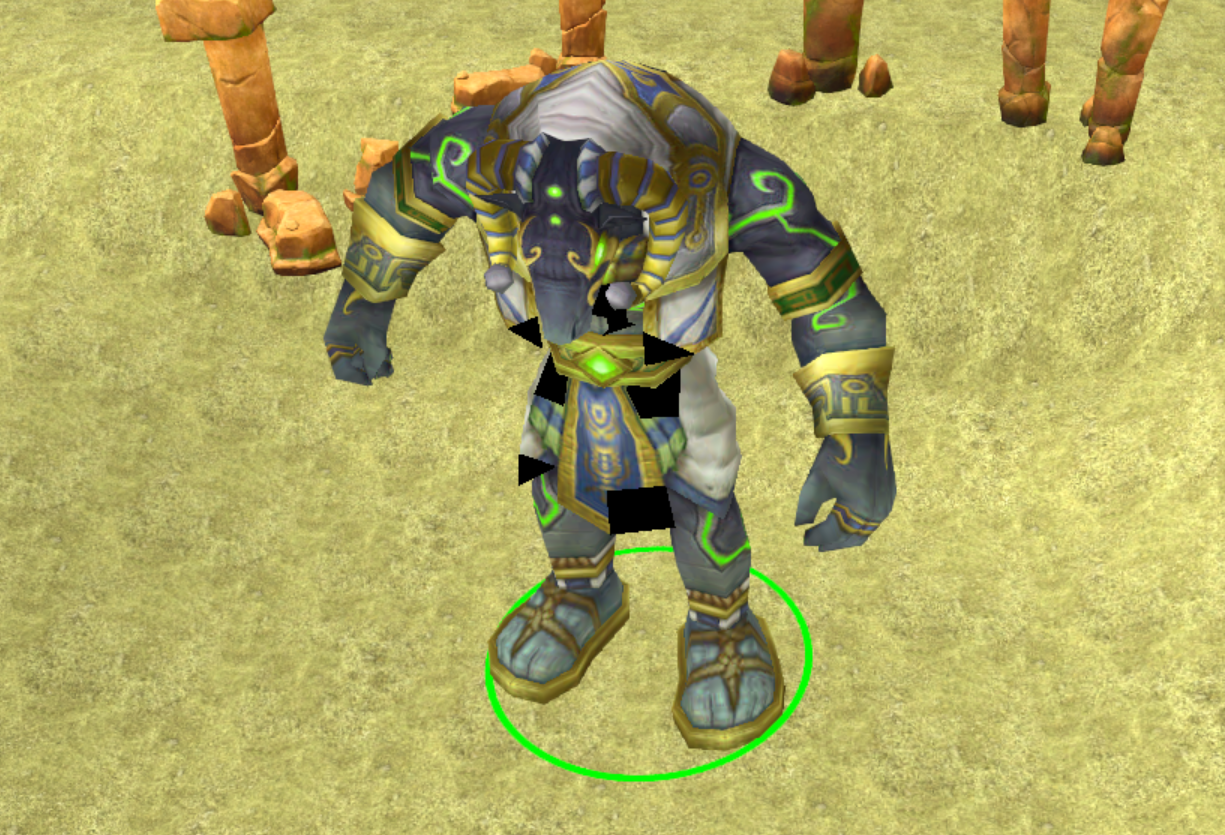
In Reforged WE with Lightning Off:
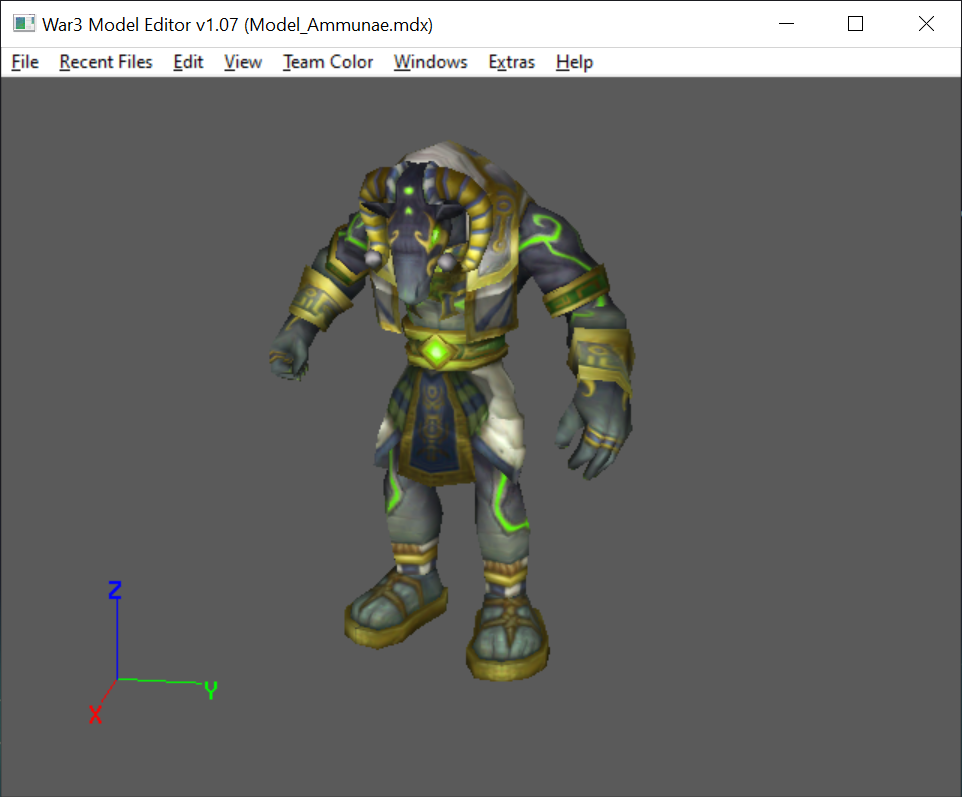
The model in War3 Model Editor:
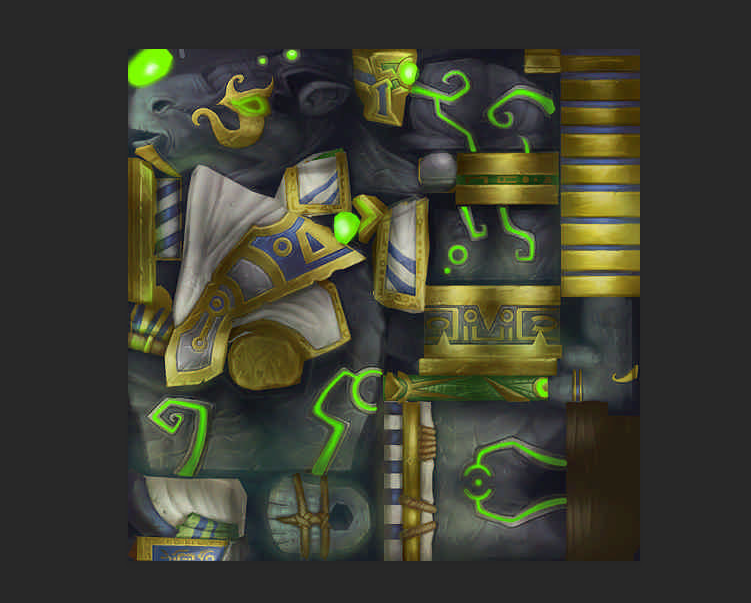
The texture in Photoshop:
I've managed to pinpoint the cause (I think) and it seems to be with the mdx model having some kind of lightning properties applied to certain parts. I've looked through all options in all different section in the War3 model editor, but none seems to change this lightning.
Does anyone have clue of how to fix this?
***EDIT***: Fixed by setting the material(s) of the model to "unshaded" in War3 model editor. At first the texture became bright af, but was able to make it look good by adjusting contrast/brightness of the texture in photoshop.
In Reforged WE with Lightning On:
In Reforged WE with Lightning Off:
The model in War3 Model Editor:
The texture in Photoshop:
I've managed to pinpoint the cause (I think) and it seems to be with the mdx model having some kind of lightning properties applied to certain parts. I've looked through all options in all different section in the War3 model editor, but none seems to change this lightning.
Does anyone have clue of how to fix this?
***EDIT***: Fixed by setting the material(s) of the model to "unshaded" in War3 model editor. At first the texture became bright af, but was able to make it look good by adjusting contrast/brightness of the texture in photoshop.
Last edited:


