@DainyG, nice you're editing Grand Prix, if you'll release it here, make sure you made lots of improvement on it, coding, terrain, more features and stuff. (just dropping by to say this reminders.)
yap this is a pre-alpha.
http://www.youtube.com/watch?v=tRSRk3EkdGg
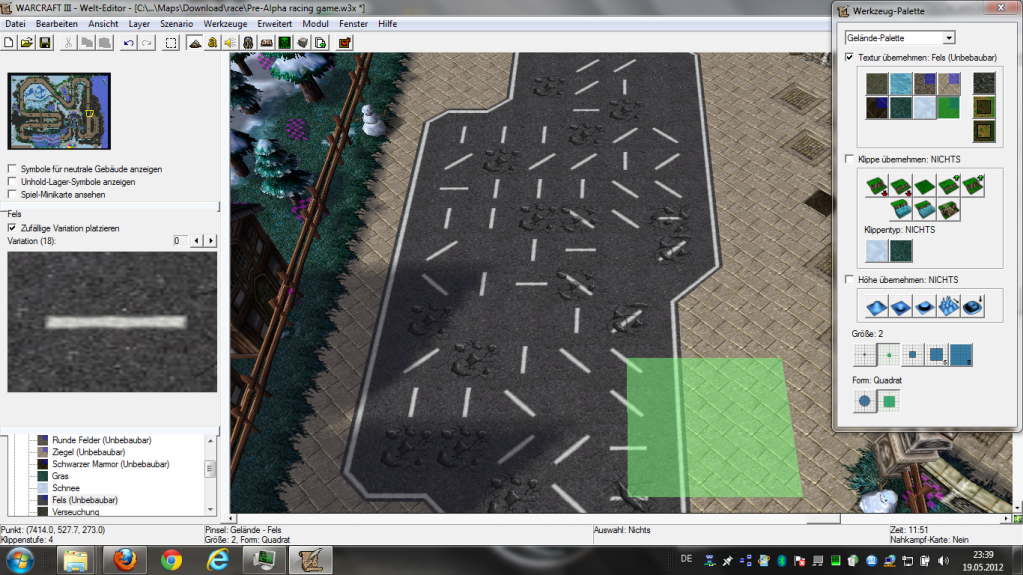
Since I didnt found any decent racing game maps for wc3 ima make this one.
And this grandprix map was just perfect as template.
I planned to add more cars, more tracks.
my idea was u gonna be able to select the track at begining.
replace items by nitro, real car sounds, and much more.
I already made 2 short cuts into the map. u cant see them in the video cuz I made them after it. Ima modify the track a bit too and ya...add street textures to get the modern racing feeling more.
Drift system I like but not sure yet how to implement.
I know how to trigger but I didnt got into jazz yet unfortunatly.
A kmh or mph display would be nice but again not sure how to implement, yet.
Also id like to speed up the cars in the game but idk how to implement again.
~Sorry for off topic. When this get more advanced ill open a thread for it.

Listen to a special audio message from Bill Roper to the Hive Workshop community (Bill is a former Vice President of Blizzard Entertainment, Producer, Designer, Musician, Voice Actor) 🔗Click here to hear his message!
Read Evilhog's interview with Gregory Alper, the original composer of the music for WarCraft: Orcs & Humans 🔗Click here to read the full interview.
The Hive's 22nd Icon Contest: Creep Abilities is now concluded, time to vote for your favourite set of icons! Click here to vote!
✅ The POLL for Hive's Texturing Contest #34 is OPEN! Vote for the TOP 3 SKINS! 🔗Click here to cast your vote!
✅ The POLL for Hive's Techtree Contest #20 is OPEN! Vote for the TOP 3 FACTIONS! 🔗Click here to cast your vote!




![A]mun](https://cdn.hiveworkshop.com/data/avatars/s/140/140771.jpg?1674379729)


