
Community
Projects
Maps
Tutorials
Gallery
Support Us
Install the app
How to install the app on iOS
Follow along with the video below to see how to install our site as a web app on your home screen.
Note: This feature may not be available in some browsers.
-
Listen to a special audio message from Bill Roper to the Hive Workshop community (Bill is a former Vice President of Blizzard Entertainment, Producer, Designer, Musician, Voice Actor) 🔗Click here to hear his message!
-
Read Evilhog's interview with Gregory Alper, the original composer of the music for WarCraft: Orcs & Humans 🔗Click here to read the full interview.
-
The Hive's 22nd Icon Contest: Creep Abilities is now concluded, time to vote for your favourite set of icons! Click here to vote!
-
✅ The POLL for Hive's Texturing Contest #34 is OPEN! Vote for the TOP 3 SKINS! 🔗Click here to cast your vote!

You are using an out of date browser. It may not display this or other websites correctly.
You should upgrade or use an alternative browser.
You should upgrade or use an alternative browser.
My First Attempt with Custom Models
- Status
- Not open for further replies.



- Joined
- Jul 16, 2004
- Messages
- 390
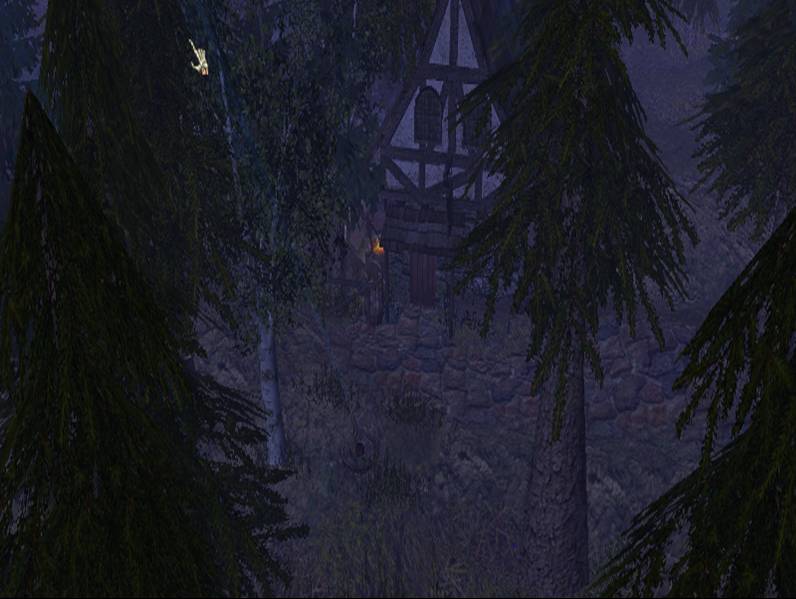
Looks really nice, maybe try adding more depth to it.


- Joined
- Jun 3, 2005
- Messages
- 6,947


Very nice, b2m's models pack i suspect?


Hmm...it's pretty nice, Little Red Riding Hood's grandmothers house.
...Of HELL!
Now back on topic... It is pretty nice, there something missing, though. I just cant figure out what...
...
......
..
Its still A LOT better than what I can do.

~Flamingo!

- Joined
- Jul 16, 2004
- Messages
- 390
You can mess with cameras in world edit and have them looking up, then just set the view camera to that camera and take the screenshot
- Joined
- Jul 16, 2004
- Messages
- 390
just go to camera layer in the object placement window (Where you select the doodads you wanna put down). Then make a camera and right click and edit its properties to where it points up at an angle
- Joined
- Jun 3, 2005
- Messages
- 6,947
press K i think.
- Joined
- Jul 16, 2004
- Messages
- 390
Press F to make it show. Edit the fog in game options

- Joined
- Mar 8, 2006
- Messages
- 604

press v - it'll turn on game view settings
Hold down control when in the editor and move the mouse to look around to get better views.
-Deck
Hold down control when in the editor and move the mouse to look around to get better views.
-Deck

- Joined
- Jan 7, 2005
- Messages
- 7,551
Hmm... scary! Very good ambient. Good job.


- Joined
- Sep 24, 2006
- Messages
- 4,986
Is this ingame in warcraft ?? if it is then wtf ! it looks like 'Divine divinity'

- Joined
- Aug 31, 2005
- Messages
- 823

Easiest way to get a screenshot is go to view and click Game View Settings. This adds in all your shadows/effects and whatnot. Then hold down ctrl and rightclick/drag to look around your map. You can get some awesome screenshots like that.
Edit: second page didnt show up when i posted :/ anyway about the fog/sky go to Scenario and Map Preferences
Edit: second page didnt show up when i posted :/ anyway about the fog/sky go to Scenario and Map Preferences
- Status
- Not open for further replies.
Similar threads


- Replies
- 4
- Views
- 1K


- Replies
- 13
- Views
- 2K


- Replies
- 16
- Views
- 3K