Model Edit / Recolor

Status
Not open for further replies.
Level 37
Joined
Aug 14, 2006
Messages
7,610

Attachments

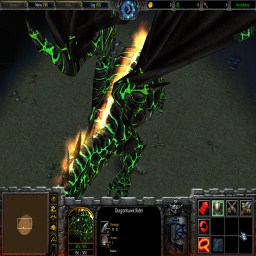
How does this look?

ApKn3.png
 
Well, yes. But that fire should be changed to something green or simply nothing. And maybe something more?

Maybe make the scales shine like with this Galeoth model. Maybe it makes this dragon really like something awesome(this is one of the main nemesis of the campaign). Or something else. Hmm. What do you think? You're the modeler here.

(look stand animation)

https://www.hiveworkshop.com/forums/pastebin_data/090nx9/GGGGGGGG.jpg
https://www.hiveworkshop.com/forums/pastebin.php?id=9v8eb2

Similar to this model is the human form of the dragon: https://www.hiveworkshop.com/forums/models-530/dark-warlock-53322/
(Kitabatake created for my a special version but this is similar to his)
 
Well, yes. But that fire should be changed to something green or simply nothing. And maybe something more?

Maybe make the scales shine like with this Galeoth model. Maybe it makes this dragon really like something awesome(this is one of the main nemesis of the campaign). Or something else. Hmm. What do you think? You're the modeler here.

(look stand animation)

https://www.hiveworkshop.com/forums/pastebin_data/090nx9/GGGGGGGG.jpg
https://www.hiveworkshop.com/forums/pastebin.php?id=9v8eb2

Similar to this model is the human form of the dragon: https://www.hiveworkshop.com/forums/models-530/dark-warlock-53322/
(Kitabatake created for my a special version but this is similar to his)

Theres a large chance that hes simply a photoshopper and not a modeller. These flames use in-game textures and cannot be changed without editing them within a model editor
 
I tried looking at the model in Magos' Model Editor but I don't know how to remove particles with them.
 
I made the flames green, but I was not able to get help to remove them :(
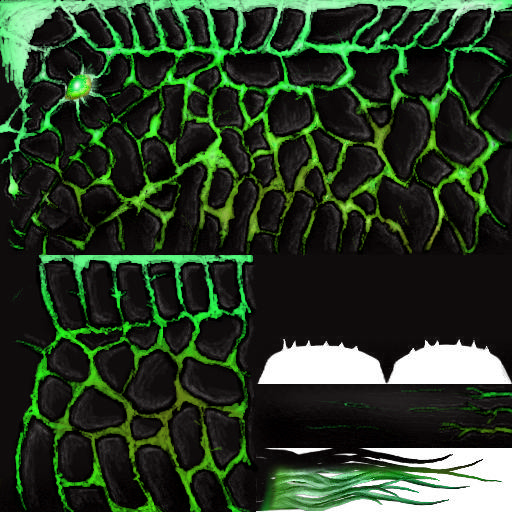
But anyways, here's the skin:

They all import to Textures\
 

Attachments

Status
Not open for further replies.
Back
Top