• Listen to a special audio message from Bill Roper to the Hive Workshop community (Bill is a former Vice President of Blizzard Entertainment, Producer, Designer, Musician, Voice Actor) 🔗Click here to hear his message!
  • Read Evilhog's interview with Gregory Alper, the original composer of the music for WarCraft: Orcs & Humans 🔗Click here to read the full interview.
  • The Hive's 22nd Icon Contest: Creep Abilities is now concluded, time to vote for your favourite set of icons! Click here to vote!
  • ✅ The POLL for Hive's Texturing Contest #34 is OPEN! Vote for the TOP 3 SKINS! 🔗Click here to cast your vote!
  • ✅ The POLL for Hive's Techtree Contest #20 is OPEN! Vote for the TOP 3 FACTIONS! 🔗Click here to cast your vote!

Missing Northrend basic tileset

Status
Not open for further replies.
Level 2
Joined
Apr 13, 2020
Messages
23
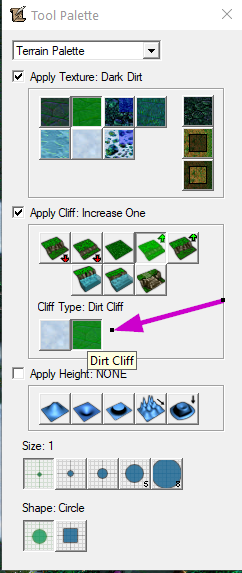
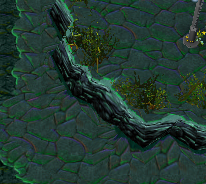
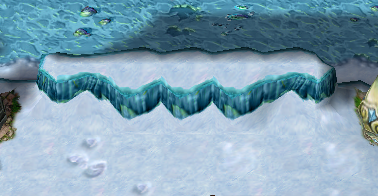
Hi! I have some problems in my map with landscape textures. Some textures of Northend cliffs are replaced by others, summer ones. For editor I use war3 (1.28) and it is without any problems, but people playing my map in war3 (1.26a - stripped-down version(803 MB) from the ICCUP site iCCup — Pages / How to Start Playing DotA?).

That stripped-down version has problems with textures, and replaces nonexistent ones with some others, it looks very disgusting. How can this problem be solved through the map? I can't get the whole community to install the full Warcraft(~7 GB). Perhaps somehow you can load the missing cliff textures through the map? Has anyone encountered a problem?

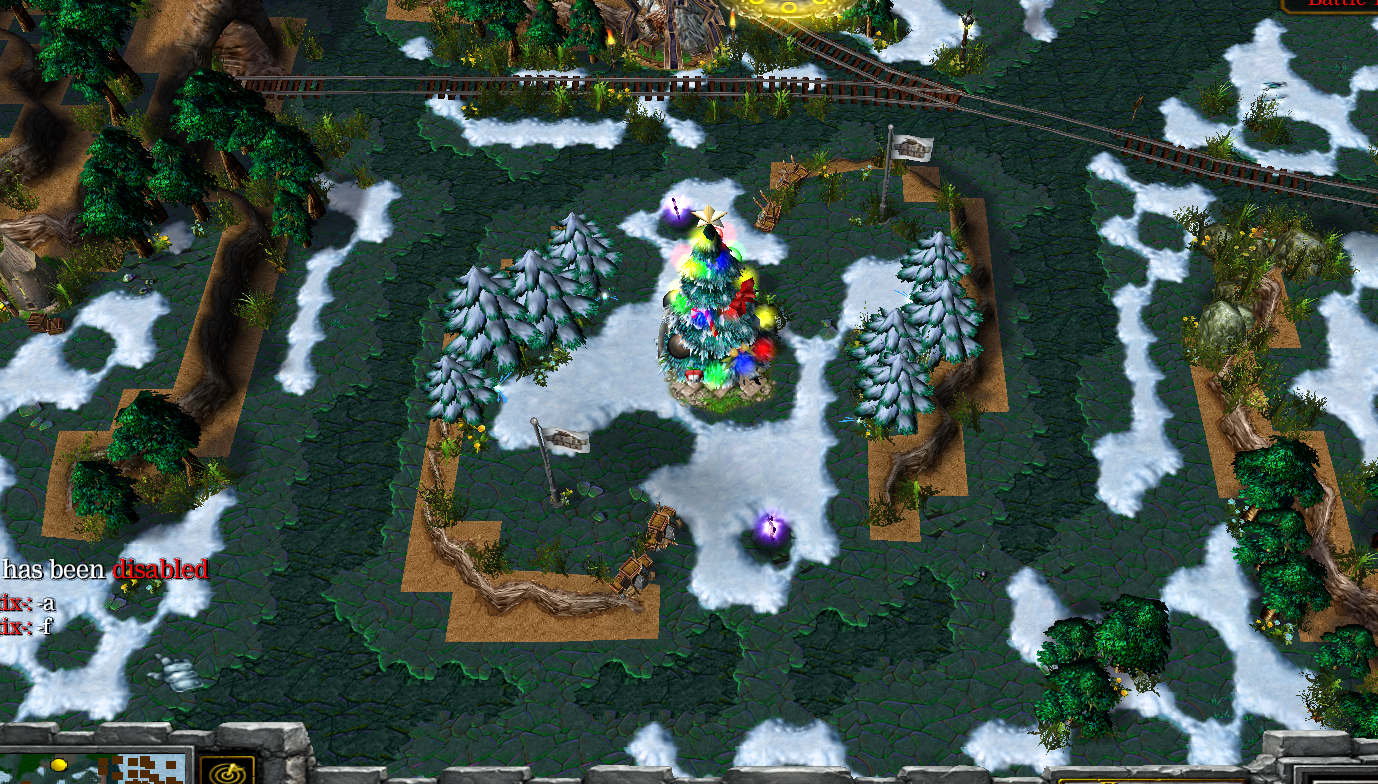
Should be like this:
unknown.png


But in the game it is ugly:
unknown.png
 
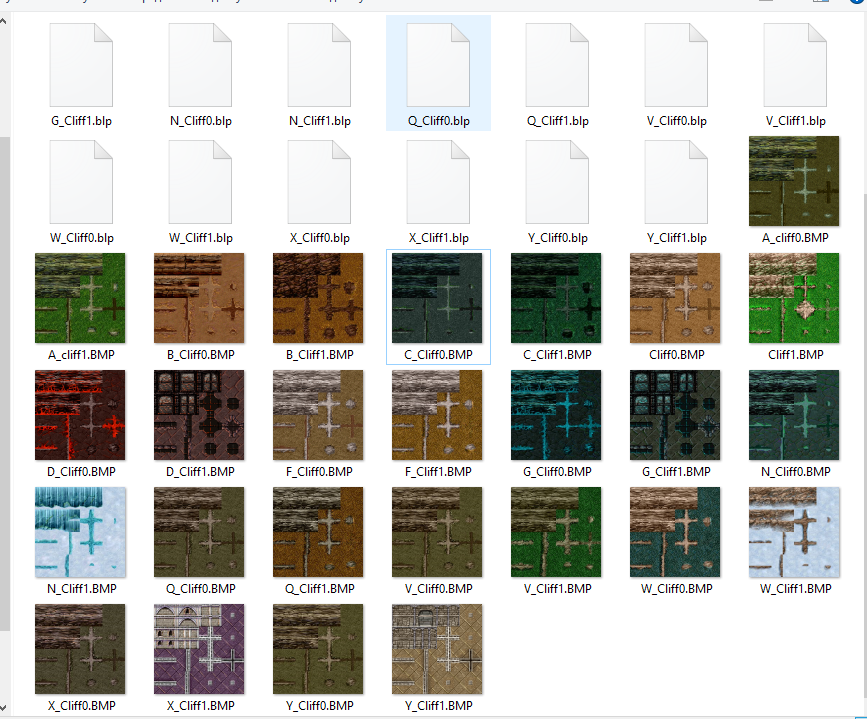
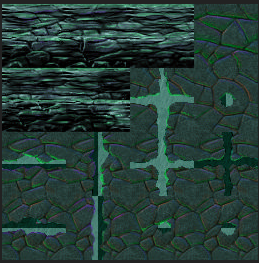
I've been converted all blp to BMP:
unknown.png

and found out that i need this one (N_Cliff0.BMP - this is Northrend Dirt Cliff) :
unknown.png

Now i have to find how to import it and replace that ugly wrong cliffs from first post.
 
I've been converted all blp to BMP
You can install this if you want to see blp files without needing to convert them to other formats.
Now i have to find how to import it and replace that ugly wrong cliffs from first post.
Import N_Cliff0.blp into your map and set the path to:
ReplaceableTextures\Cliff\Cliff0.blp
 
Last edited:
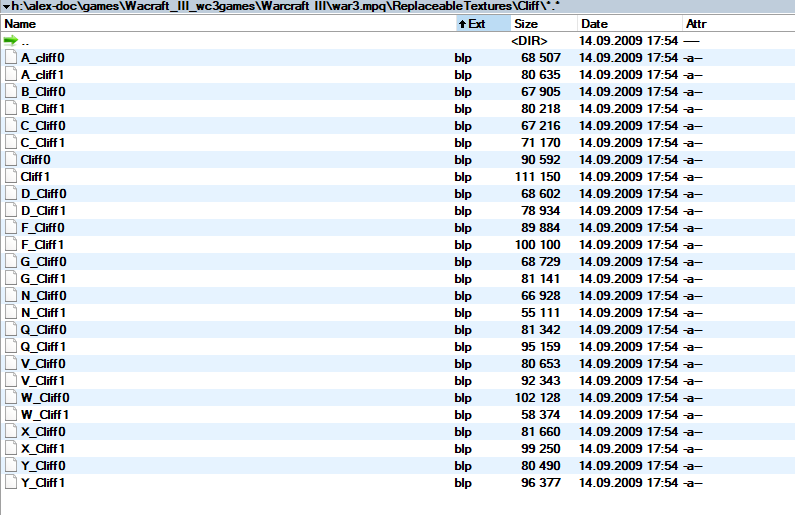
I determined that for some reason the game slips these cliffs (Cliff1.blp и Cliff0.blp) under any other cliffs. I need N_Cliff0 and N_Cliff1. I uploaded blp files from war3.mpq archive to the map and renamed them to Cliff1.blp и Cliff0.blp and everything looks like i want:
unknown.png
unknown.png


I managed to solve it myself. Moderators can close the topic. I outlined all my stages in case someone else faces the same problems.
 
Status
Not open for further replies.
Back
Top