
-
Listen to a special audio message from Bill Roper to the Hive Workshop community (Bill is a former Vice President of Blizzard Entertainment, Producer, Designer, Musician, Voice Actor) 🔗Click here to hear his message!
-
Read Evilhog's interview with Gregory Alper, the original composer of the music for WarCraft: Orcs & Humans 🔗Click here to read the full interview.
-
The Hive's 22nd Icon Contest: Creep Abilities is now concluded, time to vote for your favourite set of icons! Click here to vote!
-
✅ The POLL for Hive's Texturing Contest #34 is OPEN! Vote for the TOP 3 SKINS! 🔗Click here to cast your vote!
-
✅ The POLL for Hive's Techtree Contest #20 is OPEN! Vote for the TOP 3 FACTIONS! 🔗Click here to cast your vote!
War3 Uniform font

- Author(s)
- JasonCorino
- Tags
- Text Markup, Windows, Open Source
- Size
- 37.55 MB
- Rating
- Downloads
- 922
- Created
- Oct 6, 2025
- Updated
- Oct 6, 2025
- Resources
- 1
- State
 Pending
This bundle is marked as pending. It has not been reviewed by a staff member yet.

Hello everyone, I have created a font that can display Chinese and Korean characters in the English version. You can download it.
Supported fonts: Simplified Chinese, Traditional Chinese, Korean, Japanese, English, Russian, French, German
I added Chinese and Korean fonts in the English version because originally they were displayed as spaces in the English version. My intention was to enable English-speaking players to read Chinese and Korean. Since there is now screen AI translation, it has become very convenient.
Moreover, in the simplified Chinese version, traditional Chinese characters cannot be displayed. I have fixed this issue.
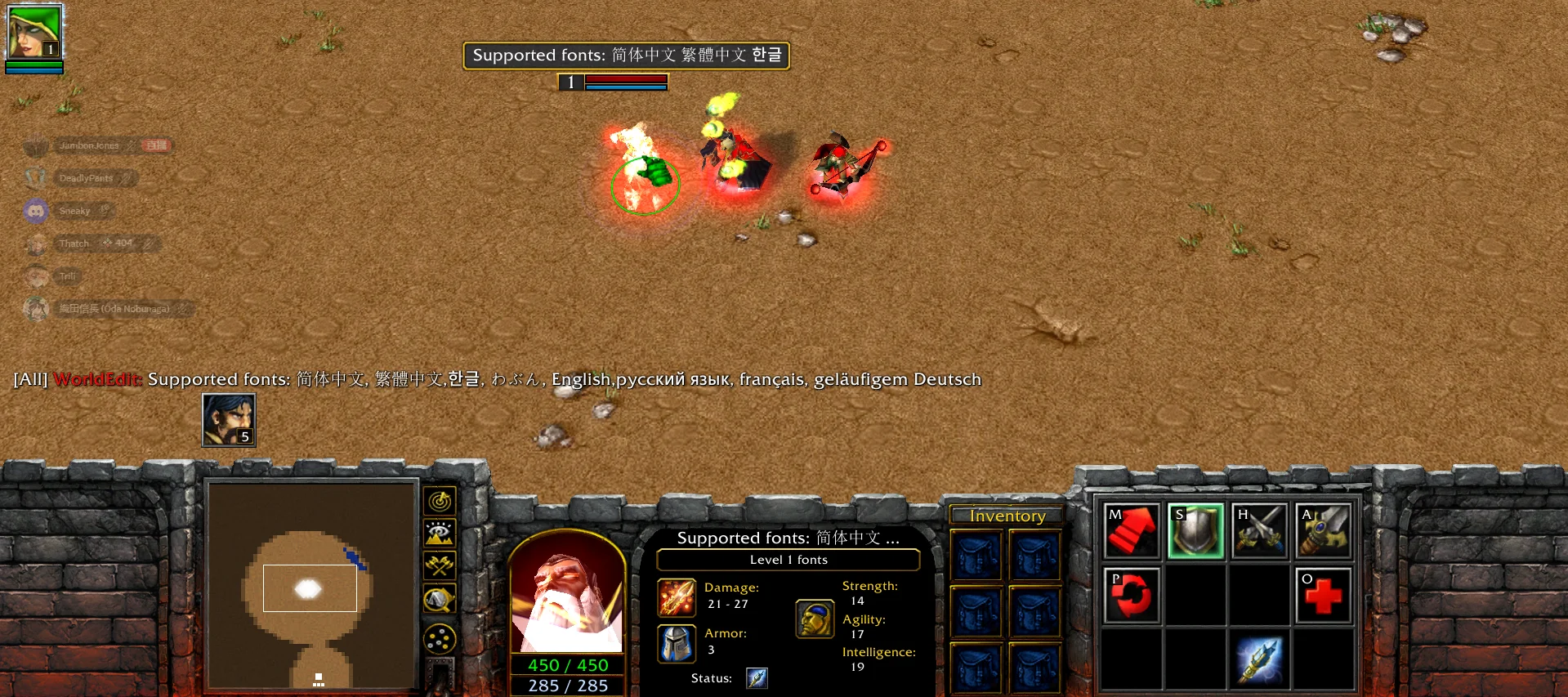
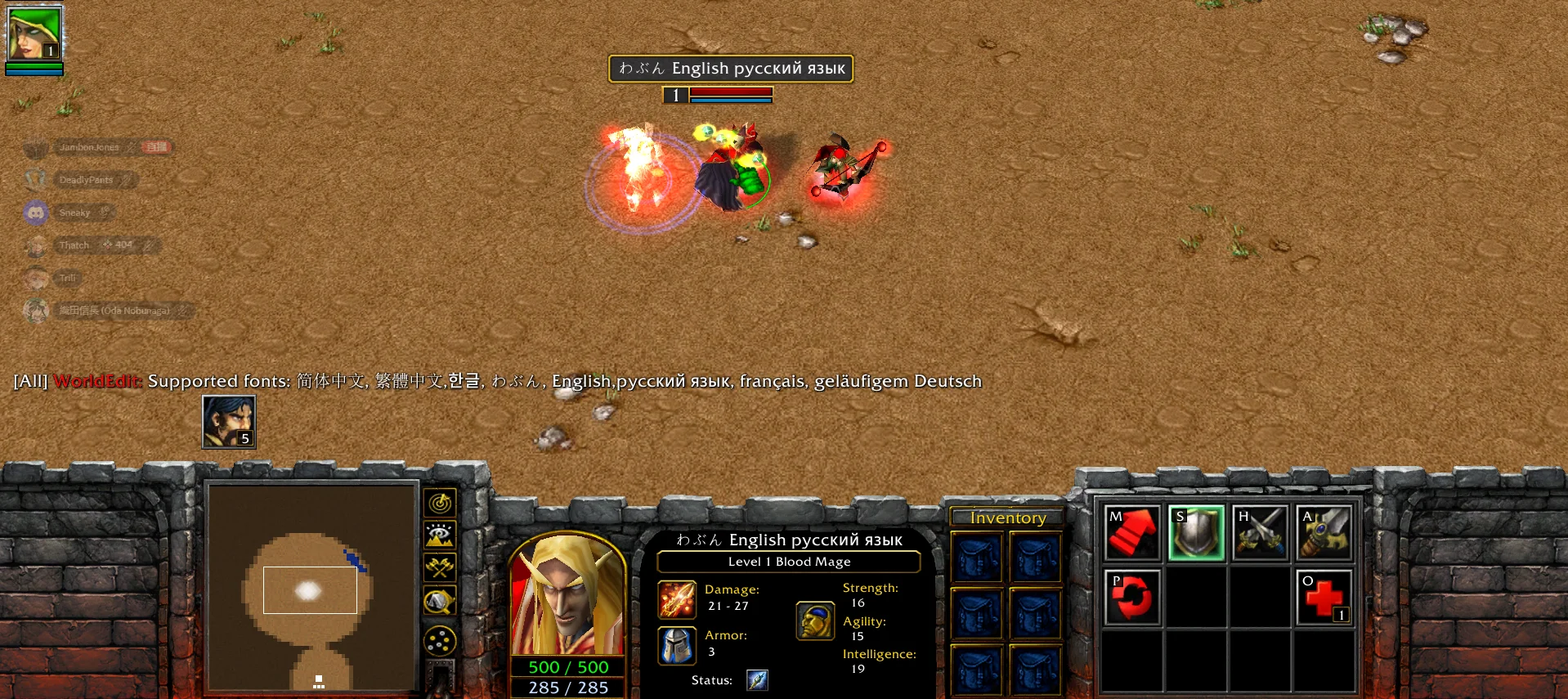
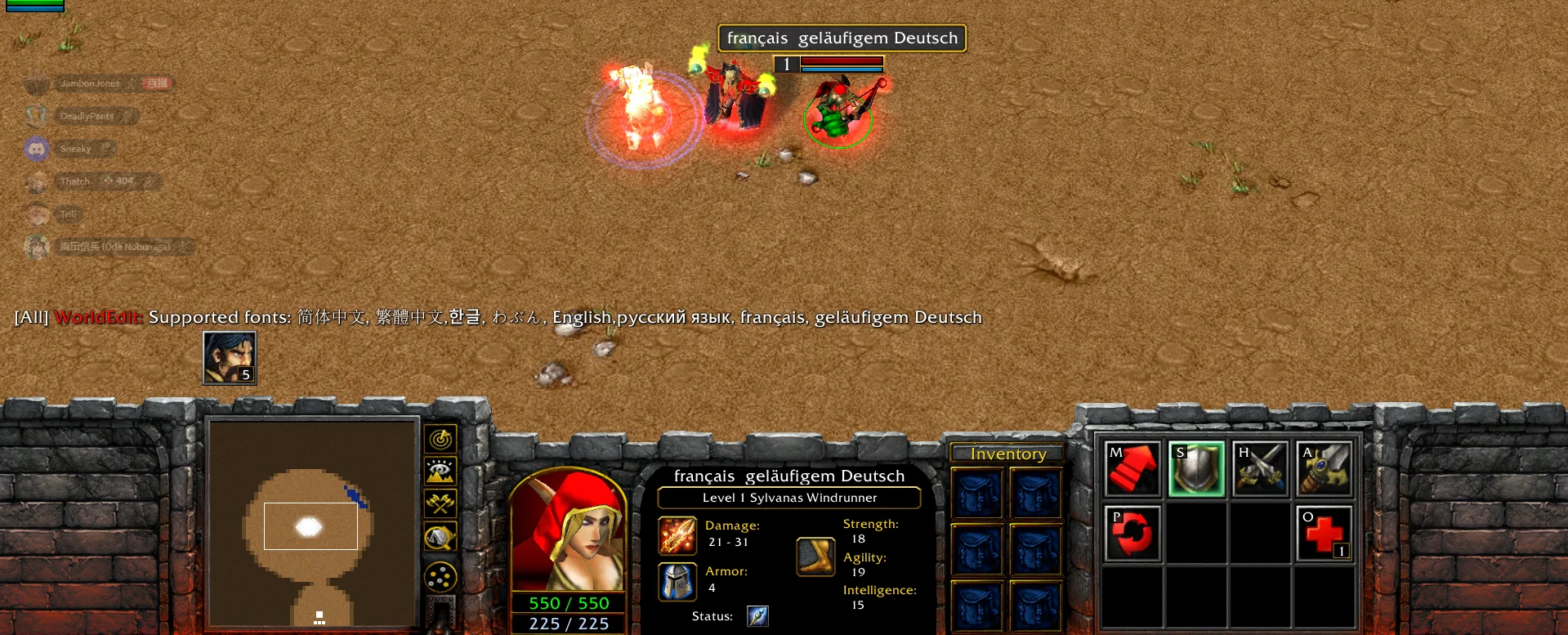
Supported fonts: Simplified Chinese, Traditional Chinese, Korean, Japanese, English, Russian, French, German
I added Chinese and Korean fonts in the English version because originally they were displayed as spaces in the English version. My intention was to enable English-speaking players to read Chinese and Korean. Since there is now screen AI translation, it has become very convenient.
Moreover, in the simplified Chinese version, traditional Chinese characters cannot be displayed. I have fixed this issue.
Previews


Contents


