
(Keeps Hive Alive)
Go Back   The Hive Workshop - A Warcraft III Modding Site > Warcraft III Tutorials > Tutorial Submission

Tutorial Submission Do you wish to submit a tutorial? README before posting!
Submissions are accepted in this forum.

Reply
 
LinkBack Thread Tools Display Modes
Old 09-07-2008, 05:05 PM   #1 (permalink)
 
Cheezeman's Avatar

User
 
Join Date: Aug 2008
Posts: 56

Cheezeman is an unknown quantity at this point (0)


Idea Create a sucessfull timer with window

How to create a succesfull timer
This tutorial will show you how to make a successfull timer window using GUI.


Prologue

So the tutorial is done... not even close to what I hoped it would be since it's quite simple and short. Wish I could post a tutorial on a more usable topic since anyone engaged enough in world editing can do this by him/her -self.
If any admin see this, don't waste your time with a review. Even if it would pass the test the, as I said, topic isn't very interesting or useful.
Also, this is a reupload. I made this in August (I think at least) and by that time I didn't know double posting was forbidden.
Please, forgive my acts. I was just a child.


Introduction

I have noticed when playing Battle.net games that many of the timer windows never disappear.
This may be caused by, for example, using

Timer 1
Events
Time - Timer[1] expires
Conditions
Actions
Time - Destroy (Last created timer window)

In this case the destruction of a Timer[1] refers to (Last created timer window) which can be another timer, meant for ressurecting a Hero for example.
It can get very anoying to have 5 timers that says 00:00:00 blocking the sight and disables vision of other timers...
I wish to help you with this

Timers can be used in any map for any reason. Most common cases are
- Using it to show when you get your next income
- Using it to show the amount of time there is left to finish a map.
- Using it to show when the game starts.
- Using it to show when your Hero resurrects.
- Using it to show when the next creep spawning level will begin.


Dictionary
Or "words that may come in handy"


GUI Trigger
GUI Trigger
Events
Conditions
Actions

Variable
A variable is "something that can store somthing of it's kind"
(You should check out a tutorial on variables to get the idea of what they are)
If a variable was an integer, we called it "X" and it was equal to 3; X+2 would be the same as 3+2.
Or if the variable was a unit, we called it Super_Hero and it was equal to Blademaster 0001; we could use it in a map initialization:
Initialization
Events
Map initialization
Conditions
Actions
Hero - Set Super_Hero Hero-level to 10, Hide level up graphics
(If you don't get the idea follow my advice and visit a tutorial for variables)

Using [ ]
I use [ ] to represent variables and similiar stuff which is supposed to be read as one string. Very useful when reading lots of texts.


Tutorial Start

Part One
Creating Variables

(To create a variable, go to [Trigger Editor->Variables])
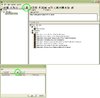
Picture


Create the following variables:

Timer
Timer Array
New Timer (Default)

TimerWindow
Timer Window Array
- None -

Explenations:
The first is the timer itself, which is not to be confused with the timer window.

The second is used to enable the destruction of the timer.

Part Two
Triggers


TheTimer Start
Events
Time - [Your event]
Conditions
Actions
Countdown Timer - Start Timer[1] as a One-shot timer that will expire in [YOUR TIME] seconds
Countdown Timer - Create a timer window for Timer[1] with the title [YOUR TITLE]
Countdown Timer - Show (Last created timer window)
Set TimerWindow[1] = (Last created timer window)

Now you're almost done. The only thing we need is to destroy the timer.

TheTimer Destroy
Events
Time - Timer[1] expires
Conditions
Actions
Time - Destroy TimerWindow[1]


Credits
Thanks to Airandius for extream review
It really helped me a lot.
Unfortunatly, since I changed the entire tutorial, you will have to do it again
If anyone catches any of his posts, please, give him +Rep.


The Very End

May seem a little fair and simple, but since many map makers still don't know how to do this I felt responsible to create a tutorial.
It's mainly for the sake of destroying the right timer window and not destroying a timer that is still running...
If any of you wonder why I changed the whole tutorial from [really advanced hero siege creep leveling] to [simple timer window tutorial], it was just for that purpose: Make it a [simple timer window tutorial] and not go too much off-topic...
I think I'll make a tutorial later on [how-to create an extream hero siege/tower defence creep-spawning system], which was my first idea of the tutorial

P.S: This was my very first tutorial.

Happy Map-making!

Last edited by Cheezeman; 01-06-2009 at 12:11 PM.. Reason: Added header tags
Cheezeman is offline   Reply With Quote
Old 12-28-2008, 07:16 PM   #2 (permalink)
 
Cheezeman's Avatar

User
 
Join Date: Aug 2008
Posts: 56

Cheezeman is an unknown quantity at this point (0)


I can't belive I still havn't got any response...
__________________
Epic song :D

YouTube Movie
"Truck Driving Song" from the tv-series "Macken" (1986) made by Galenskaparna


Anyone want passive flame strike icon? Or auto-casting immolation icon? Feel free to ask.
Cheezeman is offline   Reply With Quote
Old 12-28-2008, 08:55 PM   #3 (permalink)
 
Hawkwing's Avatar

Texture Artist
 
Join Date: Dec 2007
Posts: 4,167

Hawkwing is just really nice (374)Hawkwing is just really nice (374)Hawkwing is just really nice (374)Hawkwing is just really nice (374)

Respected User: This user has been given the respected user award. 

You must use the [h1][h2][h3] (header) tags, otherwise this wont get approved.
__________________

Notices

The bird is the word.

Favourites
Hawkwing is offline   Reply With Quote
Old 12-28-2008, 08:58 PM   #4 (permalink)
 
Airandius's Avatar

I arez flying! Whieee!
 
Join Date: Jun 2007
Posts: 775

Airandius is a jewel in the rough (192)Airandius is a jewel in the rough (192)


I'm not a mod, but in any case I will give you a full review of your tutorial.
(Better prepare yourself.)

Introduction [5.5/10]:


It's good that you tell us what this tutorial is going to do, it will help us with timers.
But you made some (minor) mistakes in your introduction:

Quote:
This particular timer tutorial is mainly used for Hero Siege, possibly Tower Defence as well.
It will make the creeps spawn at the starting location of a player, if he/she/it is playing.
This is disturbing me a, timers can be used in almost every map type, so give us more examples.
A few (basic ones) are:
- Using it to show when you get your next income
- Using it to show the amount of time there is left to finish a map.
- Using it to show when the game starts.

The main reason for you (rather low) score is because you told us wrong information.

Quote:
Variable
A variable origins from math. It's originally a holder for a number, like (X=2)
In this case, variable X is equal to 2, so when calculating 2+X it would be the same as 2+2
This is incorrect, a variable is nothing more then something that can store something of it's type.
For example you are talking about an integer variable; it saves a number.
You also have real variables, they also save number but instead of 1, 2, 3 like integers they will store 1.00, 2.00, 3.00.
Some thins in the WE are saved in integers, while some are saved as reals.

Your second part about variables is correct however. Just say that variables can store anything you want for later use.
You can also use variables to store certain things (like points or groups) so you can destroy them later (to prevent leaks).

Also instead of using: 'Words that might come in handy:' call it: 'Basics:'.


Tutorial [3/10]:


#1: You use an integer to keep track of levels, however this tutorial was to show people how to proper create and remove timers from a game.
You should first tell them how to create a trigger, how they work, what they do and how to clean them properly.
I suggest you put the 'extra' part. So basically the example in the next section.
So you'll get two sections, a basic timer section and a section that gives you an example how to use it. In your case a defense.

#2: (Your example.) You don't have to create a new timer for each level, you can use a timer that keeps looping, and when that timer ends you create 'x' number on units of type 'y'.
For the units you can make an initialization trigger to store all units of each level to a variable array.
Then use an integer to increase the level.

Initialization
Events
Time - Elapsed game time is 0.01 seconds
Conditions
Actions
Set UnitTypeVar[1] = Peasant
Set UnitTypeVar[1] = Footman
Set UnitTypeVar[1] = Knight
Set UnitTypeVar[1] = Rifleman

Can you see what I mean? This is way better then to create 50 timers for example, instead of 50 triggers you only need 2.
One to set the levels, and one to 'increase the level' + 'spawning actions' when the timer ends.
Of course you should not destroy the timer window in this case, only at the last level.

#3: Your triggers leak, please clean them. If you do not know what I'm talking about then go here.


Other [3/5]:


#1: I saw a link to a picture attachment, use image tags to show your images. It might be best if you hide it with a spoiler.
- Spoilers are used like this: [ HIDDEN="<insert title here>"]<insert hidden stuff here>[/HIDDEN ] of course remove the spaces inside the brackets.
- Images tags are used like this: [ IMG]<Image URL>[/IMG ] of course remove the space at the end.
Put the image tag inside the spoiler and you can show your images on your thread, people only have to click the show button.

#2: Give your titles a nice color to them, this way new parts of your tutorial are noticed better.
Just don't spam colors.

#3: This tutorial is very simple, so the overall usefulness of this trigger is not ensured.
Not to forget that timers and their windows are a very easy part of the editor, it's usually the 'new', 'bad', 'noob' mapmakers that leave these kind of small mistakes for what they are.
Forgive for saying noobs though, but you have to agree with me. There are a lot.

#4: Add a sample map? A map can say more then a 1000 words.

#5: Use header tags.


Spelling [4/10]:


Everybody makes mistakes, but tutorials should not have them, or at least not a lot.
Here are a few of your simple mistakes, I could have missed some though, so read your whole trigger and check for spelling and grammar.

#1:
Quote:
This tutorial will show you how to make a succesfull timer window using GUI.
- Should be: 'successful'.

#2:
Quote:
I have noticed when playing games online that many of the windows never dissapeared.
- Should be: 'disappeared'.

#3:
Quote:
In this case it refers to (Last created timer window) which can be another timer, meant for ressurecting a hero for example, and it can get very troublesome...
- Should be: 'resurrecting'.

#4:
Quote:
This particular timer tutorial is mainly used for Hero Siege, possibly Tower Defence as well.
- Should be: 'defense'. (2x)

#5:
Quote:
Theese triggers will make it easy for you to create more levels to you Tower Defence or Hero Siege.
- Should be: 'these'. (2x)

#6:
Quote:
I use [ ] to represent variables and 'similiar stuff which is supposed to be read as one string. Very useful when reading lots of texts.
- Should be: 'similar'.

#7:
Quote:
Explenations:
The first variable is used, combined with the third, to tell the editor which timerwindow to destory later on.
- Should be: 'explanations', 'timer window' (2x) and 'destroy' (2x).

#8:
Quote:
3: Change the actions wraped around comments:
- Should be: 'wrapped'.

#9:
Quote:
If you examine the triggers you will see that almost everything is done automaticly
- Should be: 'automatically'.

#10:
Quote:
[Timer_Window_Level[1]], beacuse it is supposed to destroy
- Should be: 'because'.

#11:
Quote:
I do hope you will find the tutorial helpfull.
- Should be: 'helpful'.


Final Score:

[5.5/10] + [3/10] + [3/5] + [4/10] = [15.5/35]
15.5 / 35 = 0.4428
0.4428 x 9 + 1 = 4.9852 (Out of 10.)
A tutorial will need a minimal score of 8/10, for this reason I vote against approving at this tutorial.
Fix what I told you and your score will go up for sure, your main problem is your main tutorial part followed by your spelling.

Good Luck

~ Airandius

P.S.

My way of calculating for approval is not the way moderators will do it, I just made it as accurate as I thought I could, be aware that moderators only want good tutorials.
Also: I'm not a mod, I can't approve this for you even if it scored 10/10.

__________________

Last edited by Airandius; 12-28-2008 at 09:01 PM.. Reason: Fixes
Airandius is offline   Reply With Quote
Old 12-28-2008, 09:15 PM   #5 (permalink)
Model & Tutorial Moderator
 
Pyritie's Avatar

 
Join Date: Nov 2006
Posts: 7,331

Pyritie has much of which to be proud (1032)Pyritie has much of which to be proud (1032)Pyritie has much of which to be proud (1032)Pyritie has much of which to be proud (1032)Pyritie has much of which to be proud (1032)Pyritie has much of which to be proud (1032)Pyritie has much of which to be proud (1032)

Super Donor: This user has donated at least $100 to The Hive. Hero Contest #1 Winner: Slatie 

@Airandius: Tutorials have a score?
Pyritie is online now   Reply With Quote
Old 12-28-2008, 09:47 PM   #6 (permalink)
 
Cheezeman's Avatar

User
 
Join Date: Aug 2008
Posts: 56

Cheezeman is an unknown quantity at this point (0)


Quote:
Originally Posted by Hawkwing View Post
You must use the [h1][h2][h3] (header) tags, otherwise this wont get approved.
What the hell is that?
__________________
Epic song :D

YouTube Movie
"Truck Driving Song" from the tv-series "Macken" (1986) made by Galenskaparna


Anyone want passive flame strike icon? Or auto-casting immolation icon? Feel free to ask.
Cheezeman is offline   Reply With Quote
Old 12-28-2008, 09:49 PM   #7 (permalink)
 
Cheezeman's Avatar

User
 
Join Date: Aug 2008
Posts: 56

Cheezeman is an unknown quantity at this point (0)


Quote:
Originally Posted by Airandius View Post
I'm not a mod, but in any case I will give you a full review of your tutorial.
(Better prepare yourself.)

Introduction [5.5/10]:


It's good that you tell us what this tutorial is going to do, it will help us with timers.
But you made some (minor) mistakes in your introduction:


This is disturbing me a, timers can be used in almost every map type, so give us more examples.
A few (basic ones) are:
- Using it to show when you get your next income
- Using it to show the amount of time there is left to finish a map.
- Using it to show when the game starts.

The main reason for you (rather low) score is because you told us wrong information.


This is incorrect, a variable is nothing more then something that can store something of it's type.
For example you are talking about an integer variable; it saves a number.
You also have real variables, they also save number but instead of 1, 2, 3 like integers they will store 1.00, 2.00, 3.00.
Some thins in the WE are saved in integers, while some are saved as reals.

Your second part about variables is correct however. Just say that variables can store anything you want for later use.
You can also use variables to store certain things (like points or groups) so you can destroy them later (to prevent leaks).

Also instead of using: 'Words that might come in handy:' call it: 'Basics:'.


Tutorial [3/10]:


#1: You use an integer to keep track of levels, however this tutorial was to show people how to proper create and remove timers from a game.
You should first tell them how to create a trigger, how they work, what they do and how to clean them properly.
I suggest you put the 'extra' part. So basically the example in the next section.
So you'll get two sections, a basic timer section and a section that gives you an example how to use it. In your case a defense.

#2: (Your example.) You don't have to create a new timer for each level, you can use a timer that keeps looping, and when that timer ends you create 'x' number on units of type 'y'.
For the units you can make an initialization trigger to store all units of each level to a variable array.
Then use an integer to increase the level.

Initialization
Events
Time - Elapsed game time is 0.01 seconds
Conditions
Actions
Set UnitTypeVar[1] = Peasant
Set UnitTypeVar[1] = Footman
Set UnitTypeVar[1] = Knight
Set UnitTypeVar[1] = Rifleman

Can you see what I mean? This is way better then to create 50 timers for example, instead of 50 triggers you only need 2.
One to set the levels, and one to 'increase the level' + 'spawning actions' when the timer ends.
Of course you should not destroy the timer window in this case, only at the last level.

#3: Your triggers leak, please clean them. If you do not know what I'm talking about then go here.


Other [3/5]:


#1: I saw a link to a picture attachment, use image tags to show your images. It might be best if you hide it with a spoiler.
- Spoilers are used like this: [ HIDDEN="<insert title here>"]<insert hidden stuff here>[/HIDDEN ] of course remove the spaces inside the brackets.
- Images tags are used like this: [ IMG]<Image URL>[/IMG ] of course remove the space at the end.
Put the image tag inside the spoiler and you can show your images on your thread, people only have to click the show button.

#2: Give your titles a nice color to them, this way new parts of your tutorial are noticed better.
Just don't spam colors.

#3: This tutorial is very simple, so the overall usefulness of this trigger is not ensured.
Not to forget that timers and their windows are a very easy part of the editor, it's usually the 'new', 'bad', 'noob' mapmakers that leave these kind of small mistakes for what they are.
Forgive for saying noobs though, but you have to agree with me. There are a lot.

#4: Add a sample map? A map can say more then a 1000 words.

#5: Use header tags.


Spelling [4/10]:


Everybody makes mistakes, but tutorials should not have them, or at least not a lot.
Here are a few of your simple mistakes, I could have missed some though, so read your whole trigger and check for spelling and grammar.

#1:
- Should be: 'successful'.

#2:
- Should be: 'disappeared'.

#3:
- Should be: 'resurrecting'.

#4:
- Should be: 'defense'. (2x)

#5:
- Should be: 'these'. (2x)

#6:
- Should be: 'similar'.

#7:
- Should be: 'explanations', 'timer window' (2x) and 'destroy' (2x).

#8:
- Should be: 'wrapped'.

#9:
- Should be: 'automatically'.

#10:
- Should be: 'because'.

#11:
- Should be: 'helpful'.


Final Score:

[5.5/10] + [3/10] + [3/5] + [4/10] = [15.5/35]
15.5 / 35 = 0.4428
0.4428 x 9 + 1 = 4.9852 (Out of 10.)
A tutorial will need a minimal score of 8/10, for this reason I vote against approving at this tutorial.
Fix what I told you and your score will go up for sure, your main problem is your main tutorial part followed by your spelling.

Good Luck

~ Airandius

P.S.

My way of calculating for approval is not the way moderators will do it, I just made it as accurate as I thought I could, be aware that moderators only want good tutorials.
Also: I'm not a mod, I can't approve this for you even if it scored 10/10.

Haha great feedback I'll work on this tomorrow if I get the time
+Rep to you
I will also put you on teh credits list if I remember
__________________
Epic song :D

YouTube Movie
"Truck Driving Song" from the tv-series "Macken" (1986) made by Galenskaparna


Anyone want passive flame strike icon? Or auto-casting immolation icon? Feel free to ask.
Cheezeman is offline   Reply With Quote
Old 12-28-2008, 09:49 PM   #8 (permalink)
Model & Tutorial Moderator
 
Pyritie's Avatar

 
Join Date: Nov 2006
Posts: 7,331

Pyritie has much of which to be proud (1032)Pyritie has much of which to be proud (1032)Pyritie has much of which to be proud (1032)Pyritie has much of which to be proud (1032)Pyritie has much of which to be proud (1032)Pyritie has much of which to be proud (1032)Pyritie has much of which to be proud (1032)

Super Donor: This user has donated at least $100 to The Hive. Hero Contest #1 Winner: Slatie 

Quote:
Originally Posted by Cheezeman View Post
What the hell is that?
They're tags you should use for your headers.

Also, merge your posts. Double posting is against the rules.
Pyritie is online now   Reply With Quote
Old 12-28-2008, 09:53 PM   #9 (permalink)
 
Cheezeman's Avatar

User
 
Join Date: Aug 2008
Posts: 56

Cheezeman is an unknown quantity at this point (0)


Quote:
Originally Posted by Pyritie View Post
They're tags you should use for your headers.

Also, merge your posts. Double posting is against the rules.
And what are headers? xD (Seriously I don't know squat about this site)
And, yes, I will remove the first post. The first post was to get people to notice my tutorial. At that time I didn't know I could just Edit my post and post it again.
__________________
Epic song :D

YouTube Movie
"Truck Driving Song" from the tv-series "Macken" (1986) made by Galenskaparna


Anyone want passive flame strike icon? Or auto-casting immolation icon? Feel free to ask.
Cheezeman is offline   Reply With Quote
Old 12-28-2008, 09:58 PM   #10 (permalink)
Model & Tutorial Moderator
 
Pyritie's Avatar

 
Join Date: Nov 2006
Posts: 7,331

Pyritie has much of which to be proud (1032)Pyritie has much of which to be proud (1032)Pyritie has much of which to be proud (1032)Pyritie has much of which to be proud (1032)Pyritie has much of which to be proud (1032)Pyritie has much of which to be proud (1032)Pyritie has much of which to be proud (1032)

Super Donor: This user has donated at least $100 to The Hive. Hero Contest #1 Winner: Slatie 

Quote:
Originally Posted by Cheezeman View Post
And what are headers? xD (Seriously I don't know squat about this site)
And, yes, I will remove the first post. The first post was to get people to notice my tutorial. At that time I didn't know I could just Edit my post and post it again.
h1

h2

h3


Use them for titles for sections and stuff.