

- Joined
- Jan 18, 2005
- Messages
- 5,786


Difficulty:Easy: 3/10
Needed Tools
ADDING SOUNDS
Many of the custom models, mainly those from scratch, have no sound attached to it when dying or attacking. You can make the sound via trigger, but this way only one sound can be played at time, so if two buildings with that model die in a very short interval only one explosion will be heard. And triggers should be avoided when it is possible, making more mess and maybe also lag.
The best method to add them is via Magos Model Editor.
So, first open your model you wish to edit. Then select Windows->Node Manager. A new windows opens, right click on blank region (nothing selected) and click Create Event Object.
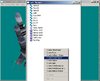
Double click a newmade event, which should be called UNNAMED. You will have a new window, where you can select the appropriate sound from Data scroll.
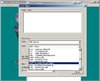
After doing that, before you continue, go back to model editor and select Windows->Sequence Manager. Then choose the animation when you want the sound be played. Copy the number in the interval section in From: textbox.
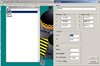
Return to Node Manager, the window of your new object should stay here. Right-click on Event track section and left-click Create New. Then you paste that number in textbox that appears.
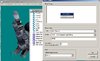
The value can be a little greater (especially for attack animation), but it must not exceed the end of animation (To: textbox). Then just click OKs and save your model.
If you do not find any suitable sound, you can select any you will surely will not need and then import one of yours and override the path of sound you have chosen in in model editor (the path of sounds are in sound editor in WE).
ADDING ATTACHMENTS
Some of those models also do not have attachment points, or just not enough. Adding them is very simple. There are two types of attachments. Those which follow certain part of the body (arms, legs), and which stand still (origin).
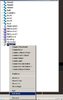
To create an origin attachment point, go to Node Manager and right-click on blank ground. Select Create Attachment.
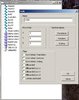
Then right-click it and select Edit Node (do not double-click it or select Edit, it has no real purpose here).
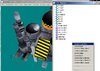
After that, in the name textbox name your attachment (how it should be ingame) and left those pivot points all 0 (this is because origin is at the center of the unit).
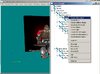
The process of creating a dynamic attachment is very similar, except you must right-click on an existing bone, you wish the attachment to follow.
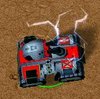
Here is Killst4r's Siege Tank which originally has no attachments but I added an origin attachment so I can use my EMP spell to immobilize it

Last edited:


